Have you wanted to typeset a Bible on screen or in print, but your preferred font doesn’t support small-caps (which is especially important for the Old Testament, where the small-caps Lord appears frequently in many translations)?
Well, if it’s a variable font, you can now try synthesizing small-caps with this quick Small-caps generator for variable fonts.
This tool tries to guess reasonable small-caps metrics for your font: it scales down the characters and increases the weight, width, and tracking to better approximate real small-caps.
Why not just use browser small-caps?
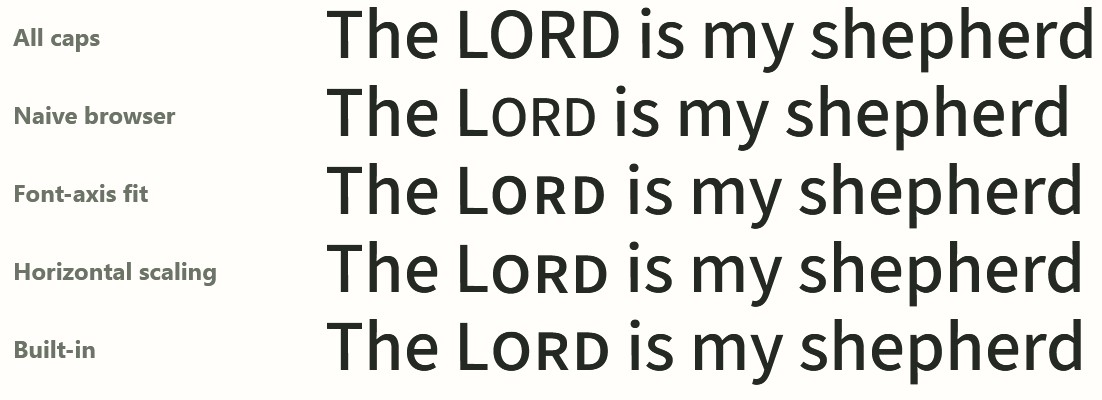
When true small-caps glyphs aren’t available, the regular CSS font-variant: small-caps declaration scales down the full-caps glyphs, leading them to appear lighter than the surrounding text. Take a look at the second line here (“Naive browser”), compared to the bottom line (the font’s built-in small-caps). This weight difference becomes especially annoying at large sizes or in running text. This example uses Source Sans.
How does the tool decide what to change?
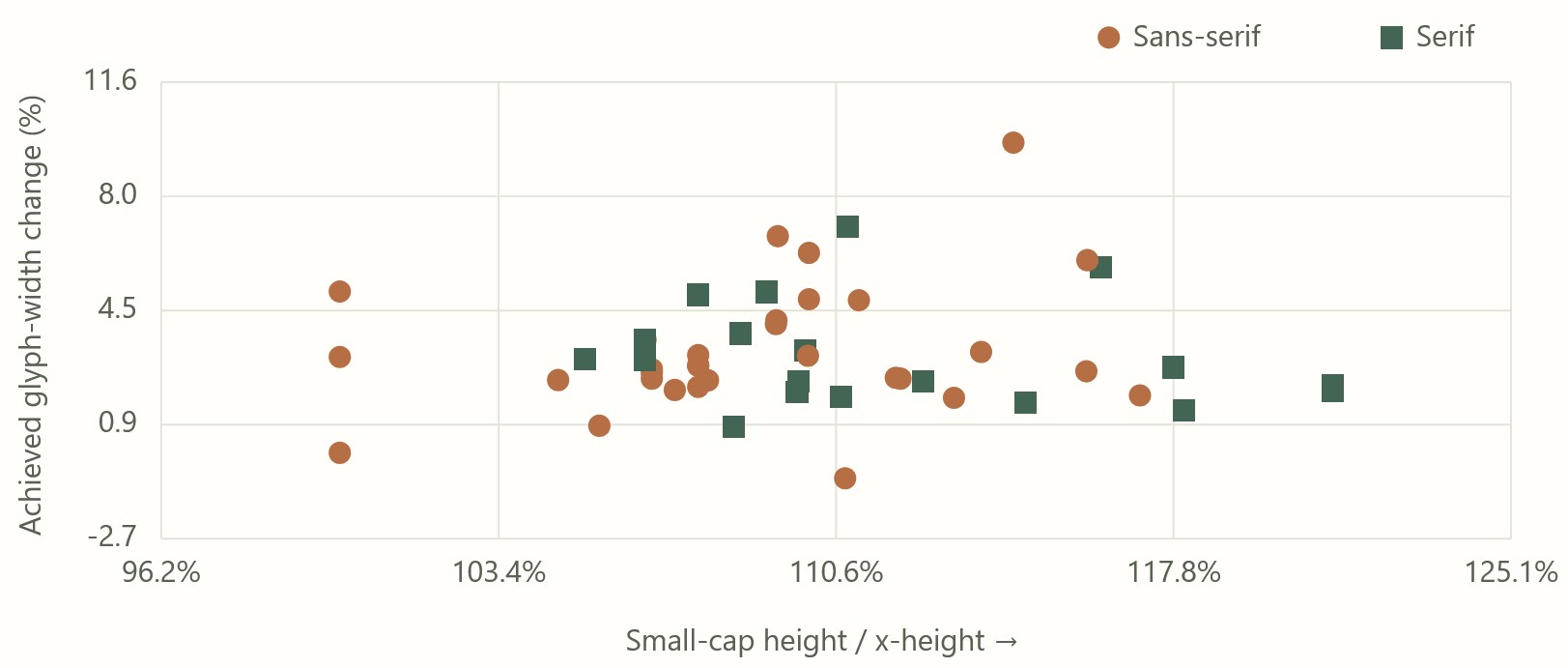
The weight, width, and tracking it uses are based on an analysis of the top 500 fonts on Google Fonts, 51 of which have small-caps (smcp) support built into the font.
Here’s what that distribution looks like; there’s a decent amount of variability, but it also shows that your font’s small-caps will probably fall within a certain range of possible values.
For Google Fonts where small-caps are available from the Google Fonts repo, the tool uses precomputed values to match the built-in small-caps. It’s typically within 3% error, as described on the tool’s “Outlines” tab.
Why would you want synthetic small-caps?
In a web context, Google Fonts doesn’t supply the small-caps variants. Even if your font supports them, there’s no way to make them appear. This tool provides you the code you need to make them appear, by linking to the .otf rather than the optimized .woff2 (at the cost of a much larger font file).
To avoid the larger font file, the tool also supplies the CSS needed to synthesize small-caps that look as close as possible to native small-caps. If you only need a few words to be small-caps (as is generally the case when showing Bible text, unless you’re, say, NASB), you can download a recipe that applies to just the words you need, eliminating the need for another set of glyphs.
In a print context, if you’ve chosen a font that lacks small-caps support and want to be sure you have a reasonable output, this tool gives you metrics you can use to plug into your page layout software.
Does it work?
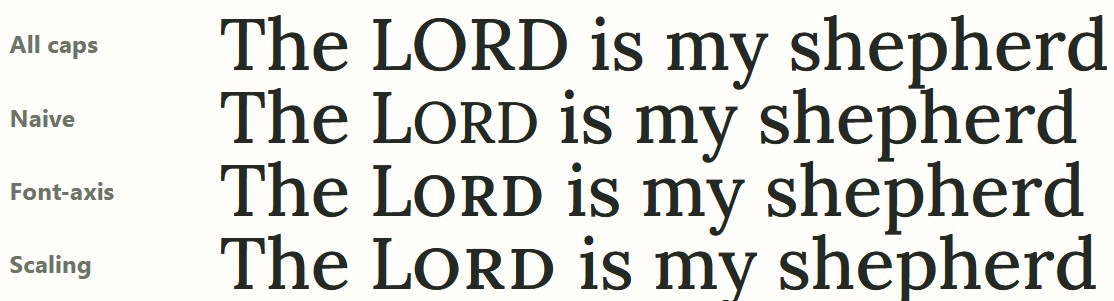
Usually it works fine… sometimes less so. Here the default 0.048em tracking for Lora feels too loose to me; it feels better at 0.03em, which also addresses some of the awkward kerning between “O” and “R” that you see below:
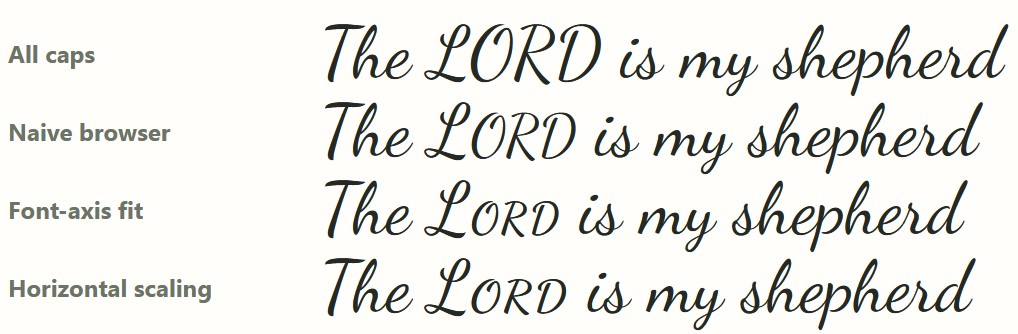
Sometimes the font itself (such as Dancing Script) doesn’t have enough weight variation. Even using a 400 base weight, the maximum 700 weight doesn’t fit with the lower-case letters.
With monospace fonts, the font scaling throws off the spacing. I wouldn’t use this tool for monospace fonts unless you don’t want the characters to line up… in which case, why are you using a monospace font?
Other features
If the generated small-caps don’t look quite right, you can adjust a bunch of sliders to get the look you want.
You can export the CSS (though you’ll probably need to adapt the markup to match your tagging system). There are also Typst and LuaLaTex exports (neither of which I tested). You can also share your settings or copy the url for your own later reference.
You can drag your own .woff2, .otf, or .ttf into the tool, and it’ll generate results for you. All the computation happens only in your browser; the main reason for hosting it on Github instead of on this site is to show that no server-side processing is happening. I don’t want your fonts.
Try it out
If you’re a typographic purist, you may be appalled at synthesizing small-caps at all. From a practical standpoint, though, these results are better than relying on scaling alone. I hope you find this tool useful next time you’re typesetting a Bible.
GPT-6 Astra wrote this tool under my guidance.
Try it online or access the source on Github; you can run it completely locally if you like.