Try the interactive interlinear aligner.
This tool lets you hand Jev (a new AI model) a translation of a Bible verse. It aligns the translation with the original Greek or Hebrew in seconds, about 30x faster than using a frontier model for the alignment. The interface also lets you correct any errors in the alignment by hand and export the alignment as JSON for your own purposes.
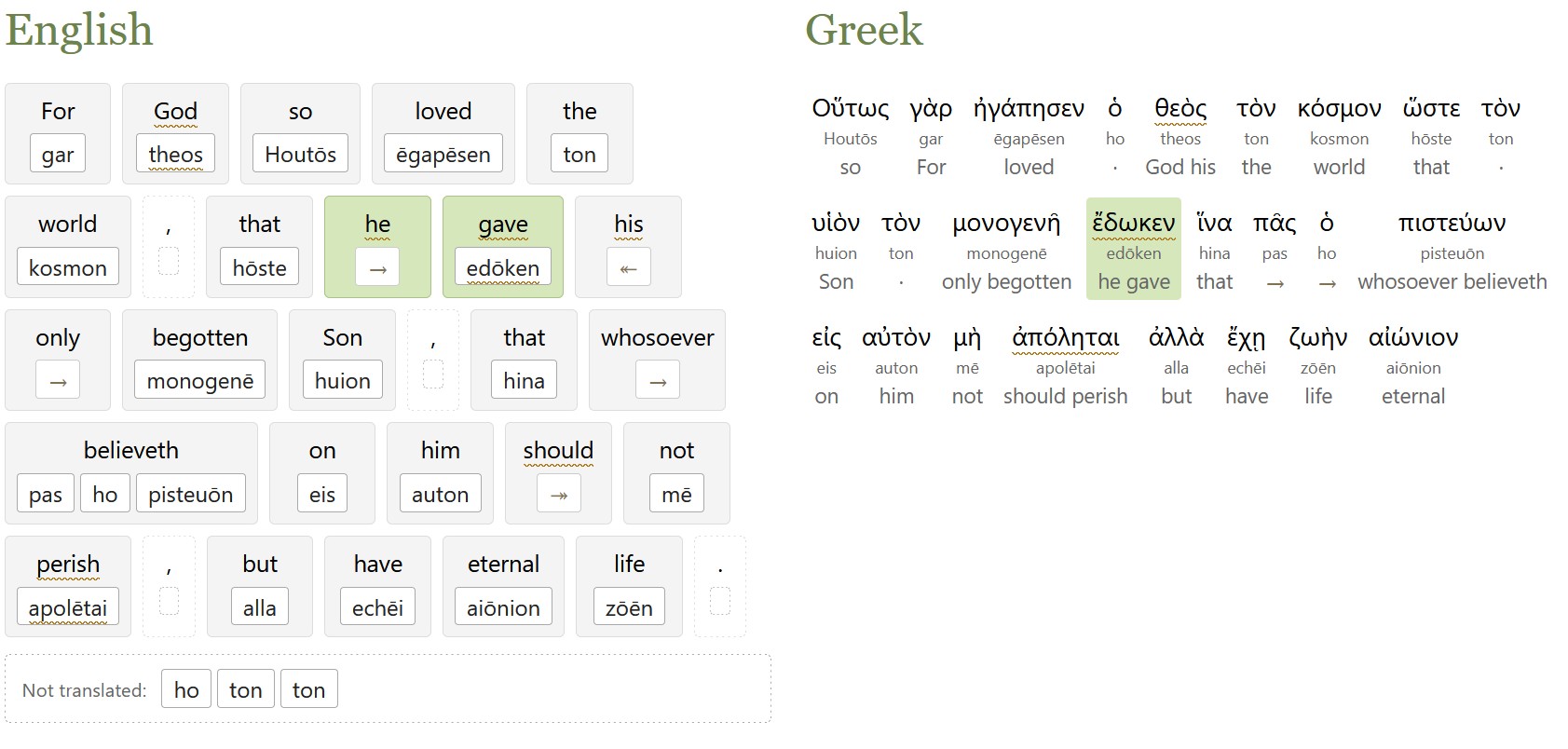
When building an interlinear for the ASV Bible, I mentioned how each chapter took 30+ minutes to align using a frontier model (or about two minutes per verse). In my testing, Jev creates a verse-level alignment that agrees with the final ASV interlinear on 80% of tokens, in seconds, for just under 1 U.S. cent per verse (on average).
It works for any English translation of a verse; for example, you could create your own translation and ask for an interlinear alignment. It also appears to work decently on non-English languages, though I only tested Spanish on a single verse.
The code reformulates the ASV interlinear alignment rules into 179 focused policies that Jev can apply to any verse. The ASV rules (Hebrew and Greek) are widely reusable for other projects; if you’re thinking of doing an interlinear alignment, I’d encourage you to consider them as a starting point.
This aligner is good enough to use as a first-pass interlinear for Greek or Hebrew, or if you need something quick, but I wouldn’t rely on it without further review. You could take its output and send it to a stronger, slower LLM for final polishing, for example.
It works better on word-for-word translations than on thought-for-thought, though it does what it can.
If you want to use Jev for this purpose at scale rather than interactively, I also published the code that does this alignment.