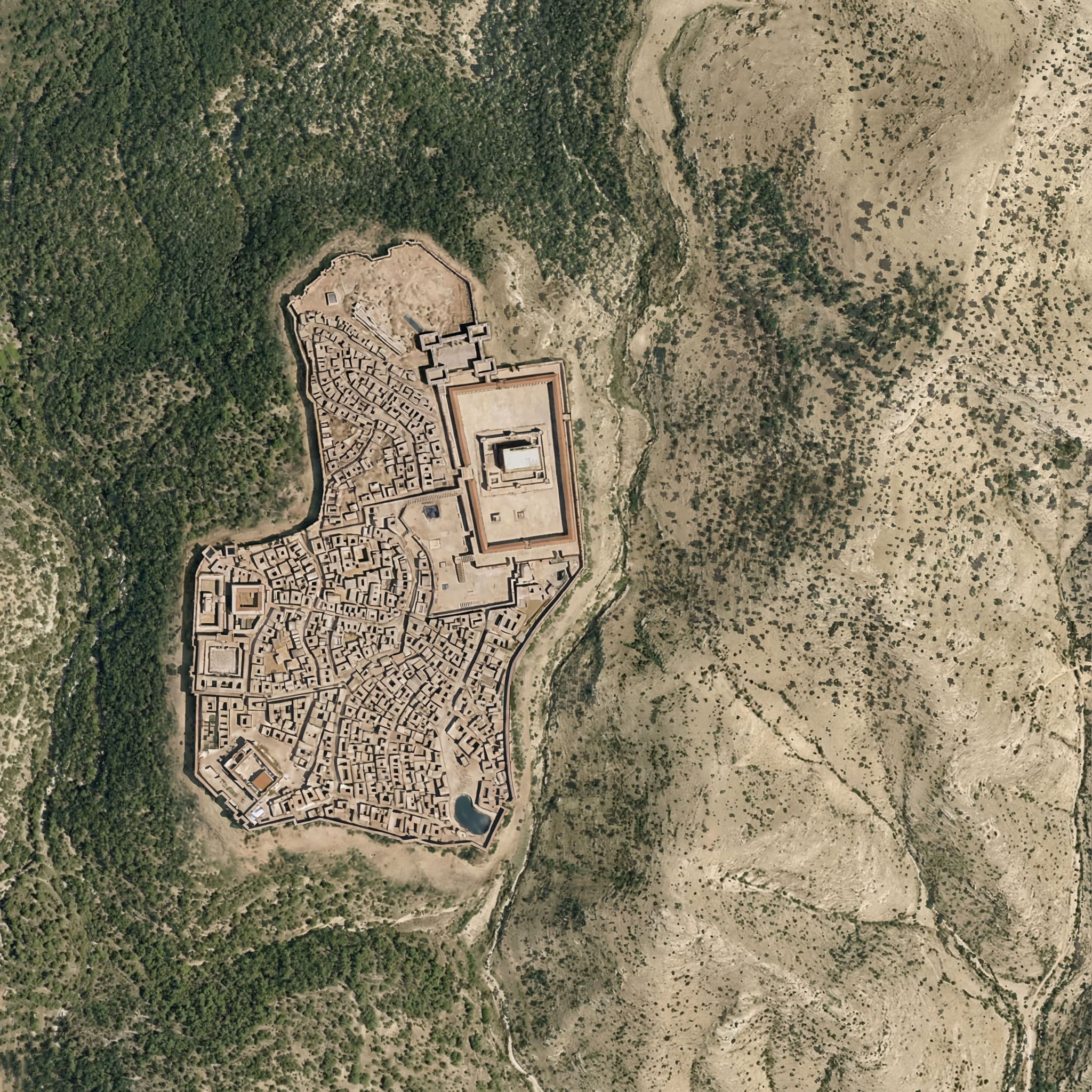
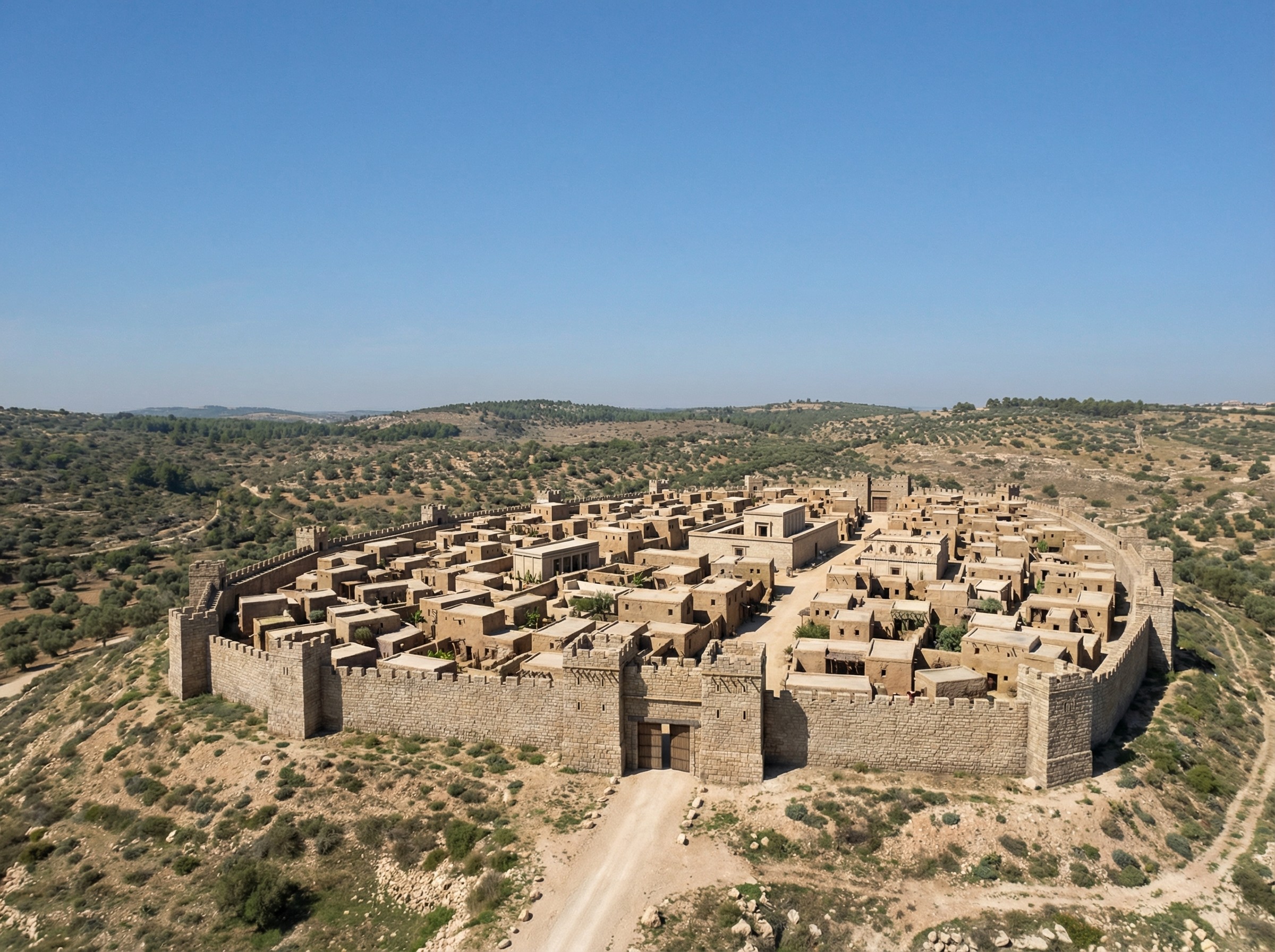
If you’re wondering whether Nano Banana Pro can credibly integrate a view of Roman-era Jerusalem into the rewilded landscape from the last post, the answer is yes. I appreciate how the above image even cleared some of the area around the walls, as you’d expect from history. The structures inside the city walls are mostly too large, however.
Here the rewilded landscape is misleading—during the time of Jesus (which the above image depicts), the area around Jerusalem was less forested than this image suggests. The area included agriculture, roads, pasturelands, and other changes introduced by humans.
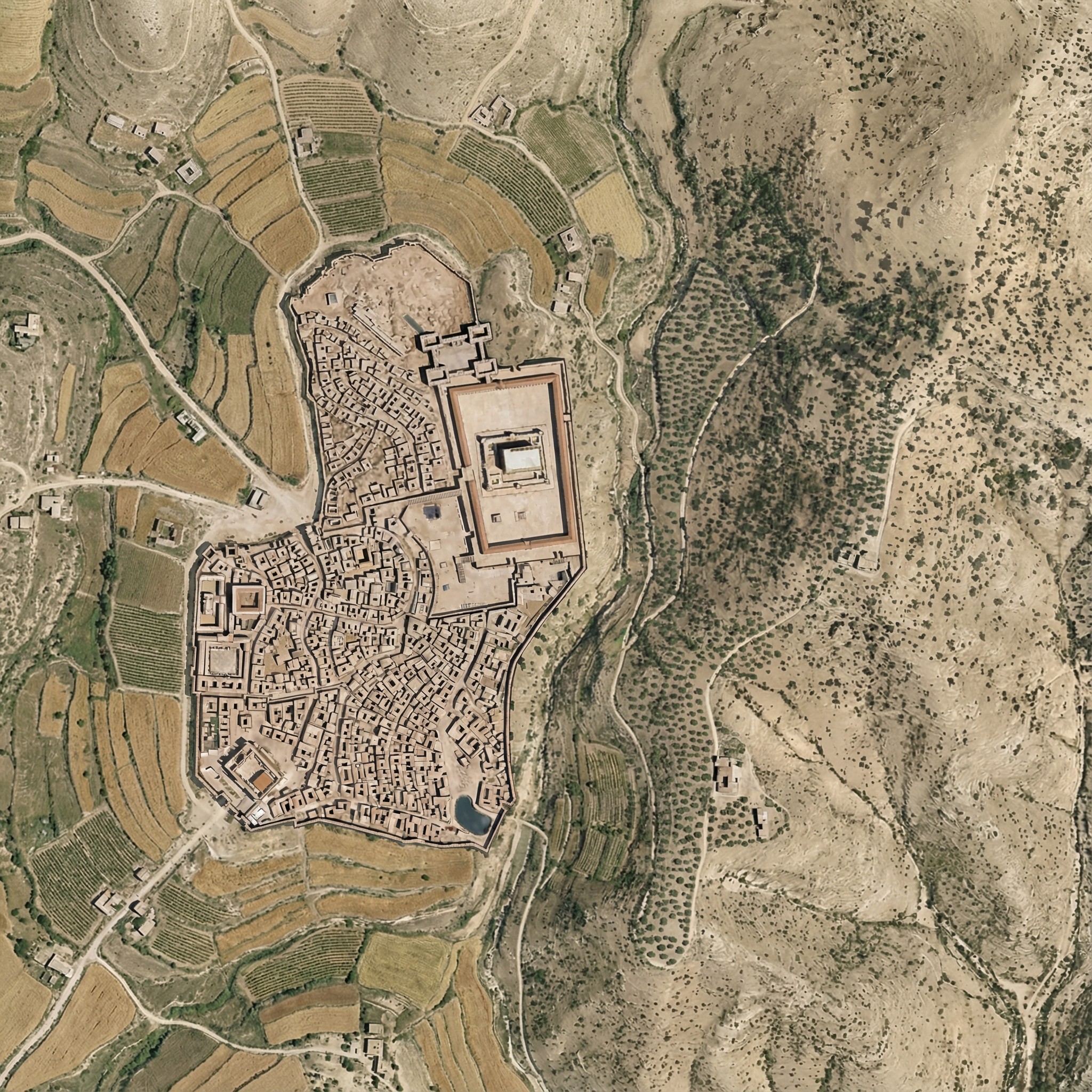
Below is my attempt at using Nano Banana Pro to convey this human activity. It regraded the whole image slightly, and the roads aren’t exactly right. I also don’t think the Hinnom Valley south of the city would have this much agriculture. The terraced agriculture is a nice touch, though, since I spent so much time getting rid of terraces in the original image.
Here was my prompt:
Right now, this Roman-era city of Jerusalem feels pasted on, because it is. Integrate the feel of the city so that it integrates into the rest of the landscape.
Also add ancient roads and small-scale agriculture (think wheat barley, olives, and vineyards), reducing the forested area. Don’t have agriculture immediately outside the city walls. Especially include cultivated olive groves on the Mount of Olives across the gully to the east of the city.
Add a few small structures and villages in the area outside the walls (isolated farmhouses, etc.) that are appropriate for the time.
Make sure there’s a way to get into the city from the west (left) near where the walls make a “J” shape.
Keep the rest of the landscape as-is and don’t adjust the overall lighting or colors of the scene, just of the city.
Posted in AI, Geo | Comments Off on Integrating Roman-era Jerusalem into a Rewilded Landscape
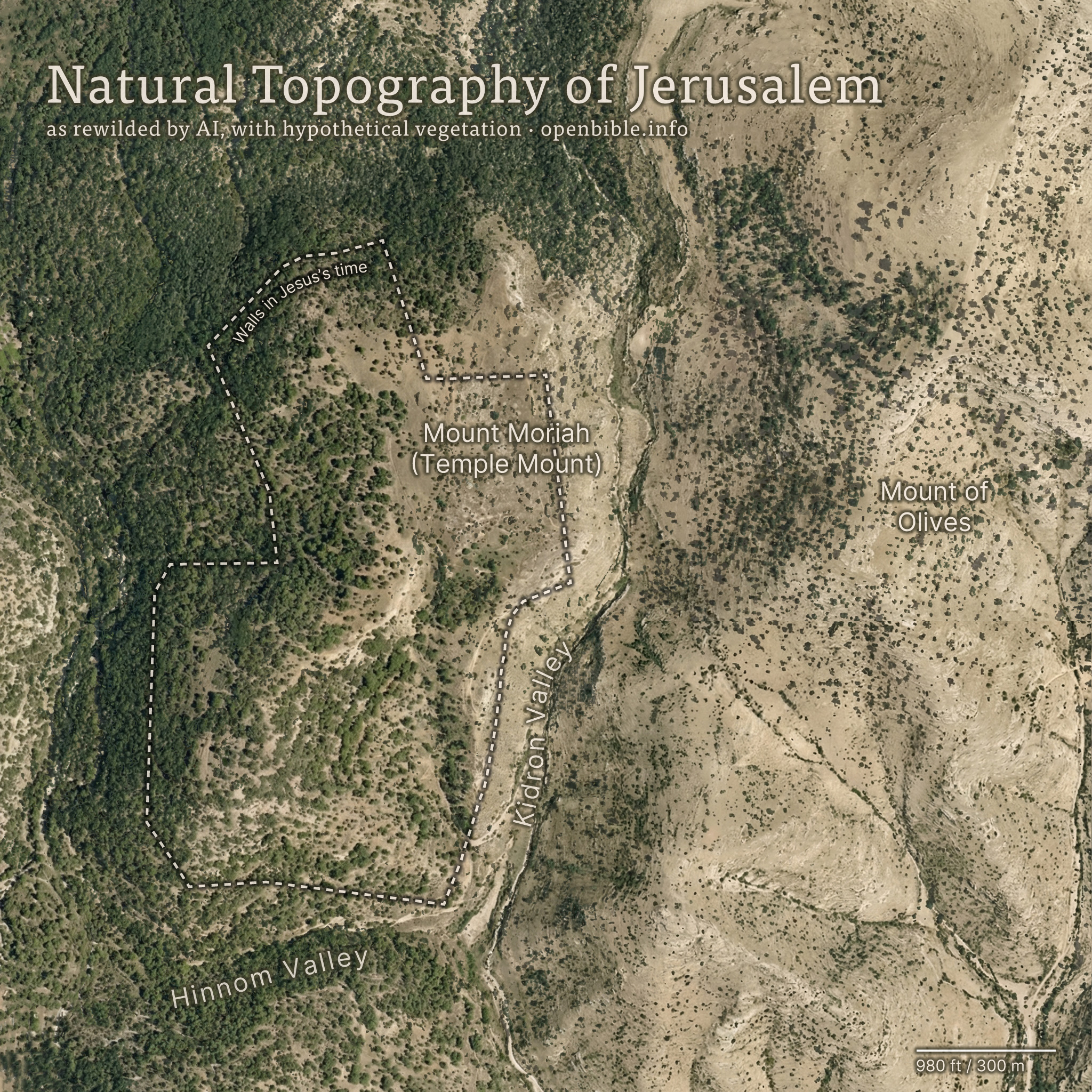
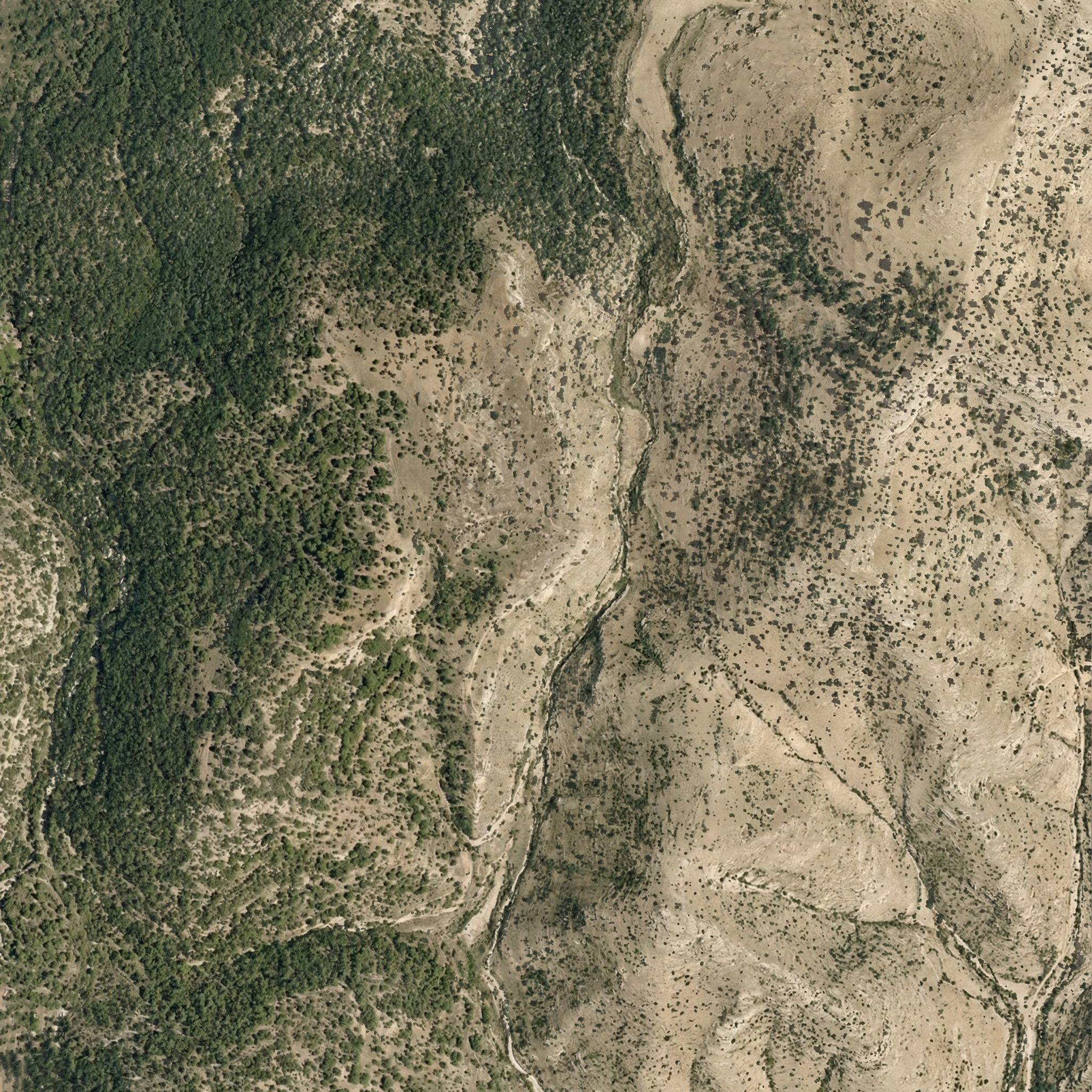
Nano Banana Pro can rewild photos of archaeological sites with AI; it can also create rewilded maps. For example, here’s a fake satellite view of the Jerusalem area with all structures, roads, and anything human-created removed:
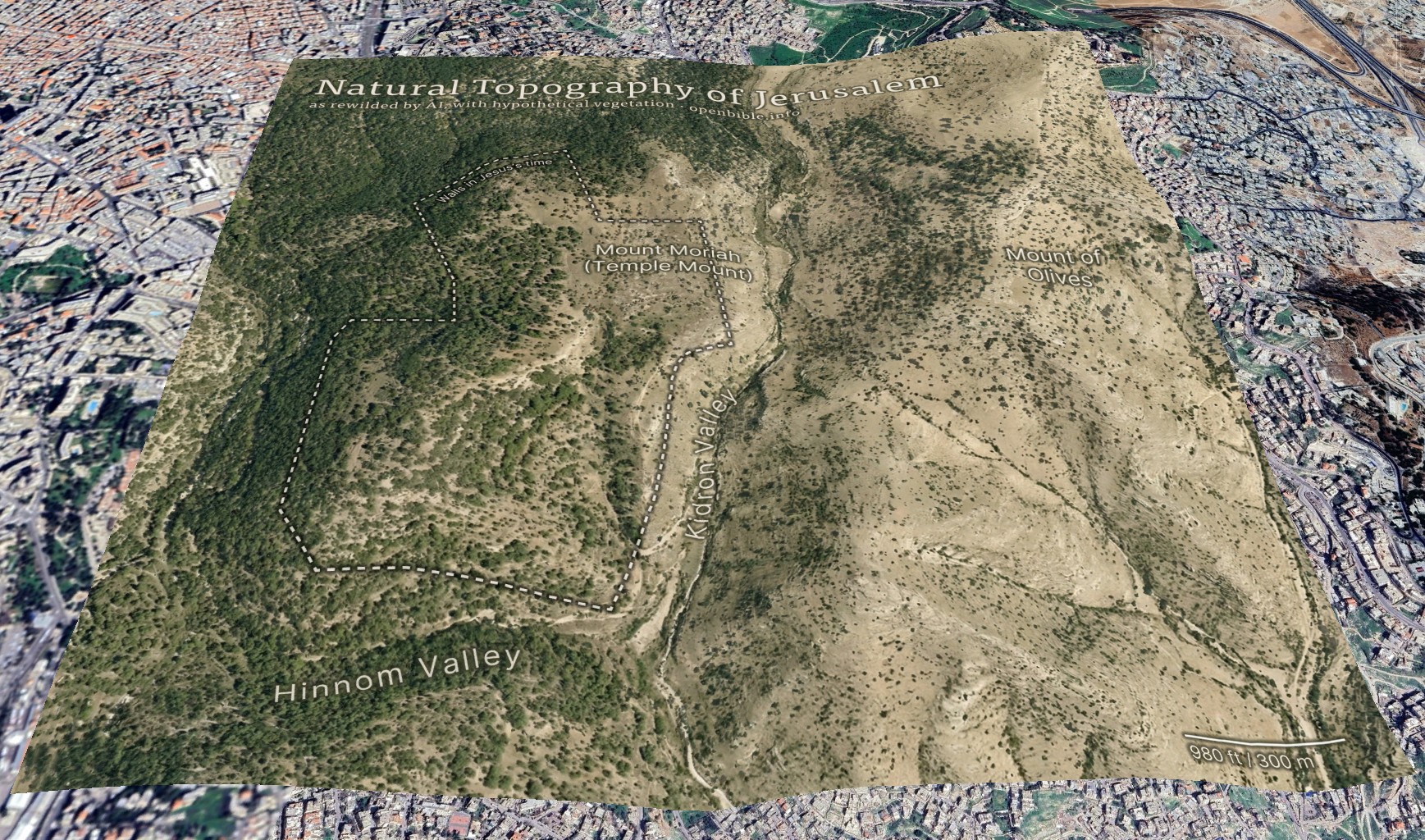
And georeferenced in Google Earth:
AI enables creating this kind of map in a few hours, rather than the weeks it would have taken using traditional methods.
The effective resolution of this image is about 1.2m per pixel, equivalent to a high-resolution (and therefore expensive) satellite photo. (A true satellite photo would show mostly urban development here, of course, and wouldn’t be terribly useful for visualizing the underlying landscape.) The topography is mostly accurate; the vegetation coverage is speculative.
Methodology
First, I needed a relatively high-resolution topography for the area around historical Jerusalem: approximately 2.3km by 2.3km (about 2 square miles). The highest-resolution free Digital Elevation Models are 30m per pixel, which at this latitude gives a grid of about 100 x 100 elevation pixels. While that may not sound like a lot, it’s enough to create a final 2,048 x 2,048-pixel image—but the low resolution of the source data also reinforces how much the AI is inventing fine surface detail.
I started with the GEDTM30 global 30m elevation dataset (which, as a DTM, aims to give bare earth elevations, excluding buildings and landcover). Using these instructions, I created 5m contour intervals in QGIS and exported them to a png. I compared these contours with 5m GovMap contours; they differed in some details but were plenty close enough for this purpose.
Here’s where Nano Banana Pro came in. I gave it the contours and the following prompt (the “text” in the prompt refers to the contour elevation labels):
This is a detailed map of the area around Jerusalem. Convert it to an overhead aerial view. Preserve all the topography exactly. Remove all text. Apply landcover (especially trees and scrub) in a naturalistic fashion and show bare dirt, light scrub, and trees where hydrologically appropriate.
Smooth out all the elevation lines—there are only smooth hills, no terraces or cliffs. Use the elevation lines as a reference, not to create terraces. No terraces should be visible at all; just smooth them out.
The idea is to make it look natural, without any human developments.
As you can tell from my pleas in the prompt, Nano Banana Pro really liked making terraces (since the contour intervals look like terraces). I ended up generating twenty-four iterations but used the seventh one because it preserved the topography of the City of David especially well. Each generation had different pluses and minuses—some were better at color, some at vegetation, and some at hydrology. That’s part of the beauty of using AI: it allows rapid iteration and many generations at low cost. This project cost about $5 in total.
I also explored giving it a version of the DTM itself (with the elevations scaled to grayscale values 25 through 244), as well as a hillshaded version. Nano Banana Pro gave me roughly comparable results for each, but I preferred how the contour versions turned out.
With a 2,048 x 2,048-pixel png in hand, it was time for Photoshop. I used the spot healing brush extensively to remove visible terraces. I also went back to Nano Banana Pro to generate trees and scrub for certain areas, brought in parts of other discarded generations, and used Photoshop’s built-in generative features in some places. You can definitely see artifacts from my editing if you look closely at the finished map. I also added an exposed rock (just visible under the “m” in “Temple” in the above map) where the Dome of the Rock now stands.
Then it was off to Illustrator to add the text and the outline of the city walls. ChatGPT gave me a few pointers to refine the look.
Finally, I georeferenced the map in Google Earth and consequently adjusted some of the wall placement in Illustrator to align the wall more precisely with structures that are still visible today.
Discussion
I’ve never used an AI + real data workflow like this one before. It would’ve been prohibitively time-consuming to create this map without AI, which is part of the ethical question around using AI. Did I “steal” the hundreds or thousands of dollars I might otherwise have paid a cartographer-artist to create this map? More realistically, I never would have created it at all.
The map’s high degree of realism could lead people to believe that it reflects reality more than it does; at first glance, you could easily take it for a real satellite photo. The landscape that it depicts never looked exactly like it does in the map. This combination of extreme realism with plausible hallucinations captures the current state of AI in a nutshell: it looks real, but it isn’t.
The map depicts a pre-human landscape (thus the “rewilding”). Biblically, it’s closest to how it might have looked in Abraham’s time, before subsequent urbanization. But even during his time, there still would be settlements, visible footpaths, grazing areas, small-scale agriculture, and potentially less forest.
Nano Banana Pro’s interpretation of the elevation data is reasonable. I feel like it made some of the eastern hills ridgier than they are in reality, however.
It also did a good job with the trees and scrub, though they’re much more speculative than the topography. I chose, artistically, to forest the western half of the map more than the eastern half, since Jerusalem approximately marks where denser vegetation in the west would yield to sparser vegetation in the east. I may have gone too far in either direction—too much forest in the west and too little vegetation in the east.
In addition to reconstructing archaeological sites from photos, Nano Banana Pro can do the opposite: it can rewild them—removing modern features to give a sense of what the natural place might have looked like in ancient times. Where reconstruction involves plausible additions to existing photos, rewilding involves plausible subtractions from them. In both cases, the AI is producing “plausible” output, not a historical reality.
Mount of Olives
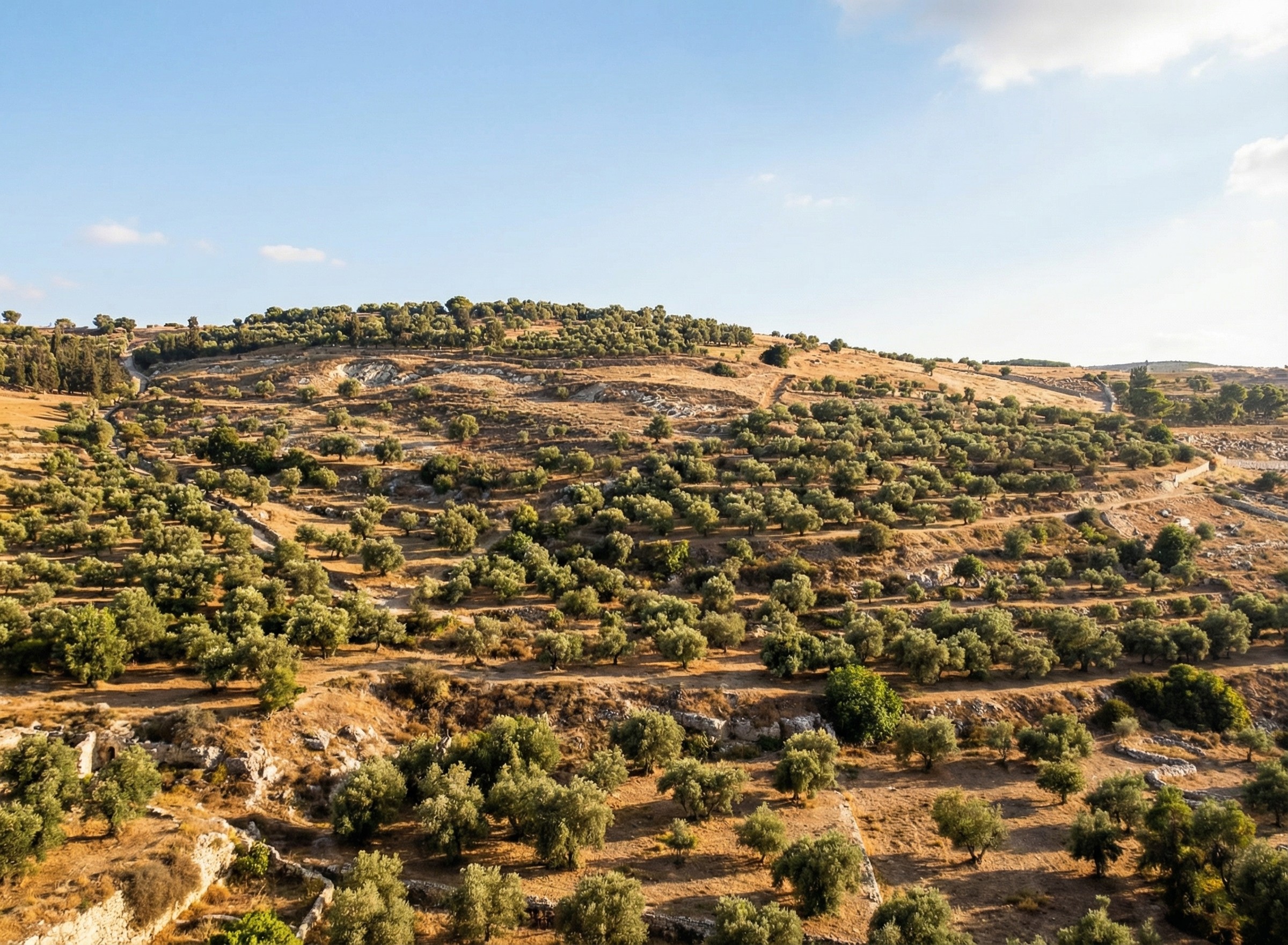
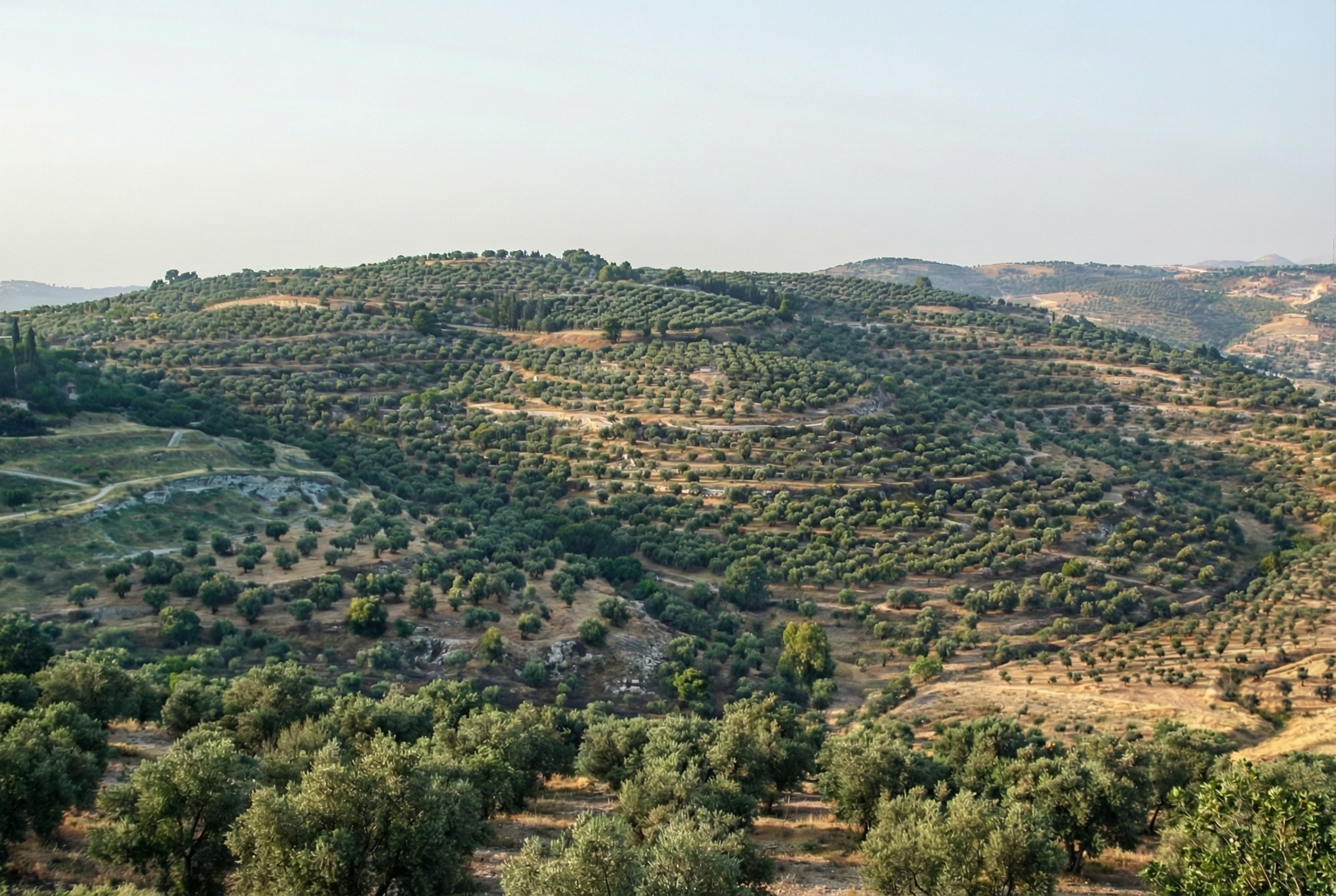
For example, the modern Mount of Olives has many human-created developments on it (roads, structures, walls, etc.). My first reaction to seeing it in person was that there were a lot fewer olive trees than I was expecting, and I wondered what it would’ve looked like 2,000 years ago.
Nano Banana Pro can edit images of the Mount of Olives to show how Jesus might have seen it, giving viewers an “artificially authentic” experience. It’s “authentic” by providing a view that removes accreted history, getting closer to how the scene may have appeared thousands of years ago. It’s “artificial” because these AI images depict a reality that never existed, combined with a level of realism that far outshines traditional illustrations. Without proper context, rewilded AI images could potentially mislead viewers into thinking that they’re “objective” photographs rather than subjective interpretations.
Rewilded Mount of Olives
The first image below is derived from a monochrome 1800s drawing of the Mount of Olives, which allowed Nano Banana Pro to add an intensely modern color grading (as though post-processed with a modern phone). The second is derived from a recent photo taken from a different vantage point.
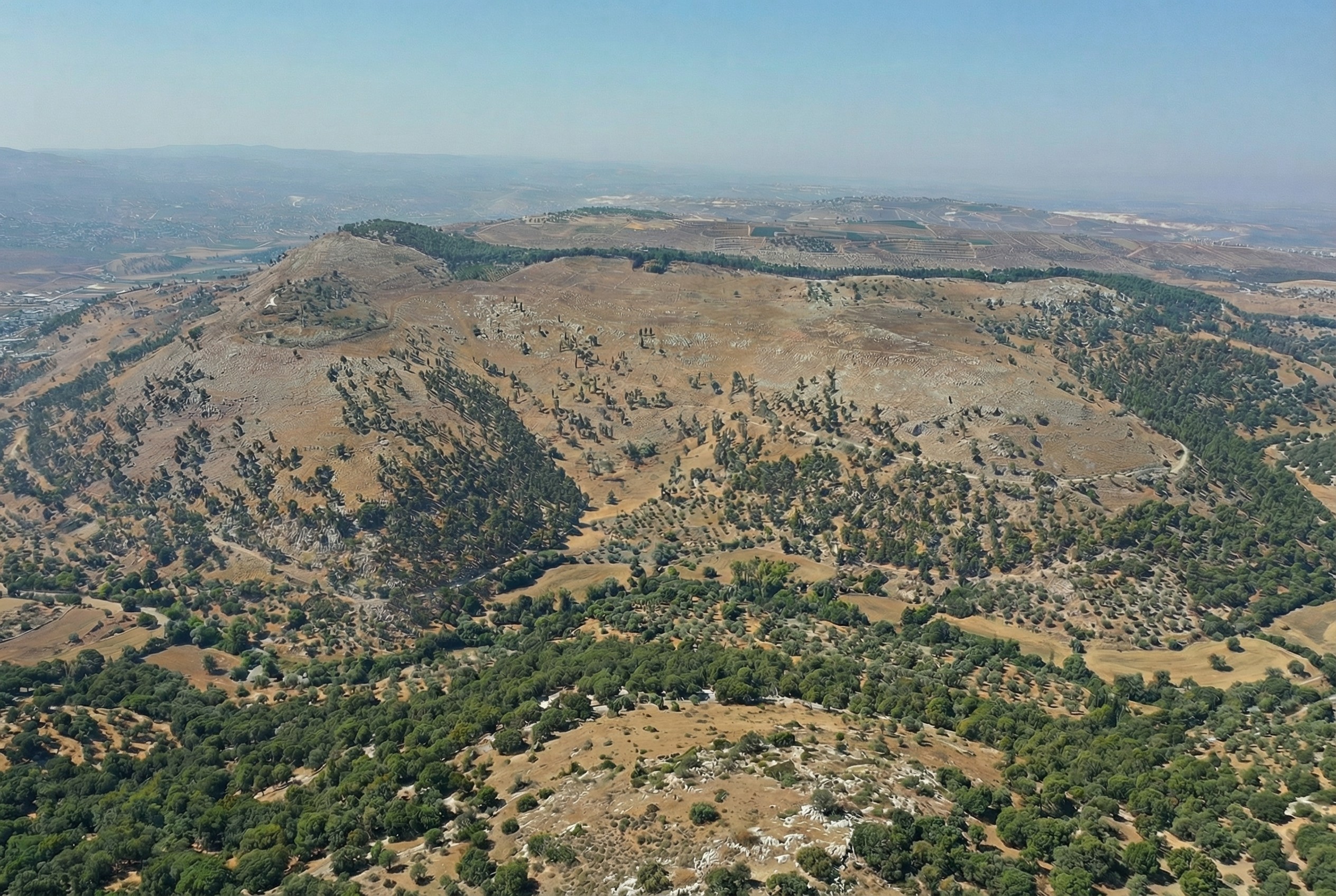
Similarly, here’s Mount Gerizim, minus the modern city of Nablus. Nano Banana Pro didn’t completely remove everything modern, but it got close. If I were turning it into a finished piece, I’d edit the remaining modern features using Photoshop’s AI tools (at least until Google allows Nano Banana Pro to edit partial images).
This process only works if existing illustrations or photos accurately depict a location. If I owned rights to a library of photos of Bible places, I’d explore how AI could enhance some of them (with appropriate labeling), either through reconstruction or rewilding. A before/after slider interface could help viewers understand the difference between the original photos and the AI derivatives, letting them choose the view they want.
Restoration (using original or equivalent materials to restore portions of the original site) is another archaeological approach that AI could contribute to, but the methods there would be radically different.
Nano Banana Pro did its best job at converting the Mount of Olives illustration, in my opinion. I wonder if doing multiple conversions (going from a photo to an illustration and then back to a photo) could yield consistently strong results.
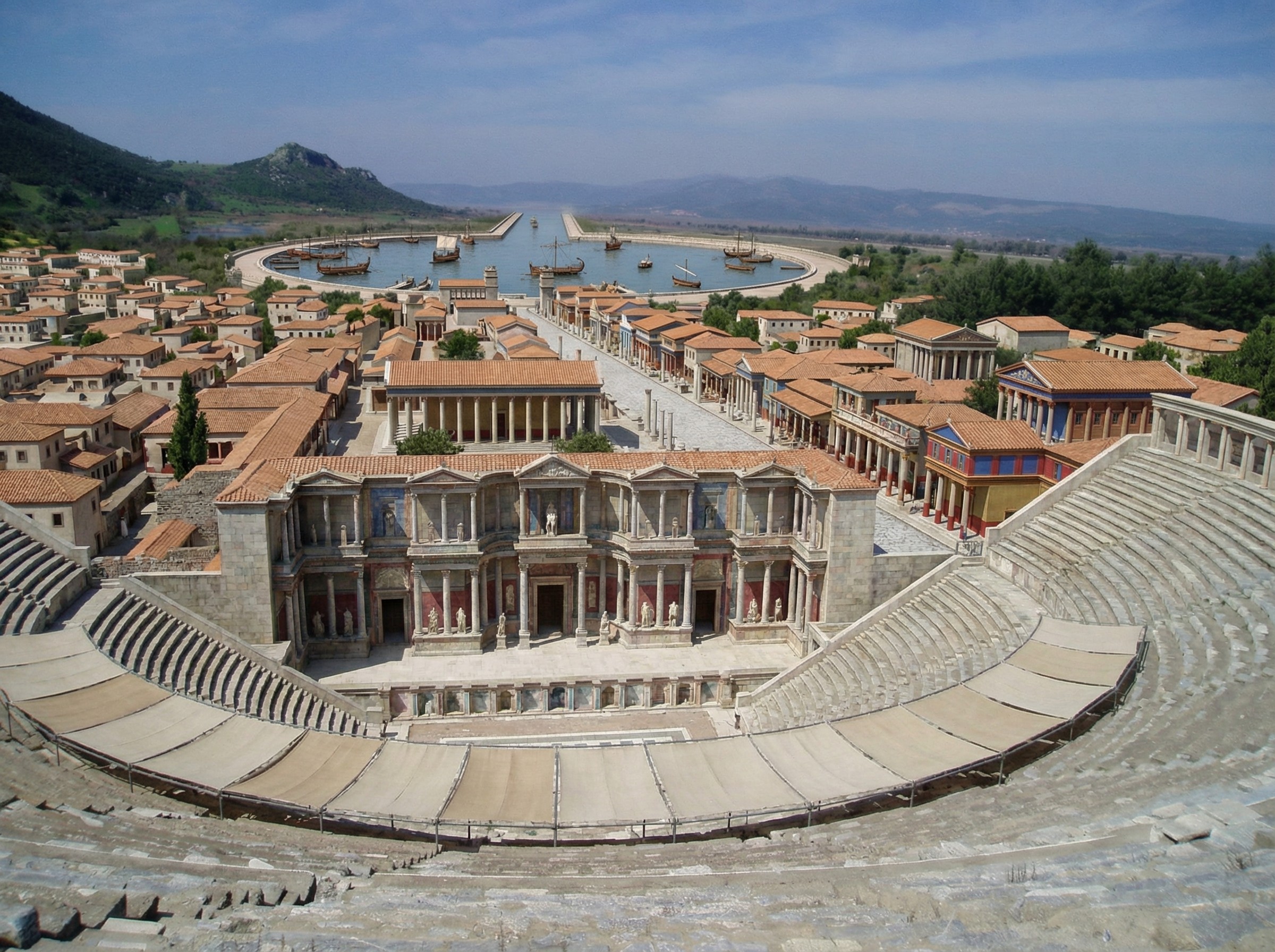
Nano Banana Pro does a plausible job of turning a real photo of an archaeological site into what the photo might have looked like if you’d taken it from the same vantage point thousands of years ago. You can imagine an app running on your future phone that lets you turn your selfies at historical sites into realtime, full-blown reconstructions (complete with changing your clothes to be historically appropriate).
Here’s a reconstructed view of Ephesus (adapted from this photo by Jordan Klein). I prompted it to add the harbor in the distance, which no longer exists in the modern photo.

.jpg)


