Blog RSS Feed

Archive for the ‘History’ Category

Turning Tourist Photos into Virtual Reconstructions with Nano Banana Pro

Saturday, December 13th, 2025

Nano Banana Pro does a plausible job of turning a real photo of an archaeological site into what the photo might have looked like if you’d taken it from the same vantage point thousands of years ago. You can imagine an app running on your future phone that lets you turn your selfies at historical sites into realtime, full-blown reconstructions (complete with changing your clothes to be historically appropriate).

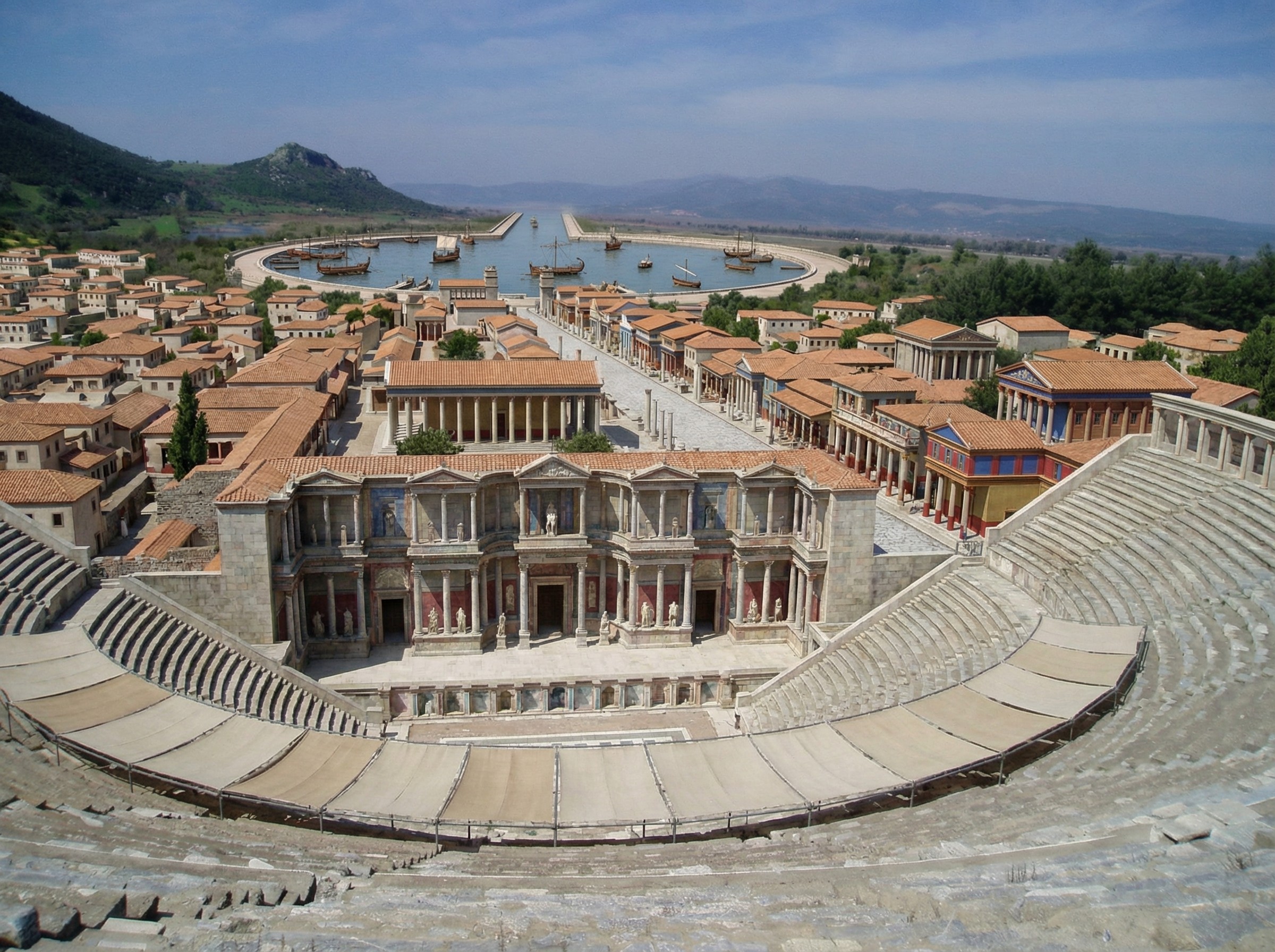
Here’s a reconstructed view of Ephesus (adapted from this photo by Jordan Klein). I prompted it to add the harbor in the distance, which no longer exists in the modern photo.

A virtual reconstruction of ancient Ephesus from the top of the theater, with brightly colored buildings.

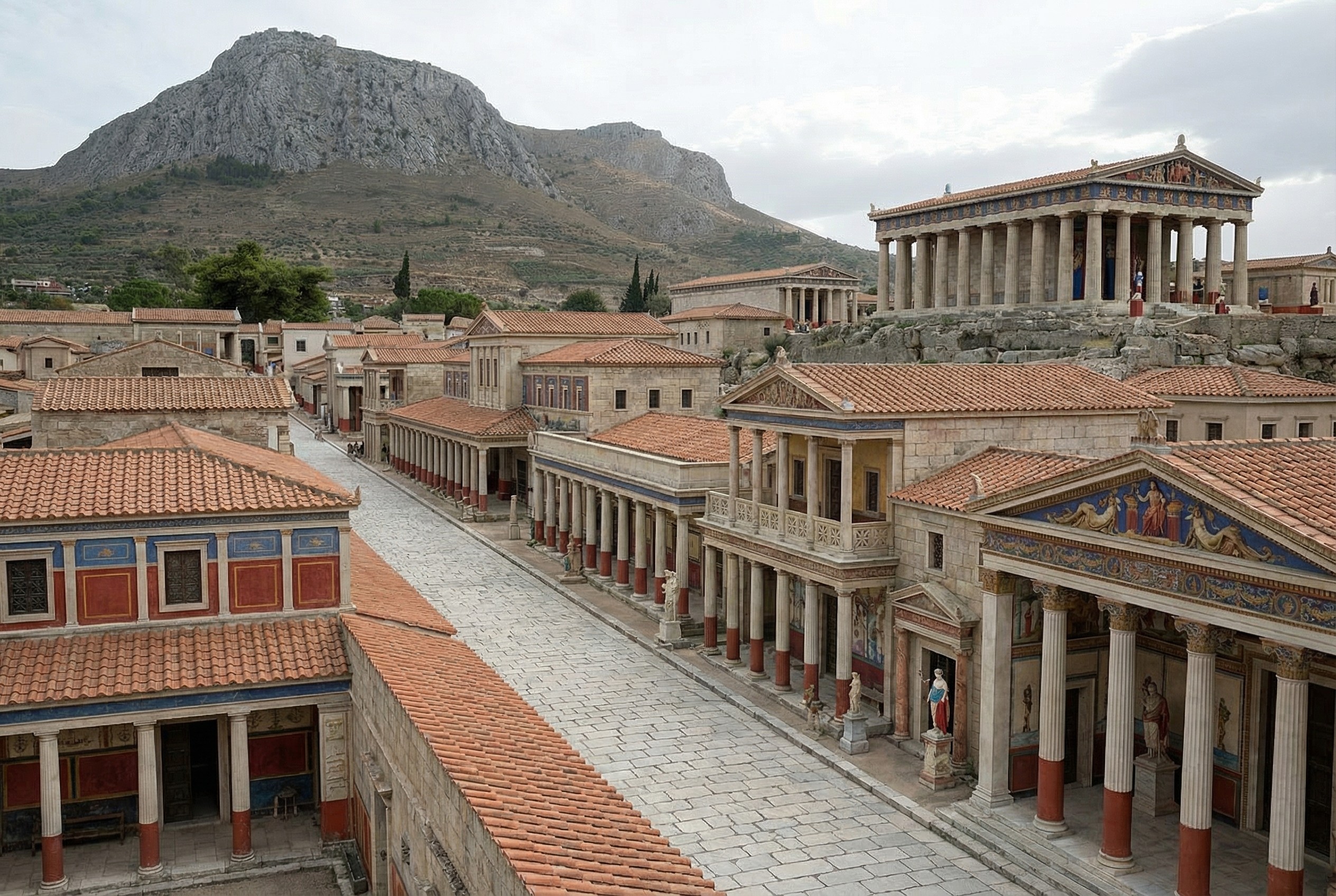
Here’s one of Corinth (adapted from this photo by Zde):

A virtual reconstruction of a street-level view of Corinth, with Acro-Corinth and a temple in the background.

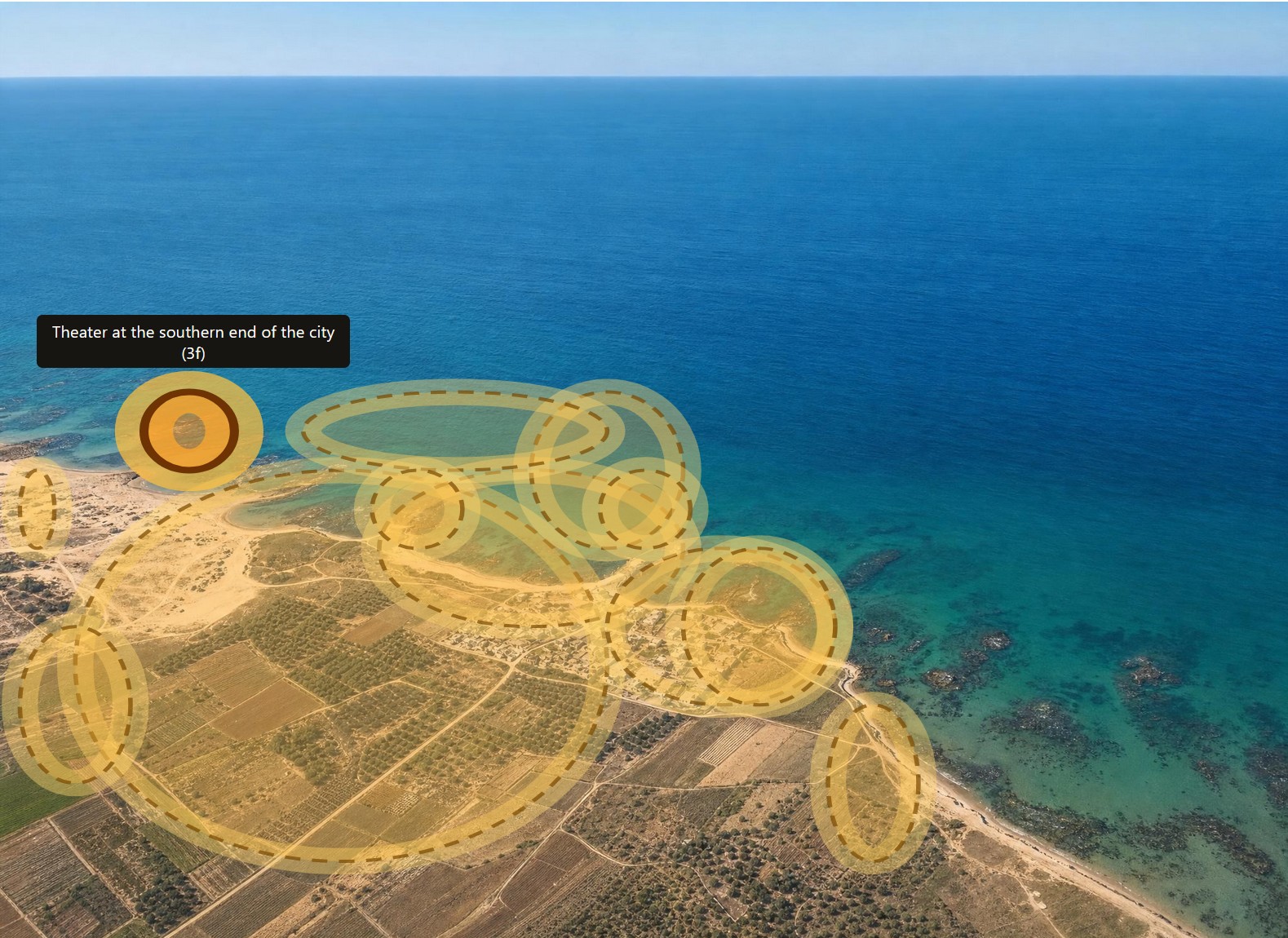
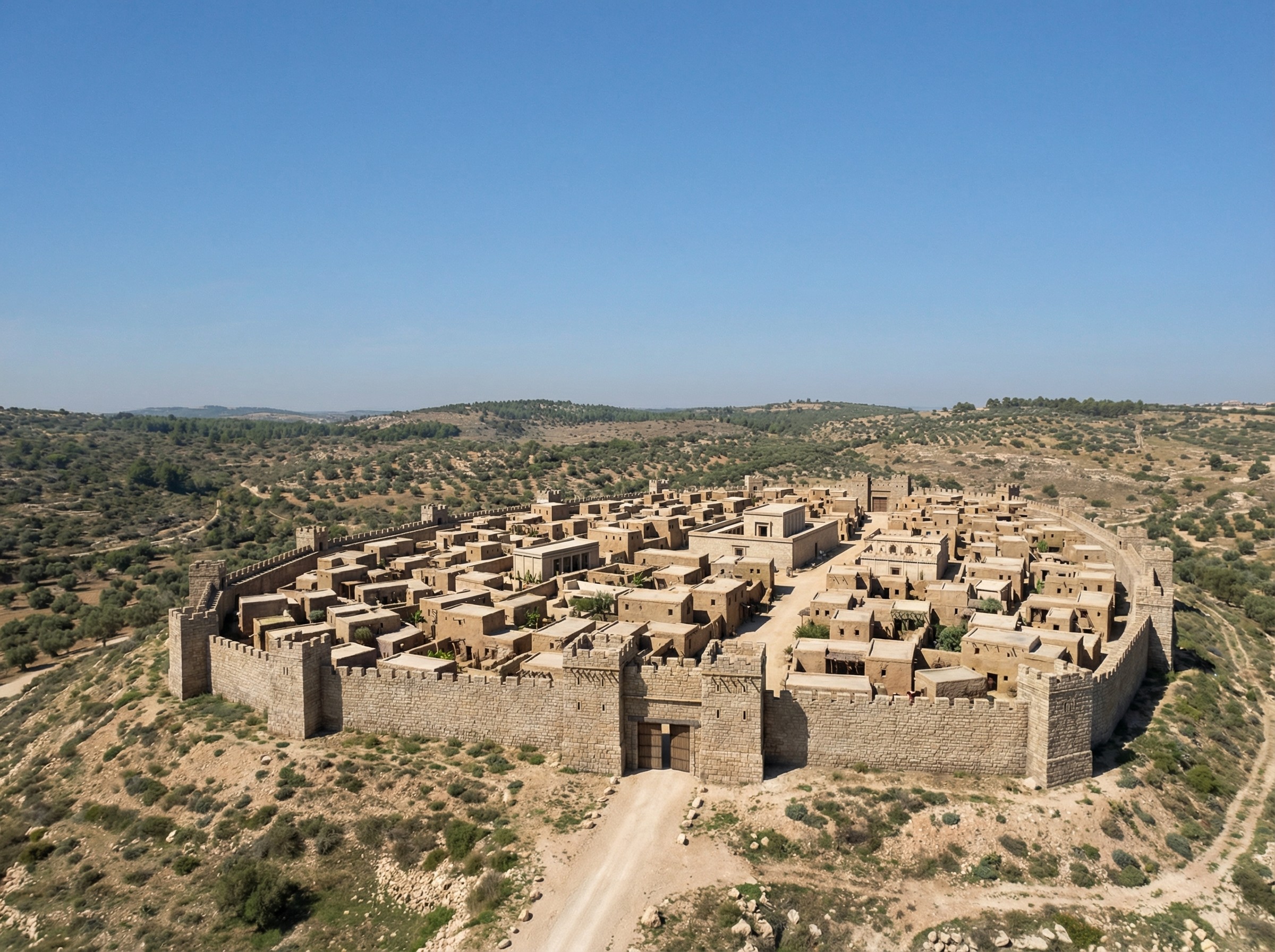
Finally, more fancifully (since there are fewer exposed ruins to work with), here’s one of Gath (adapted from this photo by Ori~):

A reconstructed bird's-eye view of Gath.

Virtual Archaeology with Nano Banana Pro

Saturday, November 22nd, 2025

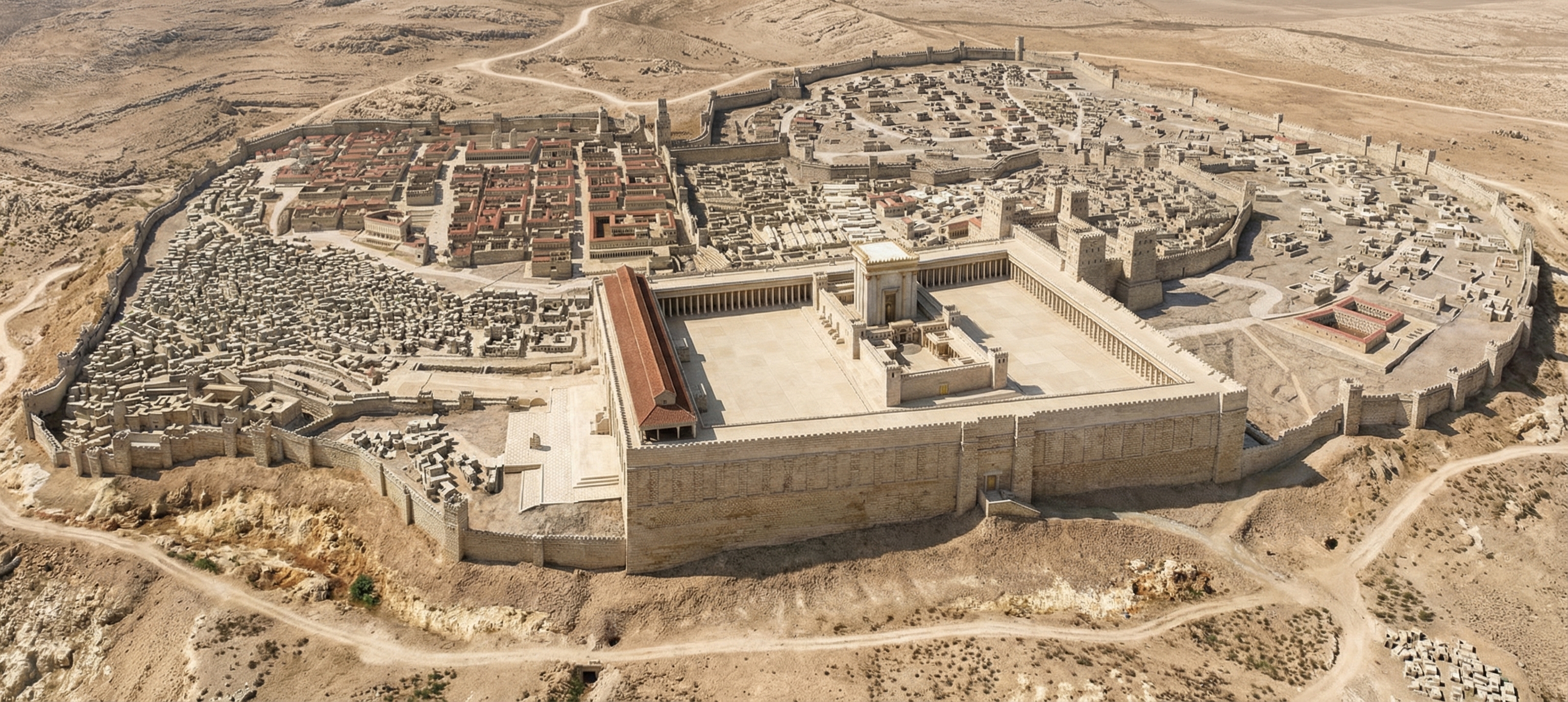
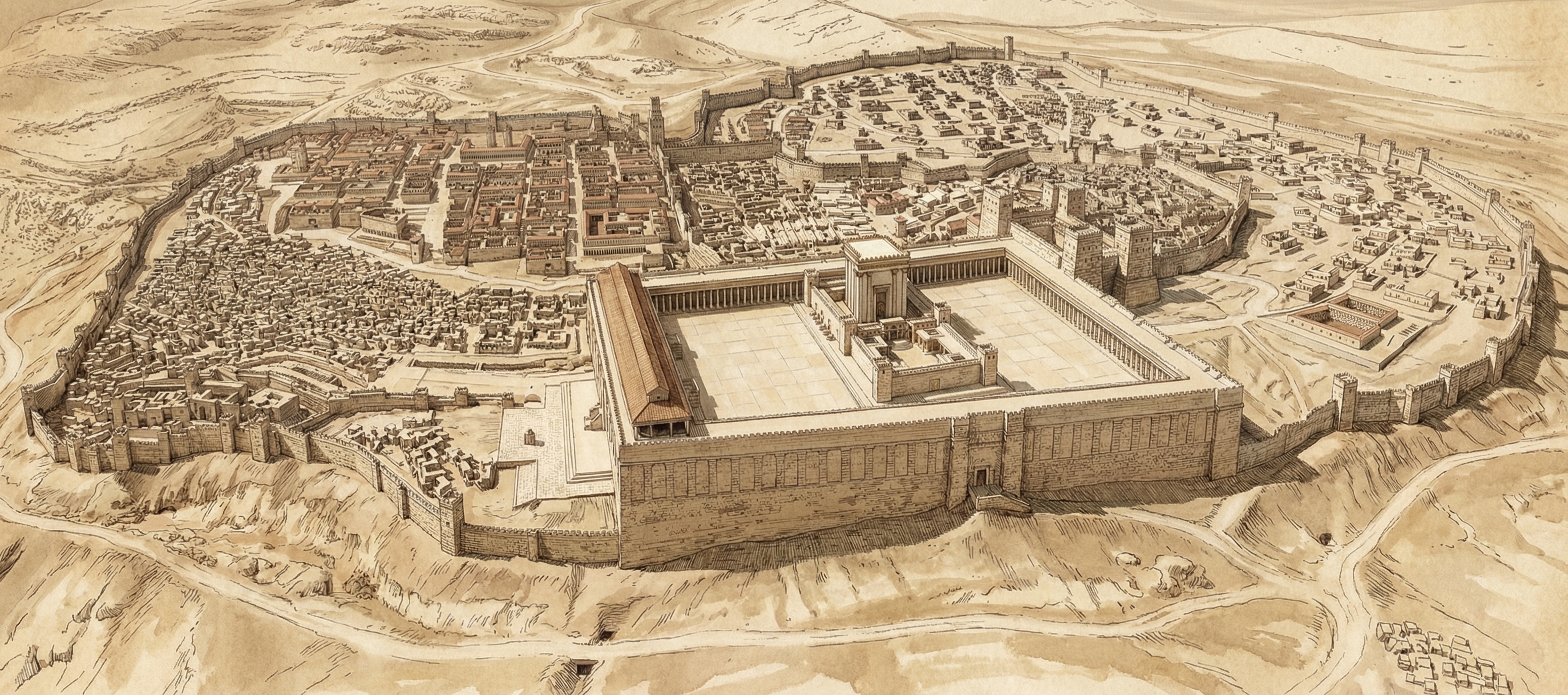
Google this week launched Nano Banana Pro, their latest text-to-image model. It far outshines other image generators when it comes to historical recreations. For example, here’s a reconstruction of ancient Jerusalem, circa AD 70:

A photorealistic rendering of ancient Jerusalem created by Google's Nano Banana Pro.

I gave it this photo of the Holyland Model in Jerusalem and told it to situate in its historical, geographical context. Some of the topography isn’t quite right, but it’s pulling much of that incorrect topography from the original model. It can also make a lovely sketched version.

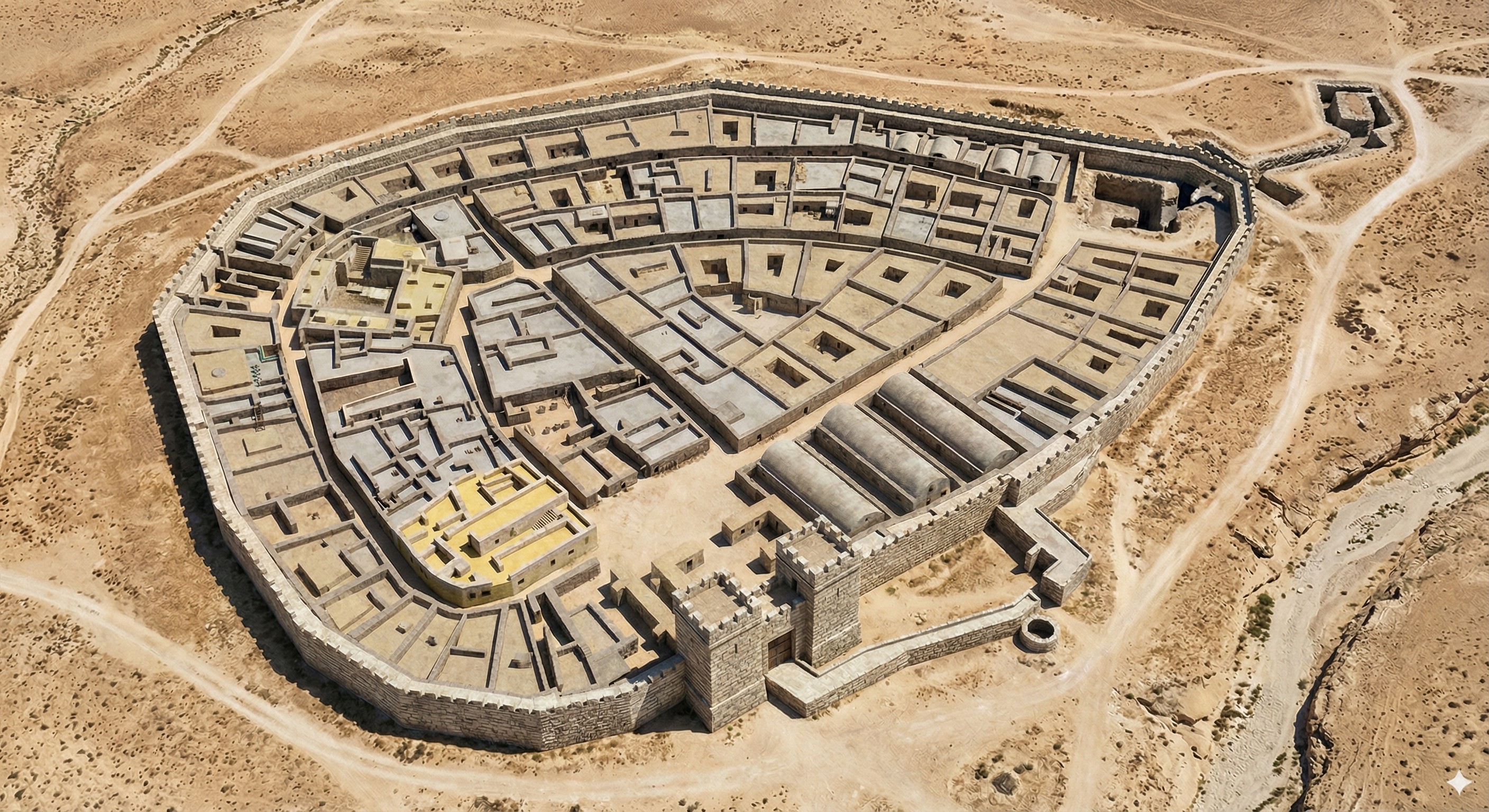
It also does Beersheba. Here I gave it a city plan and asked it to create a drone view. The result is very close to the plan; my favorite part is the gate structure and well.

A photorealistic rendering of ancient Beersheba that follows the city plan, created by Google's Nano Banana Pro.

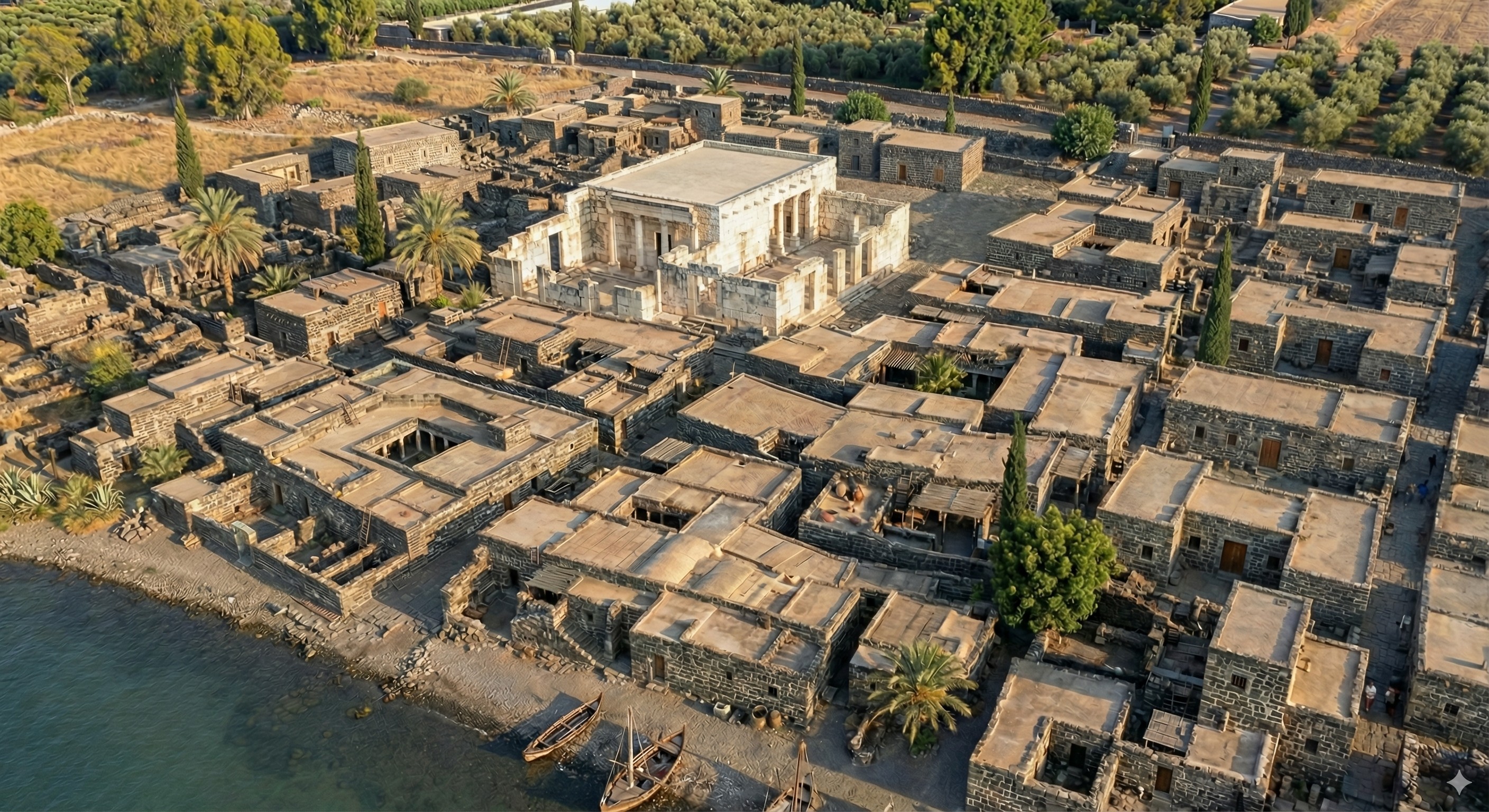
It was somewhat less-successful with Capernaum (below). I gave it a city plan and this photo of the existing ruins. It’s kind of close, though it doesn’t exactly match the plan. It’s almost a form of archaeological impressionism, where the image gives off the right vibes but isn’t precisely accurate. Also try a 3D reconstruction of this image using Marble from World Labs.

Photorealistic reconstruction of Capernaum, created by Google's Nano Banana Pro.

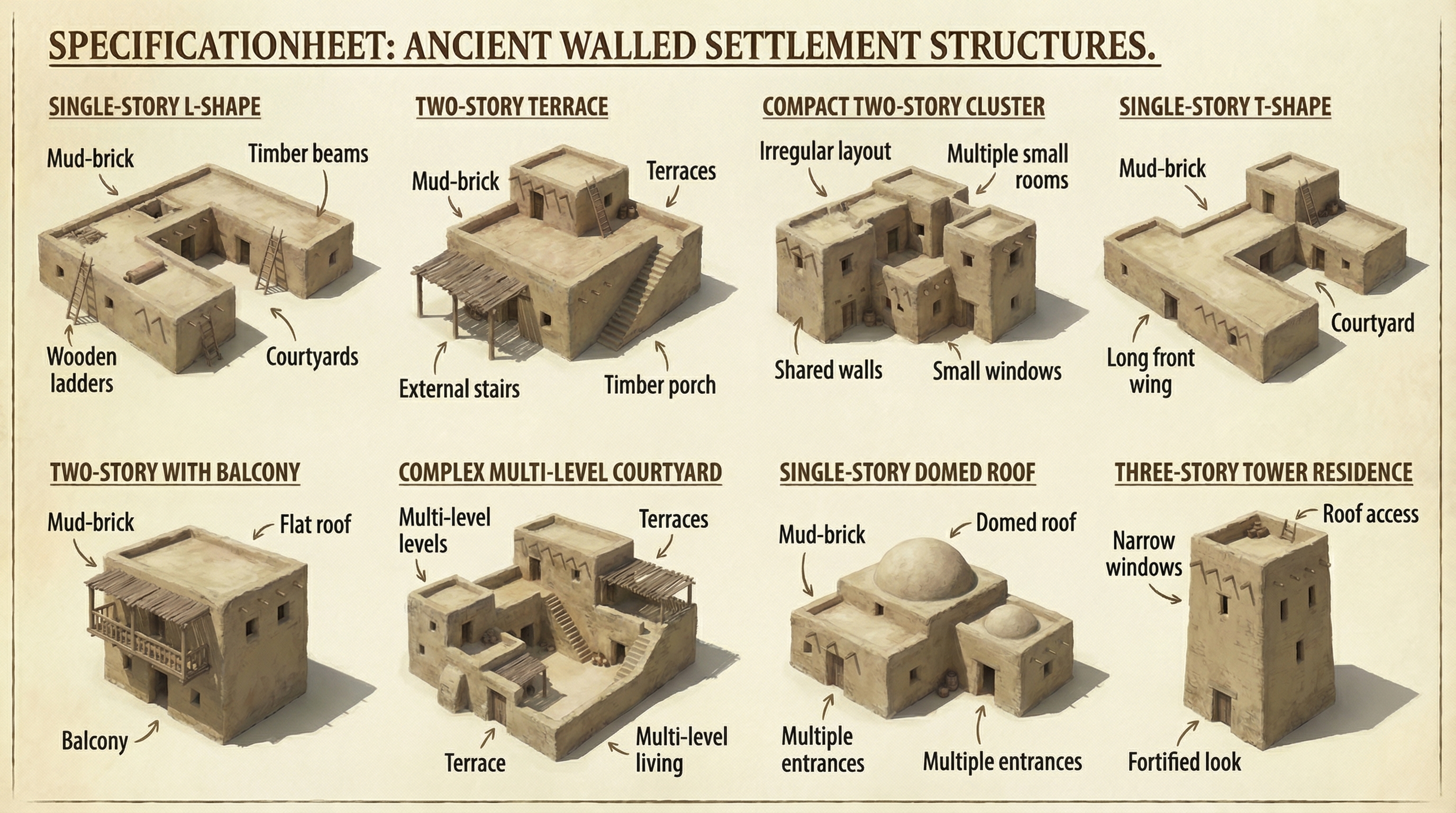
Finally, I had it create assets that it could reuse for other cities for a consistent look:

A spec sheet showing 8 specimen residences in ancient Israel.

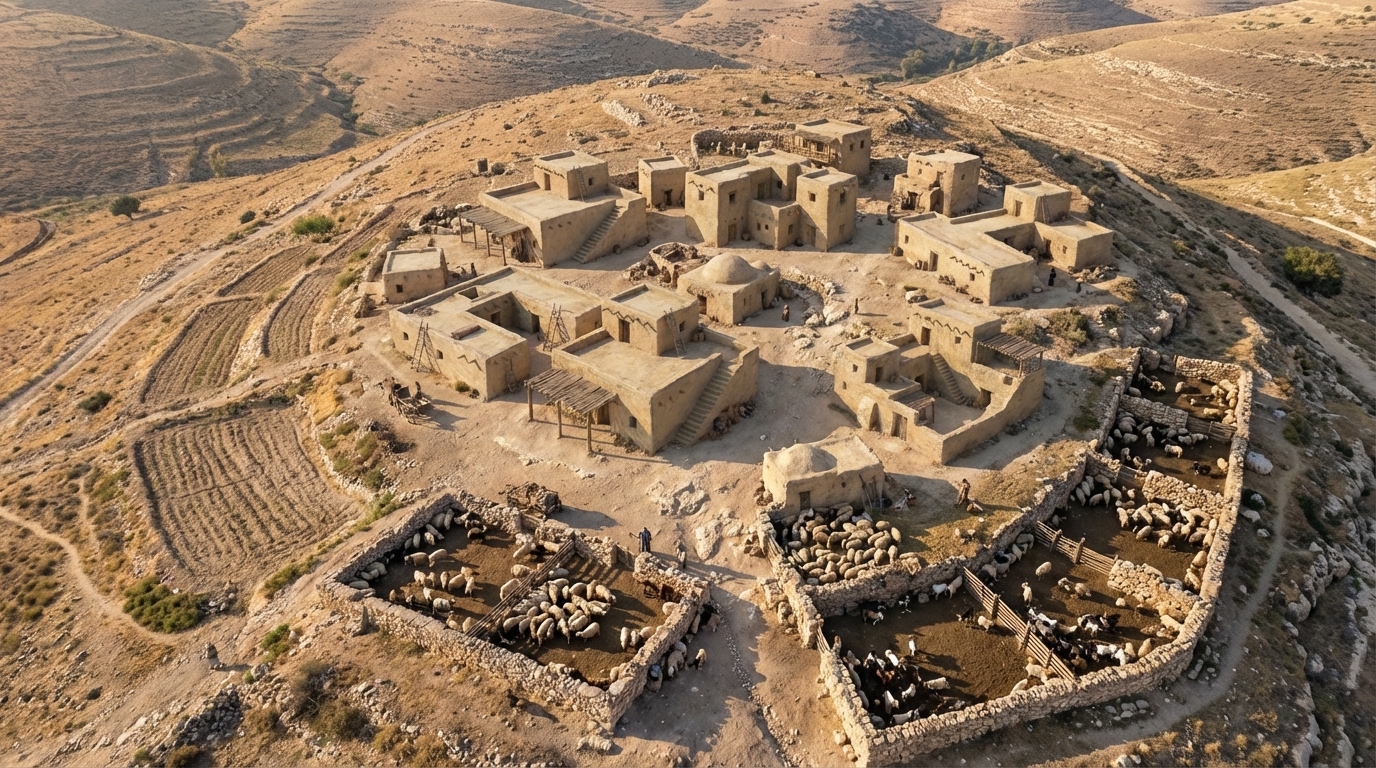
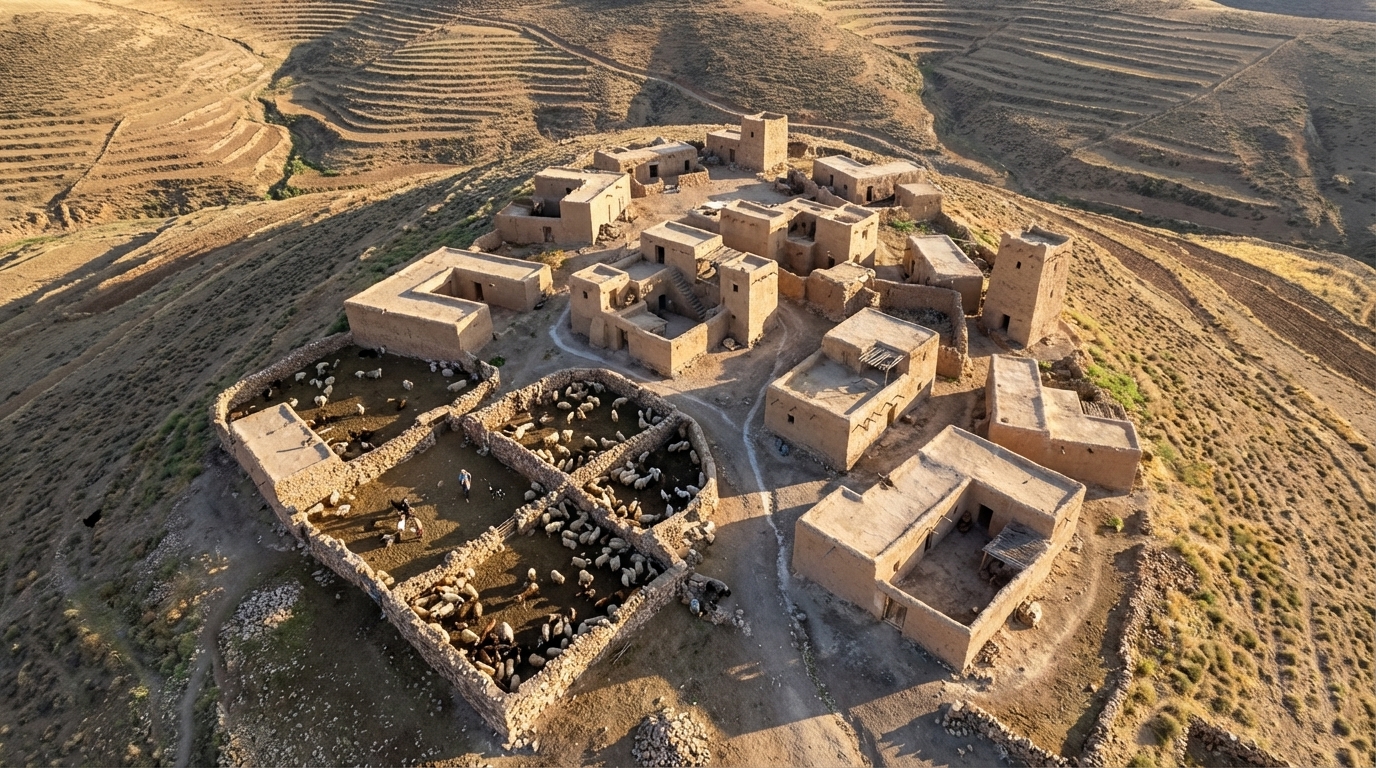
I then had it create a couple typical hilltop shepherding settlements using the assets it created (again using “drone view” in the prompt):

A photorealistic rendering of a shepherding community in ancient Israel.
A second photorealistic rendering of a shepherding community in ancient Israel, different from the above.

A Sixteenth-Century Bible Study Flowchart

Wednesday, May 13th, 2015

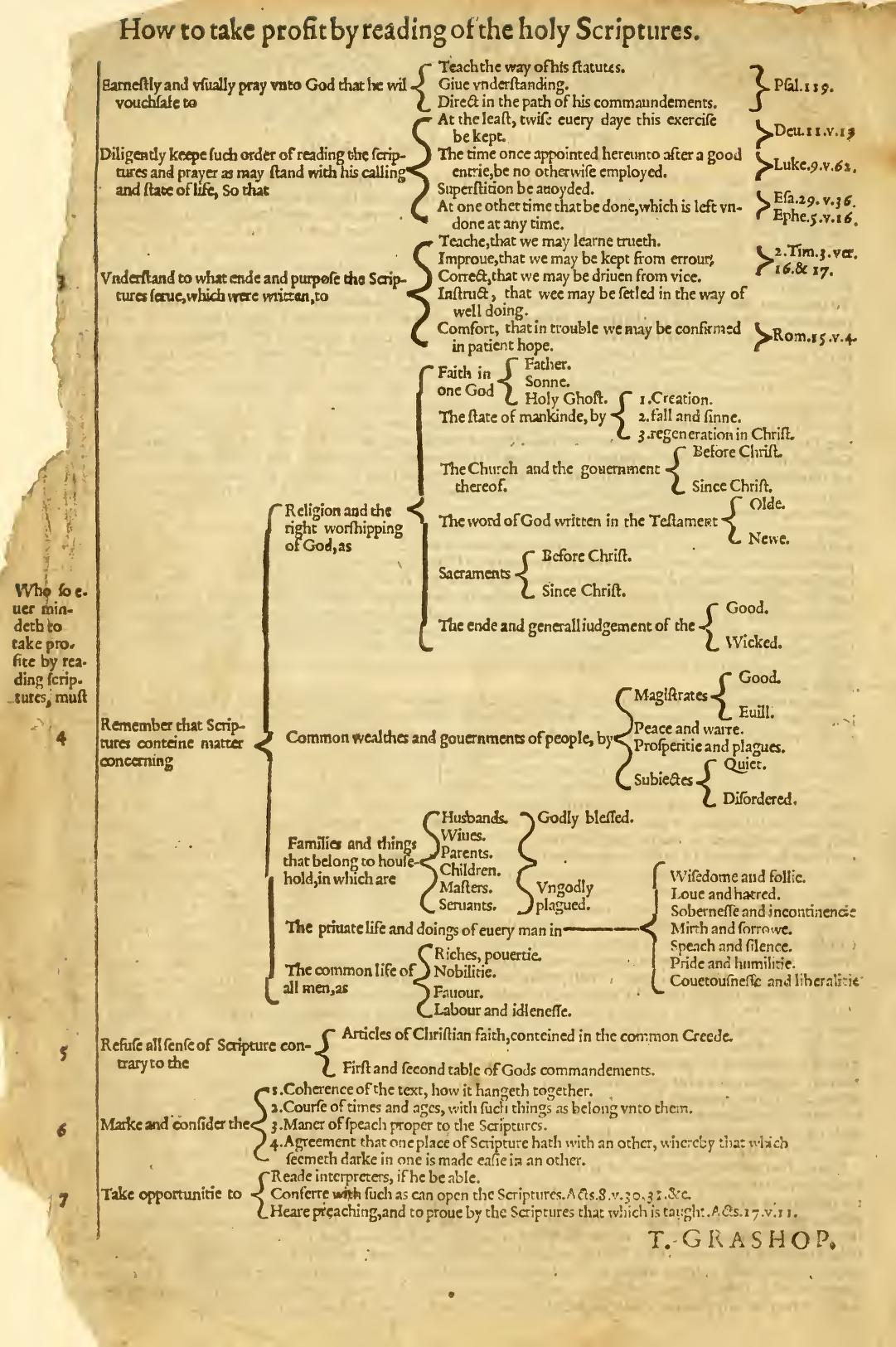
Many printings of the Geneva Bible after 1579 contain the following flowchart by T. Grashop. This flowchart reflects the Renaissance obsession with ordering the world using tree diagrams and presents a systematic approach to studying the Bible. I share it here to show that “mind-mapping” Bible study isn’t a new idea; it has extensive historical roots.

Scan of the Grashop page from the Geneva Bible.
Credit: archive.org

Below is a reproduction I created with modernized spelling and design. I particularly want to note the reference to Isaiah 29:36 in this chart. This verse doesn’t exist. If anyone knows what verse Grashop might have meant, especially as it relates to “Superstition be avoided” when studying the Bible, I’d be interested in correcting this 400-year-old typo. Sean Boisen in the comments presents a plausible case that it should be Isaiah 2:6.

Revised version of Grashop's flowchart.

Also available in PDF: 8.5×11 inches or 8.5×14 inches (full size).

I consider all these Grashop-related files to be in the public domain; if you want to reuse them, you don’t need to credit anyone.