Blog RSS Feed

Archive for the ‘Virtual Reality’ Category

Rewilding Photos of Archaeological Sites with Nano Banana Pro

Saturday, December 13th, 2025

In addition to reconstructing archaeological sites from photos, Nano Banana Pro can do the opposite: it can rewild them—removing modern features to give a sense of what the natural place might have looked like in ancient times. Where reconstruction involves plausible additions to existing photos, rewilding involves plausible subtractions from them. In both cases, the AI is producing “plausible” output, not a historical reality.

Mount of Olives

For example, the modern Mount of Olives has many human-created developments on it (roads, structures, walls, etc.). My first reaction to seeing it in person was that there were a lot fewer olive trees than I was expecting, and I wondered what it would’ve looked like 2,000 years ago.

Nano Banana Pro can edit images of the Mount of Olives to show how Jesus might have seen it, giving viewers an “artificially authentic” experience. It’s “authentic” by providing a view that removes accreted history, getting closer to how the scene may have appeared thousands of years ago. It’s “artificial” because these AI images depict a reality that never existed, combined with a level of realism that far outshines traditional illustrations. Without proper context, rewilded AI images could potentially mislead viewers into thinking that they’re “objective” photographs rather than subjective interpretations.

Rewilded Mount of Olives

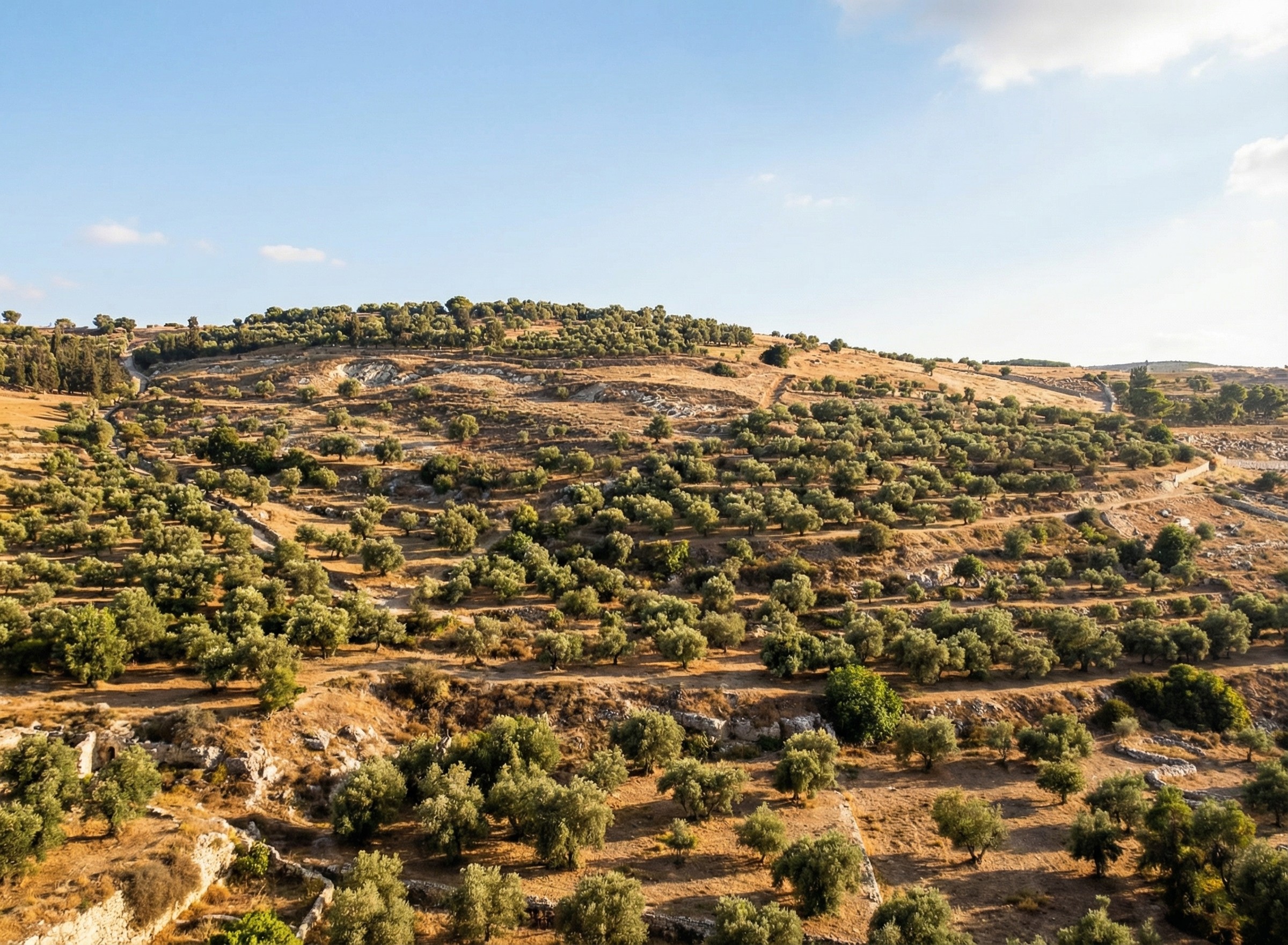
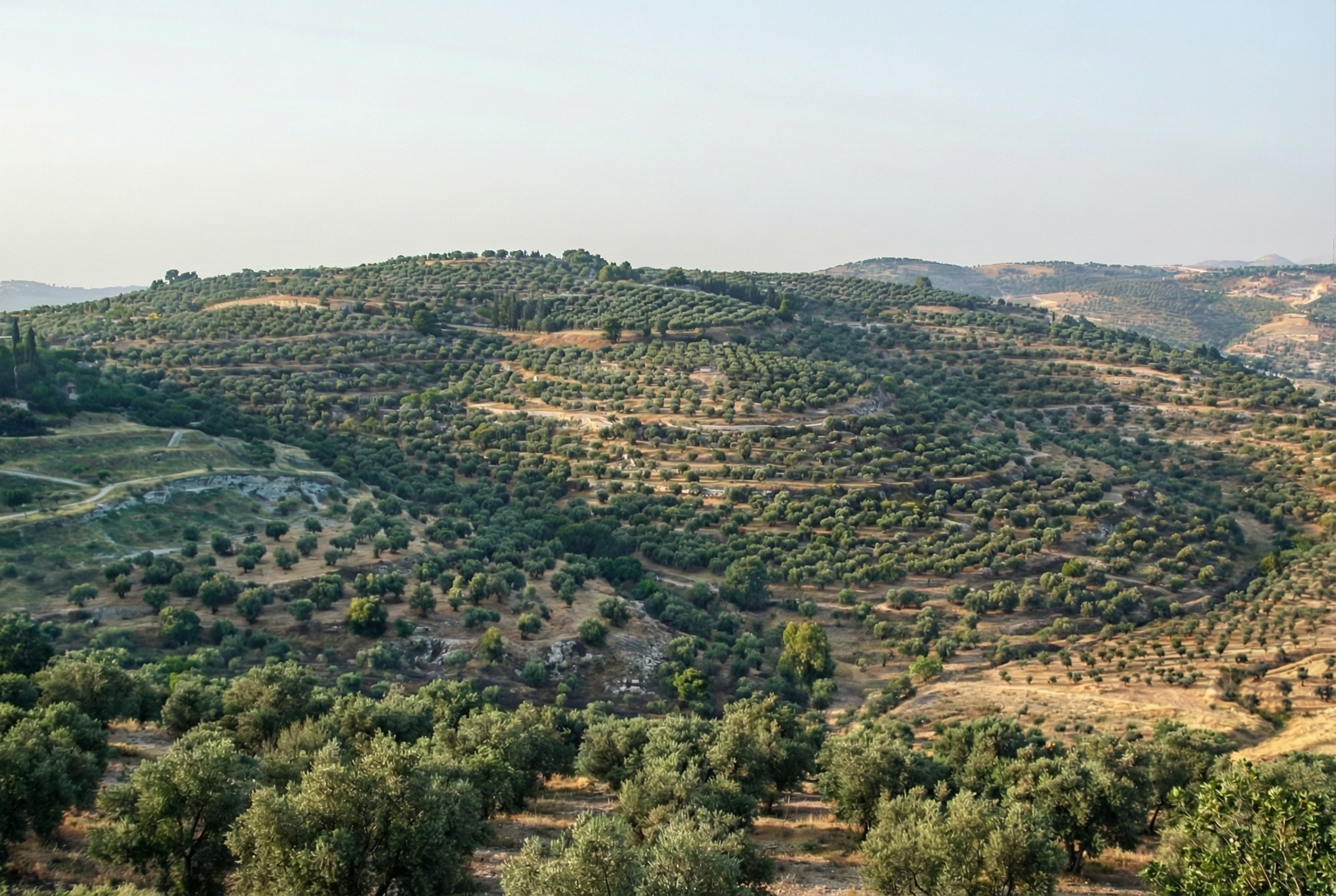
The first image below is derived from a monochrome 1800s drawing of the Mount of Olives, which allowed Nano Banana Pro to add an intensely modern color grading (as though post-processed with a modern phone). The second is derived from a recent photo taken from a different vantage point.

An AI rewilding of a nineteenth-century illustration of the Mount of Olives, minus features that were present then.
Derived from an image by Nir909
An AI rewilding of a recent photo of the Mount of Olives that removes much more modern construction than the first image.
Derived from an image by Hagai Agmon-Snir حچاي اچمون-سنير חגי אגמון-שניר

Rewilded Mount Gerizim

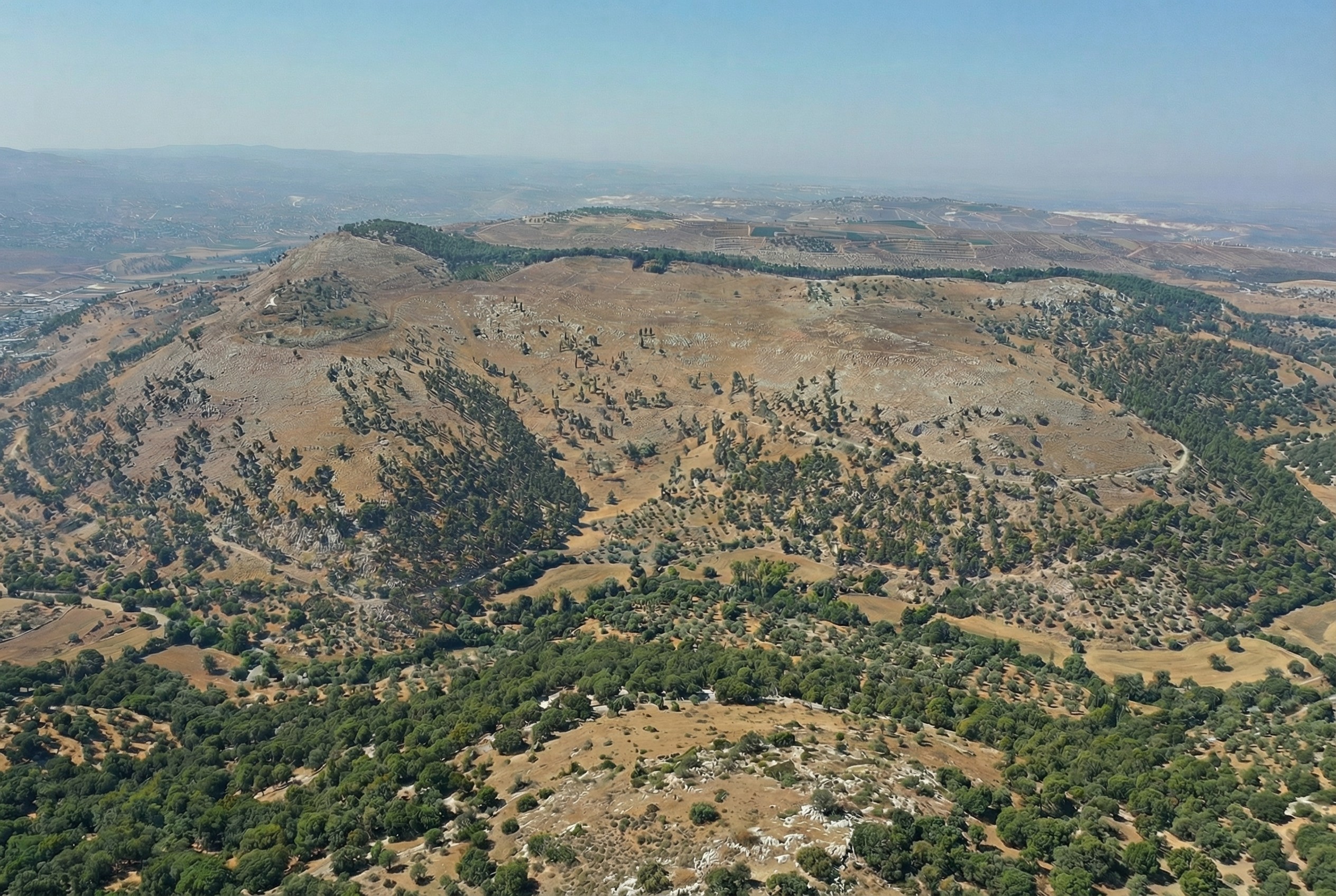
Similarly, here’s Mount Gerizim, minus the modern city of Nablus. Nano Banana Pro didn’t completely remove everything modern, but it got close. If I were turning it into a finished piece, I’d edit the remaining modern features using Photoshop’s AI tools (at least until Google allows Nano Banana Pro to edit partial images).

An AI rewilding of Mount Gerizim that removes most modern features.
Derived from an image by יאיר דב

Conclusion

This process only works if existing illustrations or photos accurately depict a location. If I owned rights to a library of photos of Bible places, I’d explore how AI could enhance some of them (with appropriate labeling), either through reconstruction or rewilding. A before/after slider interface could help viewers understand the difference between the original photos and the AI derivatives, letting them choose the view they want.

Restoration (using original or equivalent materials to restore portions of the original site) is another archaeological approach that AI could contribute to, but the methods there would be radically different.

Nano Banana Pro did its best job at converting the Mount of Olives illustration, in my opinion. I wonder if doing multiple conversions (going from a photo to an illustration and then back to a photo) could yield consistently strong results.

Turning Tourist Photos into Virtual Reconstructions with Nano Banana Pro

Saturday, December 13th, 2025

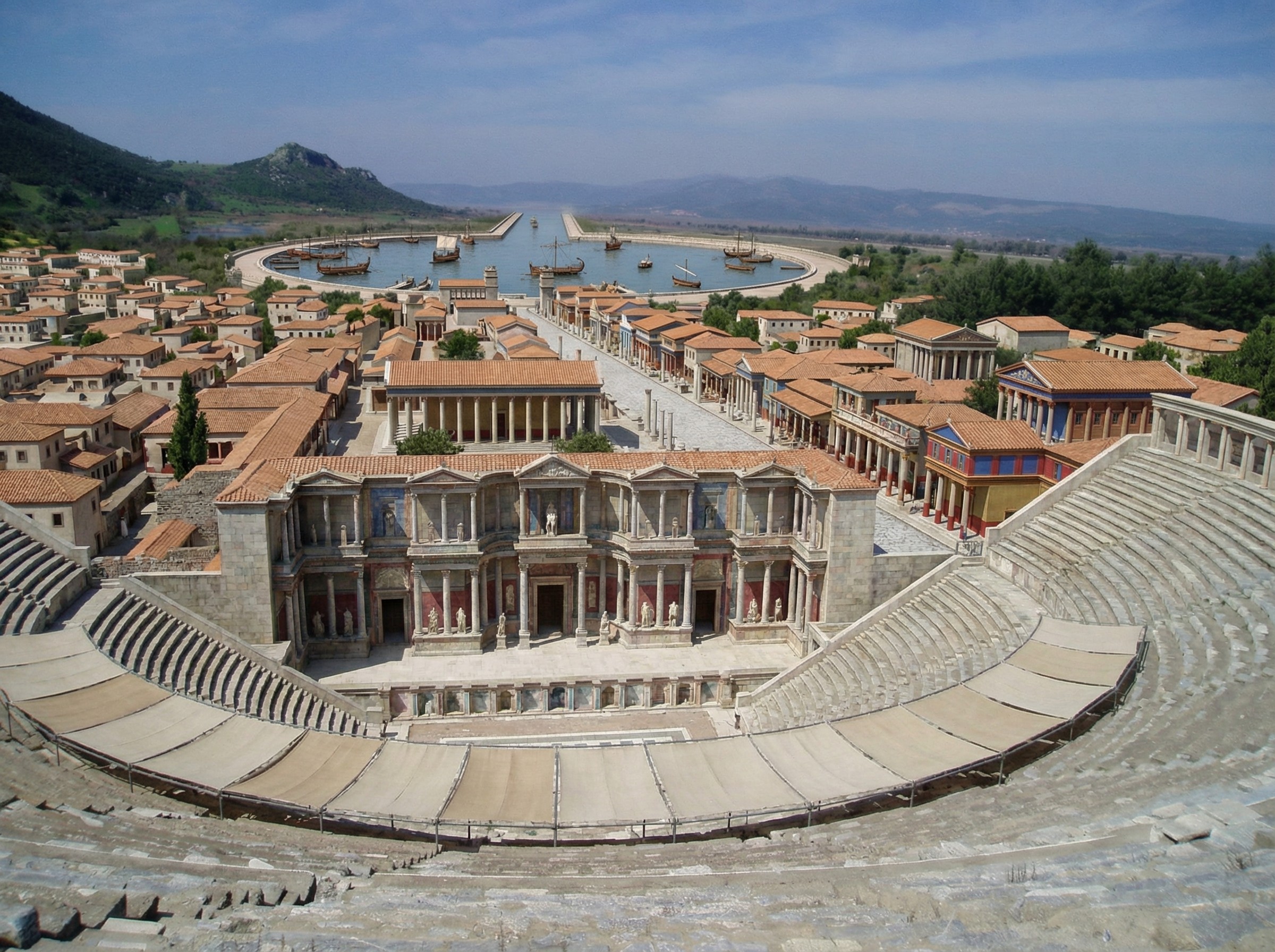
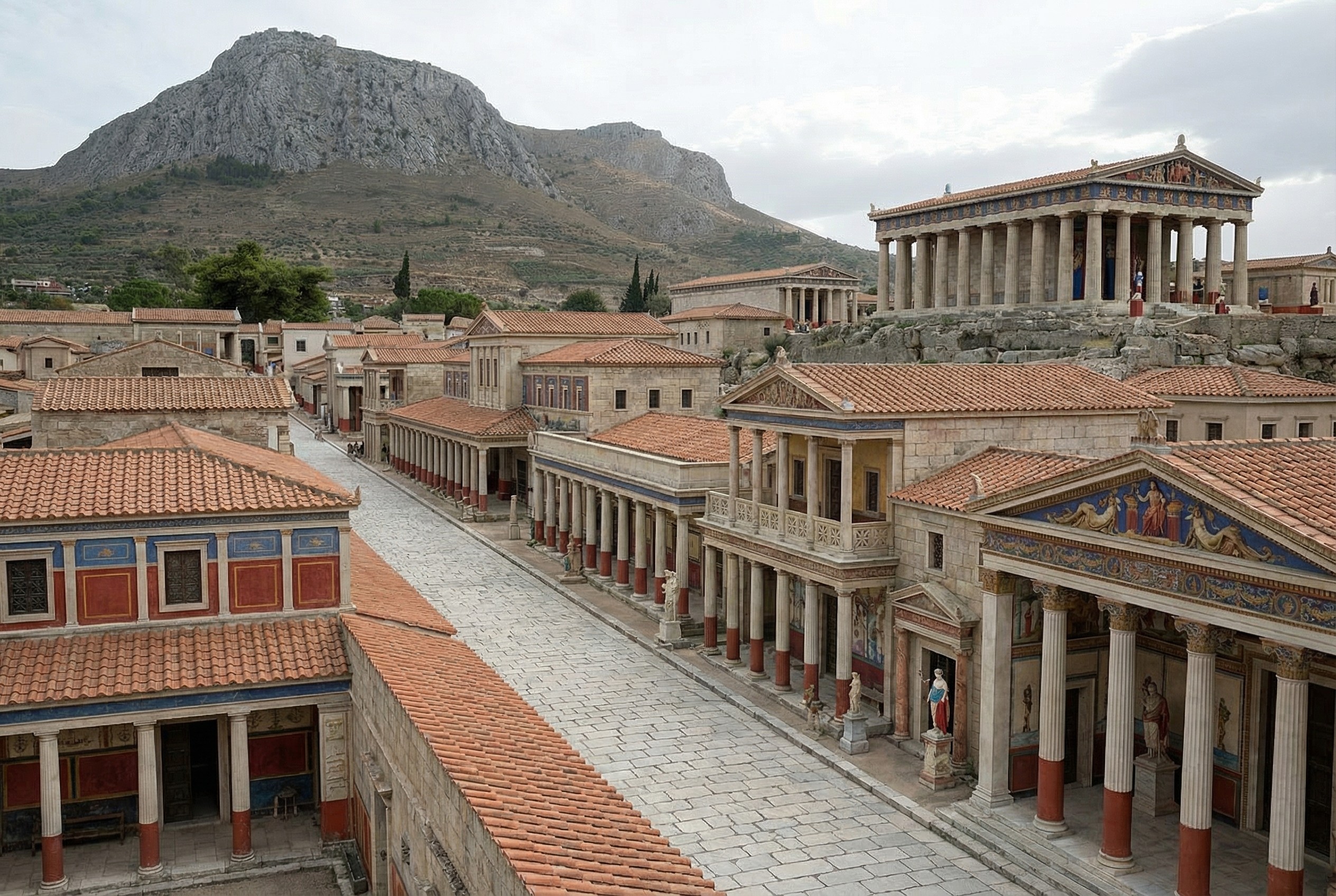
Nano Banana Pro does a plausible job of turning a real photo of an archaeological site into what the photo might have looked like if you’d taken it from the same vantage point thousands of years ago. You can imagine an app running on your future phone that lets you turn your selfies at historical sites into realtime, full-blown reconstructions (complete with changing your clothes to be historically appropriate).

Here’s a reconstructed view of Ephesus (adapted from this photo by Jordan Klein). I prompted it to add the harbor in the distance, which no longer exists in the modern photo.

A virtual reconstruction of ancient Ephesus from the top of the theater, with brightly colored buildings.

Here’s one of Corinth (adapted from this photo by Zde):

A virtual reconstruction of a street-level view of Corinth, with Acro-Corinth and a temple in the background.

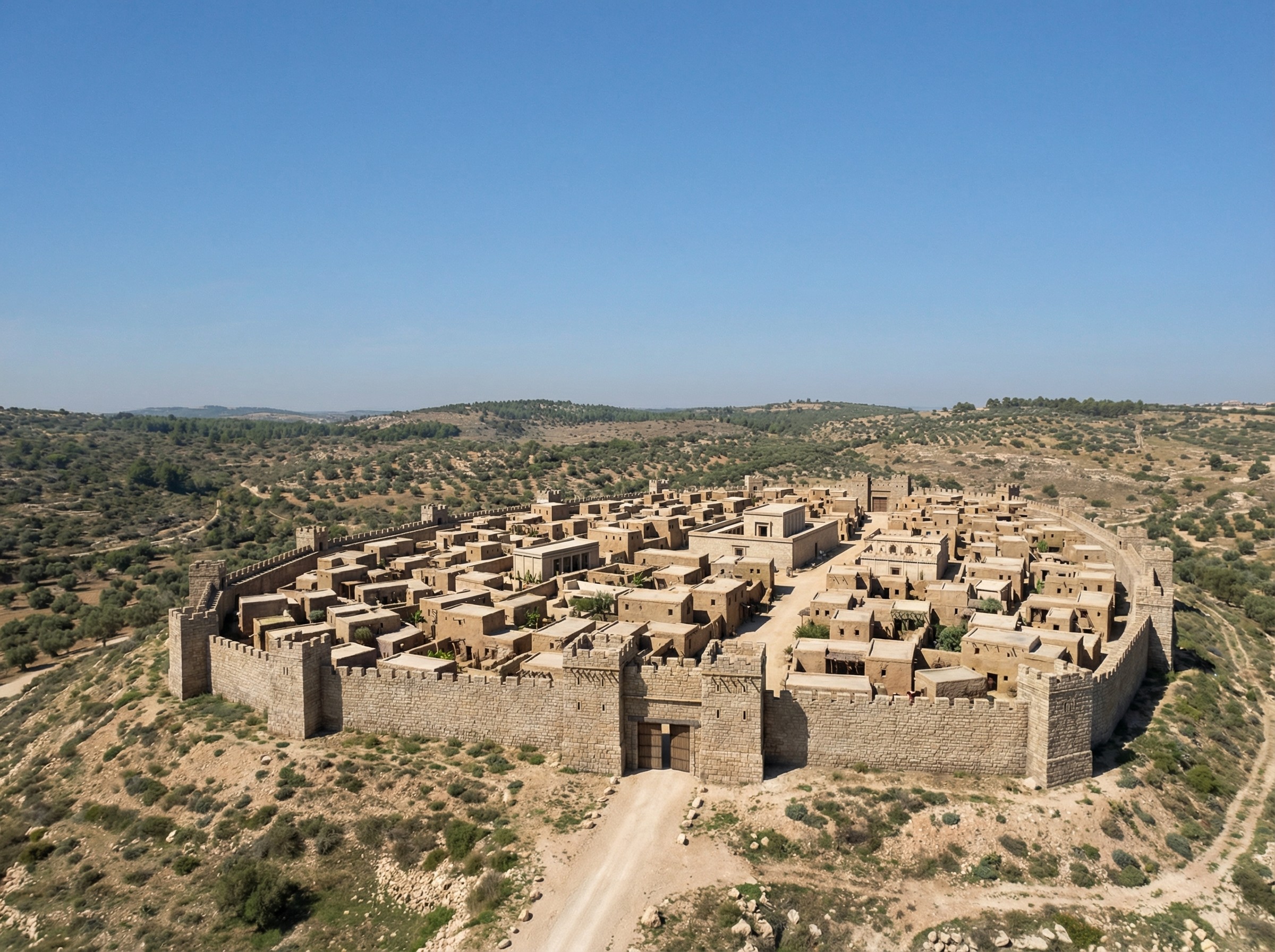
Finally, more fancifully (since there are fewer exposed ruins to work with), here’s one of Gath (adapted from this photo by Ori~):

A reconstructed bird's-eye view of Gath.

Virtual Archaeology with Nano Banana Pro

Saturday, November 22nd, 2025

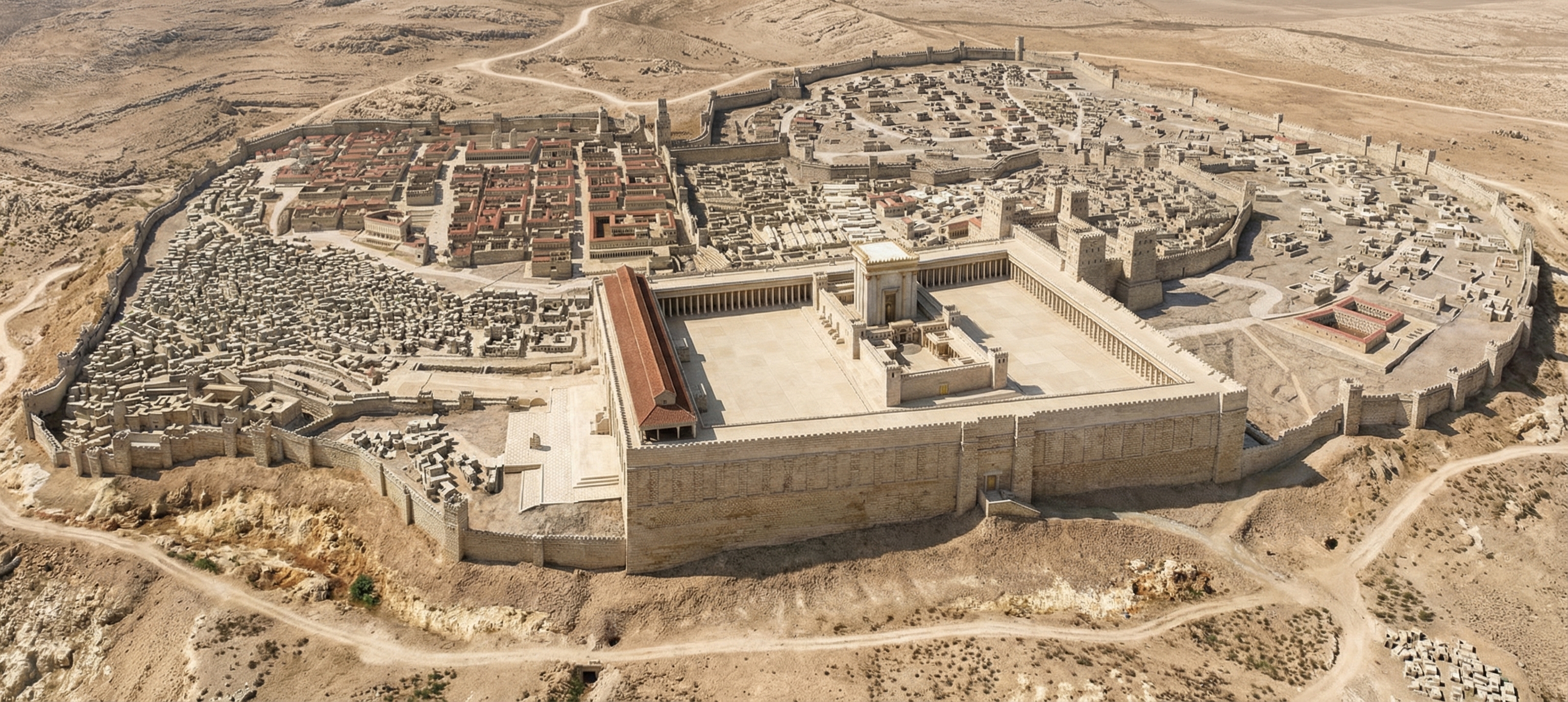
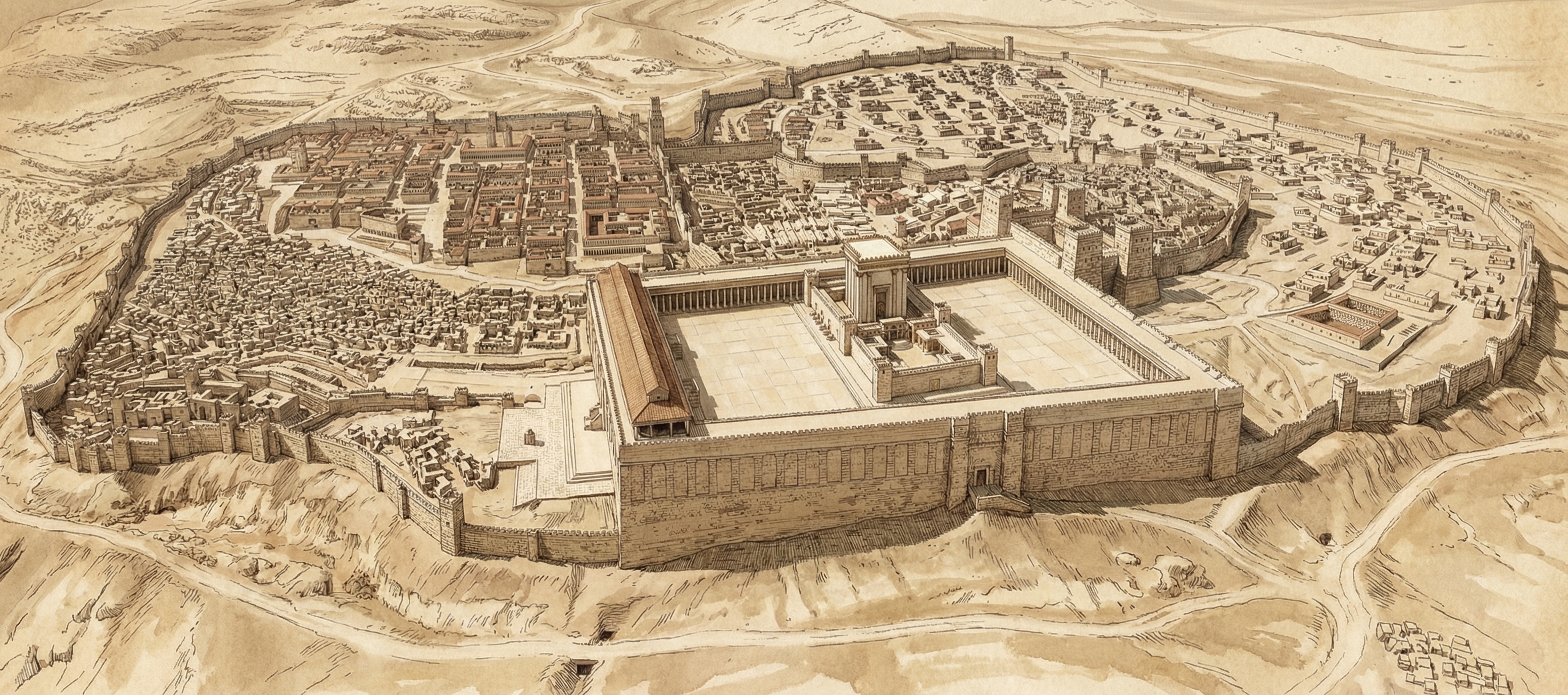
Google this week launched Nano Banana Pro, their latest text-to-image model. It far outshines other image generators when it comes to historical recreations. For example, here’s a reconstruction of ancient Jerusalem, circa AD 70:

A photorealistic rendering of ancient Jerusalem created by Google's Nano Banana Pro.

I gave it this photo of the Holyland Model in Jerusalem and told it to situate in its historical, geographical context. Some of the topography isn’t quite right, but it’s pulling much of that incorrect topography from the original model. It can also make a lovely sketched version.

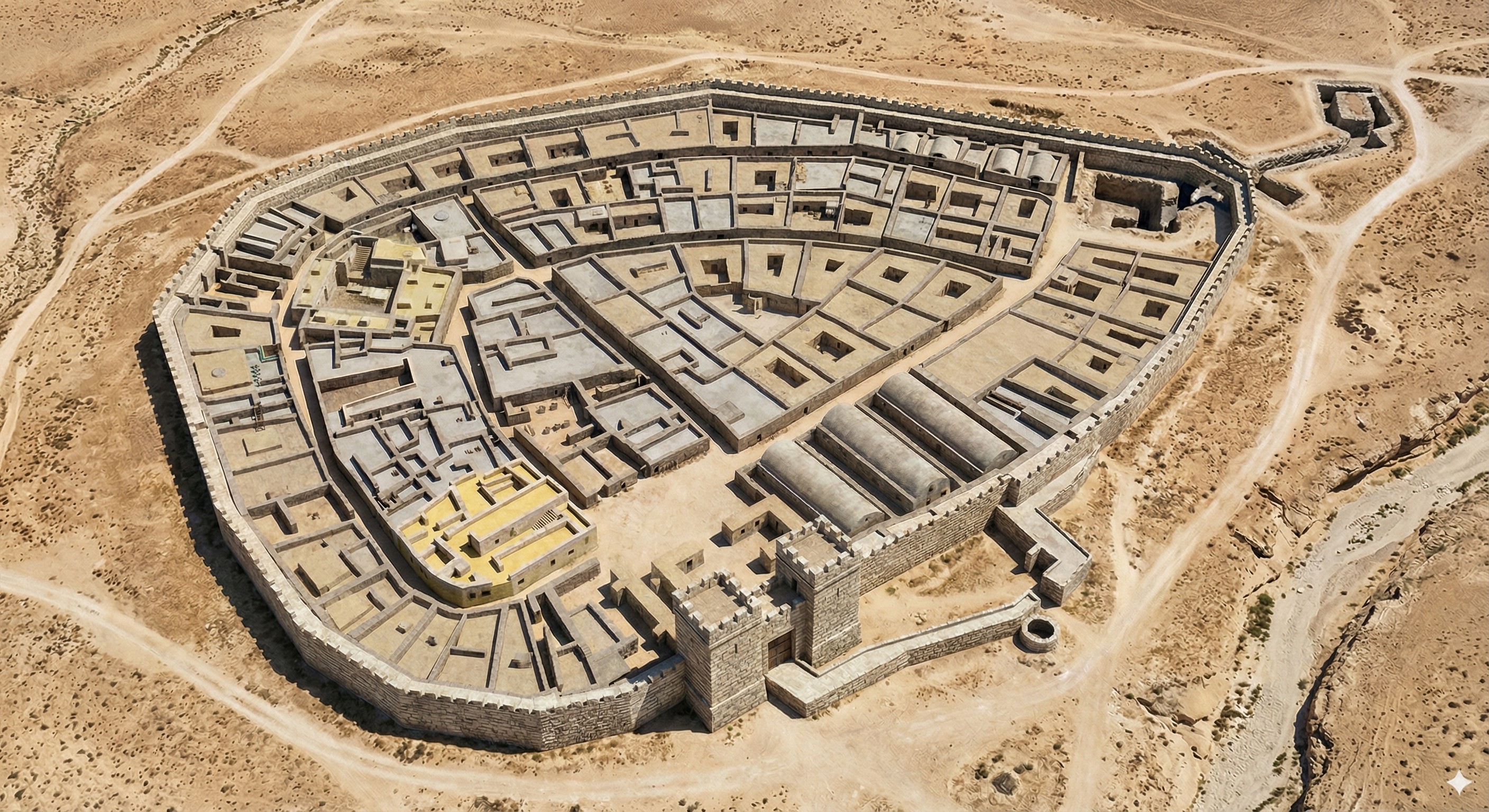
It also does Beersheba. Here I gave it a city plan and asked it to create a drone view. The result is very close to the plan; my favorite part is the gate structure and well.

A photorealistic rendering of ancient Beersheba that follows the city plan, created by Google's Nano Banana Pro.

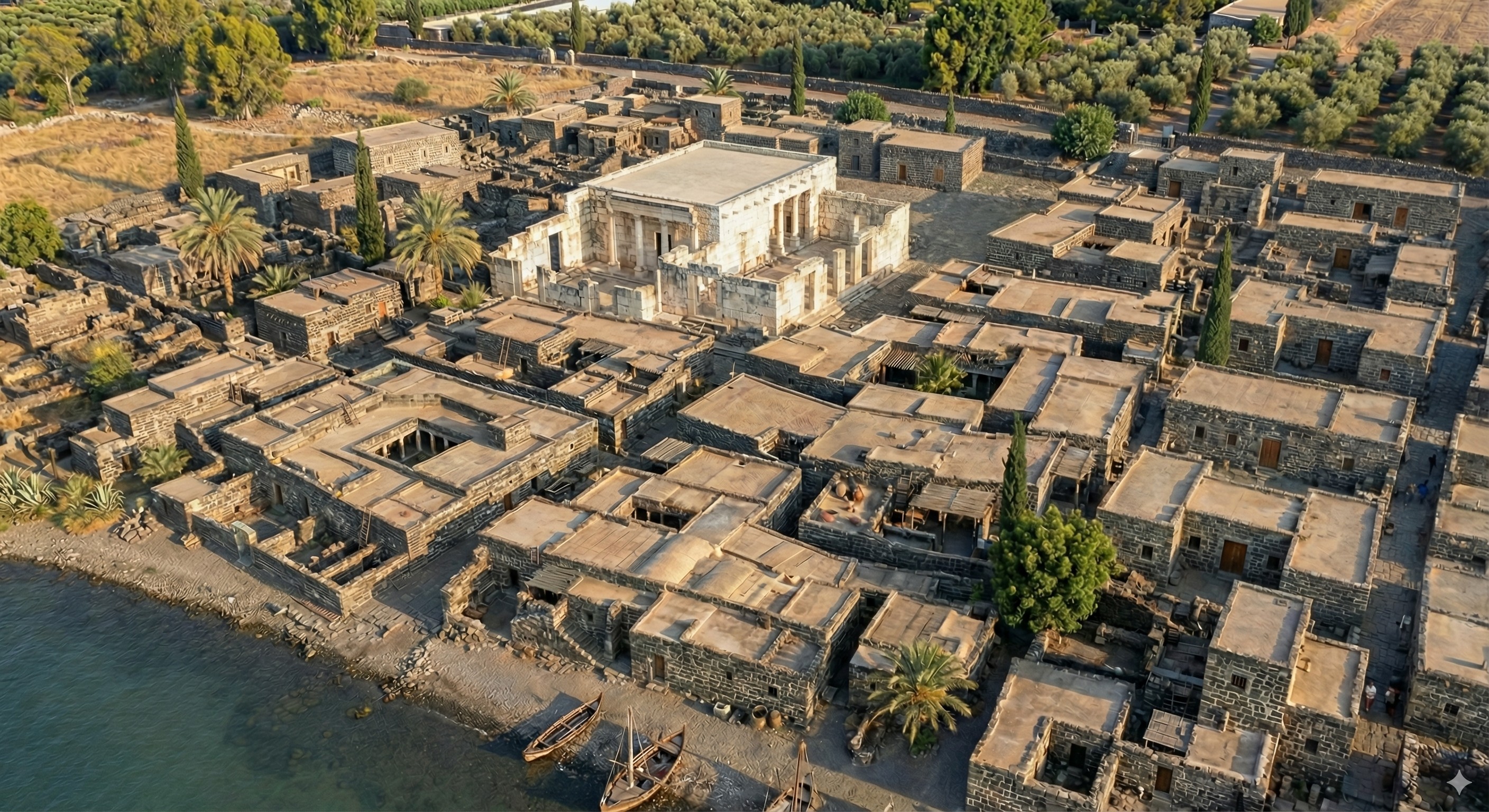
It was somewhat less-successful with Capernaum (below). I gave it a city plan and this photo of the existing ruins. It’s kind of close, though it doesn’t exactly match the plan. It’s almost a form of archaeological impressionism, where the image gives off the right vibes but isn’t precisely accurate. Also try a 3D reconstruction of this image using Marble from World Labs.

Photorealistic reconstruction of Capernaum, created by Google's Nano Banana Pro.

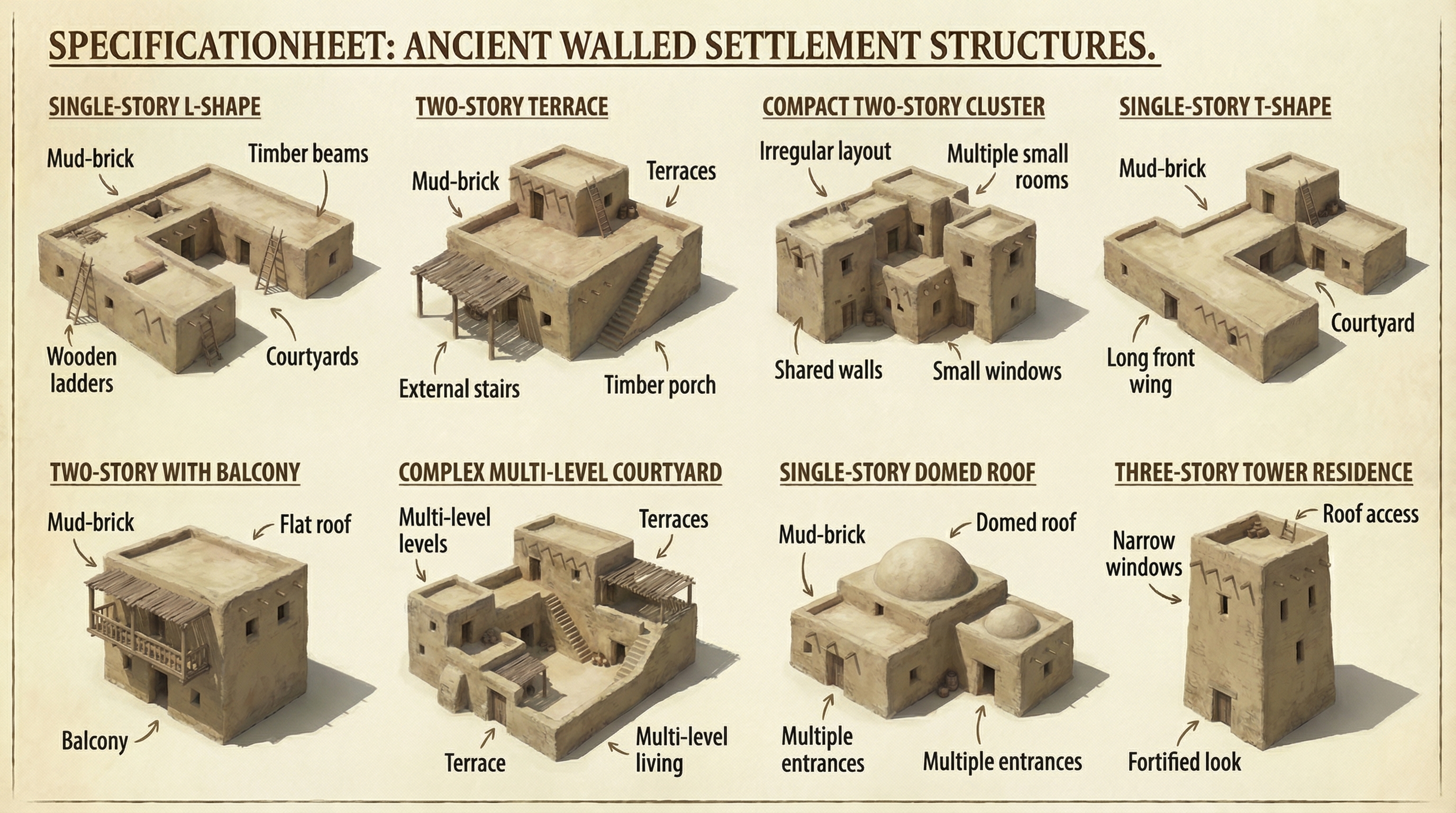
Finally, I had it create assets that it could reuse for other cities for a consistent look:

A spec sheet showing 8 specimen residences in ancient Israel.

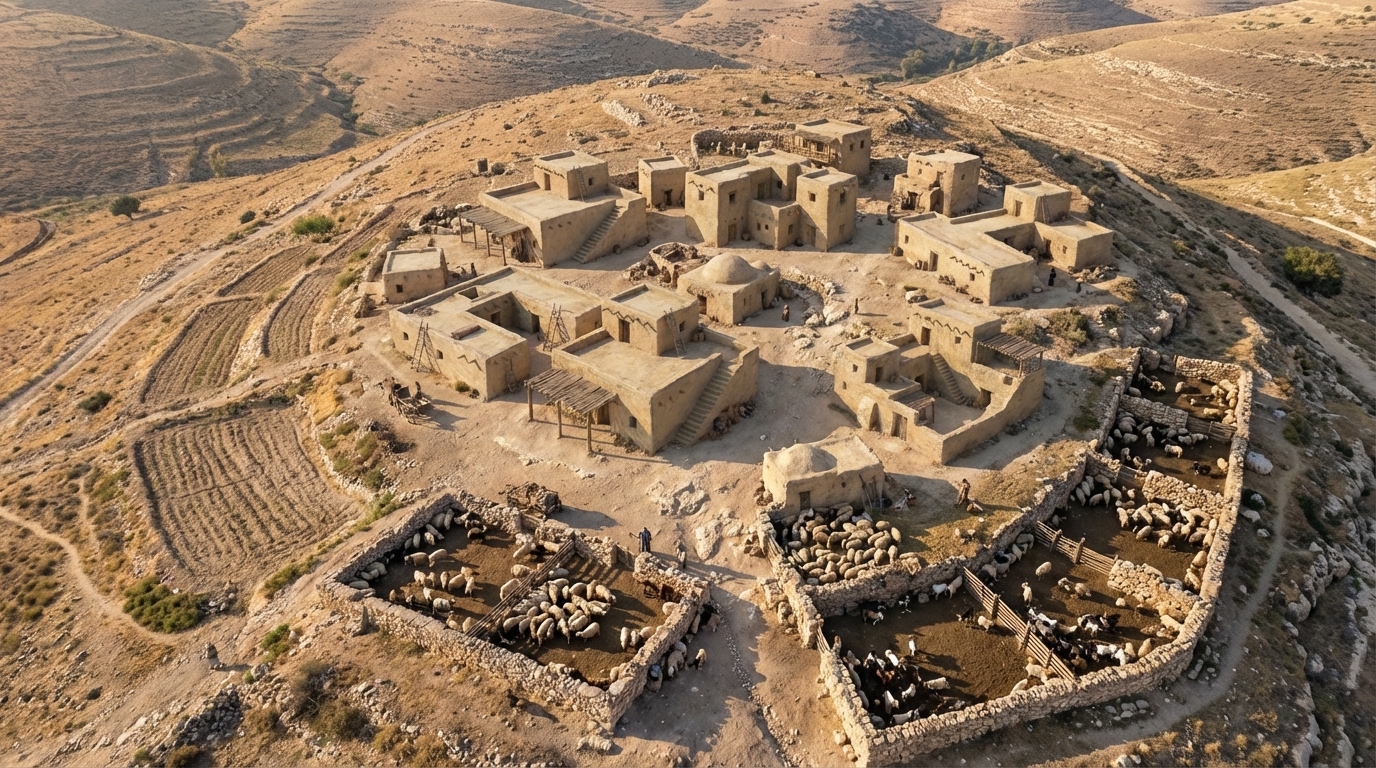
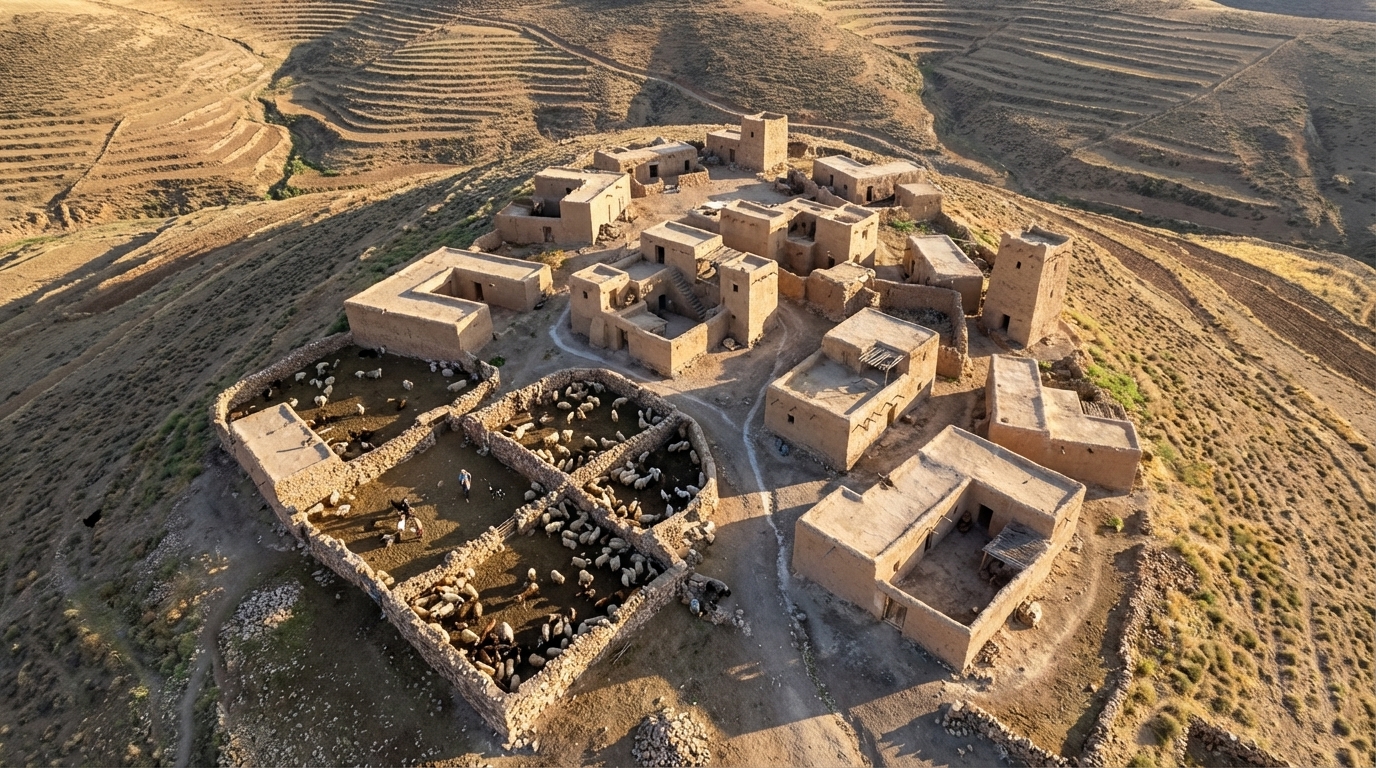
I then had it create a couple typical hilltop shepherding settlements using the assets it created (again using “drone view” in the prompt):

A photorealistic rendering of a shepherding community in ancient Israel.
A second photorealistic rendering of a shepherding community in ancient Israel, different from the above.

Your Next Bible Will Be a Hologram

Friday, January 23rd, 2015

Or, how Microsoft may have just invented the future of intensive Bible study.

Microsoft this week unveiled HoloLens, an augmented-reality headset that overlays text and images on the real world and, in particular, anchors them to precise locations in space, as if they were real objects. Here’s one of Microsoft’s promotional shots to give you an idea of what wearing HoloLens is like:
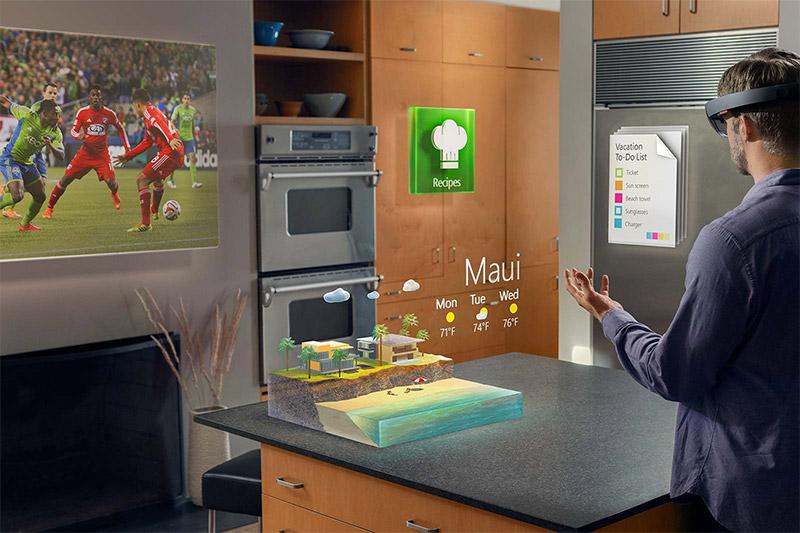
A man is wearing HoloLens in his kitchen.

In this image, the man is apparently so obsessed with going to Maui that he maintains a Sims-like vacation paradise on his counter. The TV, “Recipes” button, Maui simulation, and to-do list are all virtual—using the device on his head, only he can see whether his Sims manage find a staircase to the beach or if instead they simply leap the fifteen feet off the cliff to the sand.

At this year’s BibleTech conference, I’m going to discuss why the idea of the “digital library” doesn’t appeal to certain kinds of people, and one aspect of the discussion involves the tension between print books and digital ones, each of which has advantages and disadvantages. Microsoft’s holographic technology (I recognize that one, they’re not really holograms, and two, what I’m describing here may go beyond what’s possible in the first devices) presents an intriguing way to bridge the physical and digital worlds of Bible study.

Certain kinds of people prefer to study from print Bibles, and for them digital resources serve as study augmentations: parallel Bibles and commentaries feature prominently in this kind of study practice. The melding of physical and digital has always been awkward for this type of person, although tablet computers have eased this awkwardness somewhat. Still, the main limitation of digital resources for this person is space; small screens (compared to the size of a desk) don’t provide enough room to look at very many resources simultaneously, forcing them to toggle between resources. Edward Tufte calls this phenomenon being “stacked in time” rather than “adjacent in space,” saying that the latter is generally preferable.

Holograms remove this space limitation by expanding your working area to your entire physical desktop:
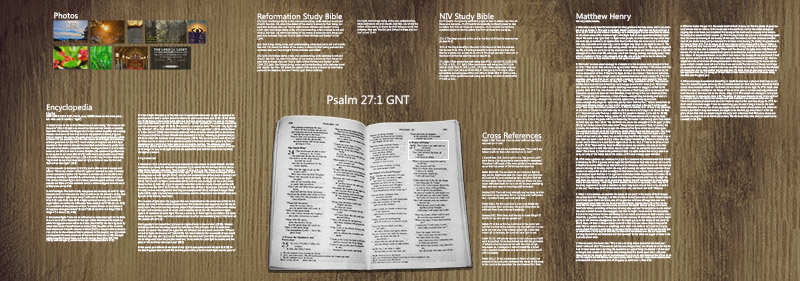
An open Bible appears in the middle of a desk with holographic text around it.

In this image, only the physical Bible and the desk are actually there. The rest of the text appears to float on top of the desk, providing enough room to engage in the kind of deep study that you might crave. Here I imagine that you, wearing holographic goggles, have tapped Psalm 27:1 in your print Bible. The goggles recognize the gesture, draw a box around the text in your Bible, and provide all sorts of supplementary material in which you’ve previously expressed interest: photos for some sort of illustration, various commentary and exegetical helps, and cross-references. The digital resources displayed on the desk are interactive, letting you tap and scroll much as you would on a tablet computer. It’s a tablet without a tablet.

Of course, if you have a whole lot of material, there’s no need to limit supplementary material to a desktop; the whole room is available to you:
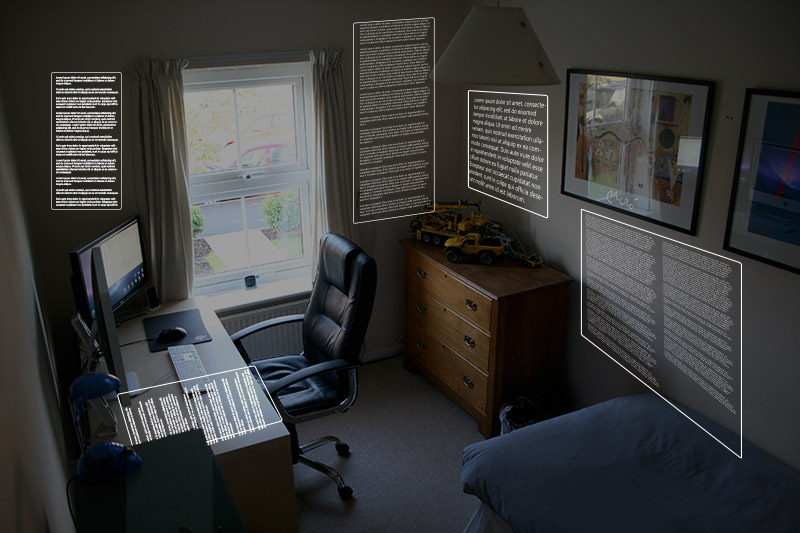
Holographic text appears on the walls of a room.

This image limits content to walls, but Microsoft’s HoloLens demo shows that the content could just as easily exist as three-dimensional objects in the middle of the room. And while I focus on low-density information displays here, there could easily be hundreds of information cards. Do you want to conduct a keyword search with hundreds of results? You can see all of them at once, all around you, rather than paging through them a few at a time.

Further, holograms give you the opportunity to merge print and digital resources in new ways. Suppose you’re studying Psalm 27:1, as above, and vaguely remember something you read once in one of your books. If you look over at your bookshelves, you might see something like this:
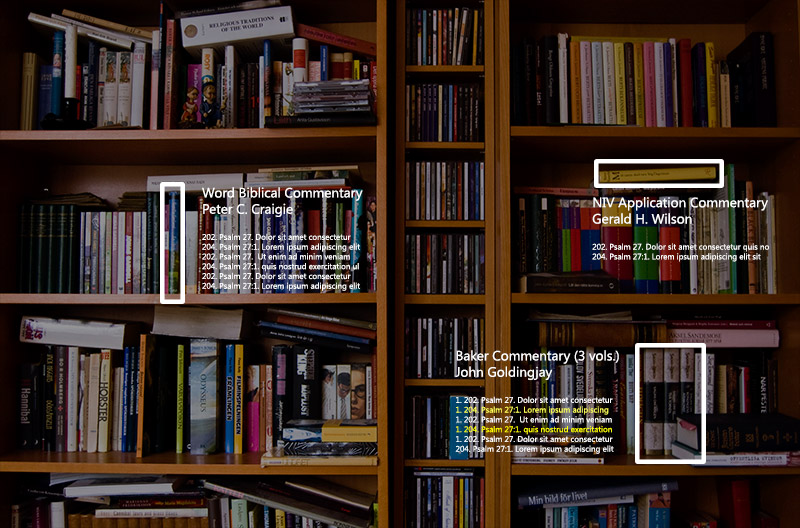
Bookshelves appear behind holographic text showing search results from three books on the shelves.

Here the holographic goggles have identified relevant books for you and show you where they are on your bookshelves, in addition to providing relevant excerpts for you to peruse. (The goggles know the page numbers either because you own the same volume digitally or because you originally read the book with your goggles on, and the goggles remember everything you read, even if you don’t; it’s like a super-Evernote.) The goggles surface passages related to the verse you’re reading and even remember passages you’ve highlighted (the yellow lines in the image). You can interact further with the holograms, looking through more search results, perhaps, or you can pull one of the books off the shelf and physically peruse it.

Finally, and most obviously, holograms push the 3D models, timelines, and maps that are now study-Bible staples into new dimensions of interactivity. They can literally pop off the page and expand into space, letting you manipulate them in ways that are impossible in the 2D space of a screen.

Holographic technology neatly sidesteps several limitations of current digital Bible study and could potentially usher widespread, transformative, digitally assisted Bible study. Or they may be just too geeky-looking. We’ll have to see.

Photo credits: endyk, Hc_07, 4thglryofgod, worshipbackgrounds, listentothemountains, coloneljohnbritt, 4thglryofgod, titobalangue, quoteseverlasting, steven_jamesP, nlcwood, netzanette, and williamhook on Flickr. The terrible Photoshopping is all my fault, not theirs.
Street View through Israel

Thursday, January 17th, 2013

Google yesterday announced that they’ve expanded their street view functionality throughout Israel, including a number of sites that you’d visit on any tour of the Holy Lands. Of particular note are the archaeological sites they walked around and photographed. Here, for example, is Megiddo:


View Larger Map

Previously available were many places in Jerusalem, like the Via Dolorosa. But the new imagery covers much more area–I can imagine it being particularly useful in Sunday School and classroom settings, where a semi-immersive environment communicates more than static photographs.

Via Biblical Studies and Technological Tools.

Procedurally Generating Archaeological Sites

Tuesday, October 12th, 2010

Walking around an archaeological site–whether an active dig or excavated ruins–makes you wonder what it would be like to see the site in its glory days. Existing computer tools make it possible to model small-scale sites virtually (a building, perhaps), but anything larger than a city block would take a long time to create. Even a small city is beyond the capabilities of any but the most dedicated team.

One solution is procedural generation, where a human designer lays down a few rules–a basic city plan, for example–and a computer fills in the rest according to those rules. The result is a complete rendering of a city filled with buildings that plausibly inhabit the space, with a human only having to set up the initial parameters. Consider this reconstruction of Pompeii:

The creators of this video started with street plans and a variety of historically correct architectural models. A computer then generated buildings that fit the excavated ruins, resulting in a city that you can tour virtually. While it undoubtedly has inaccuracies, the result is compelling.

Pompeii is better-preserved than most ancient cities, but you can apply a similar technique to any archaeological site. Archaeologists have partially excavated many biblical cities; they know at least some of the city’s layout. Even if they don’t know the whole thing, they can guess at what features a city of a given size needs; by starting with what archaeologists know, a computer can extrapolate a plausible street plan for the rest of the city. (I suppose that you could run the simulation many times and generate a probability of where a certain building–such as a synagogue–is likely to be.)

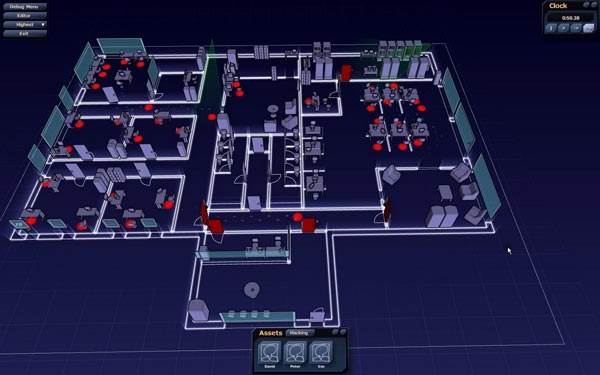
These projects don’t often generate interior spaces or simulate objects like furniture, both of which dramatically increase the complexity of the simulation for only a modest benefit. But there’s no reason why we couldn’t model interior spaces. A forthcoming game called Subversion, for example, uses procedural generation on both macro and micro scales: it generates both complete cityscapes and architectural floorplans of the buildings that it creates.

A screenshot from Subversion shows a building's procedurally generated floorplan.

Recreating interiors for ancient houses is fairly straightforward: floorplans weren’t nearly as complicated as they are today. Imagine walking around ancient Capernaum, for example, and visiting the house where people lowered a paralytic through the roof. Architecture plays a crucial role in the story, a role that a virtual-reality model would help illuminate.

Further Reading

  1. Procedural, Inc. creates software for procedurally generating cities, both modern and ancient.
  2. Rome Reborn from the University of Virginia recreates ancient Rome using a combination of hand-modeled buildings (for thirty models and 250 elements) and procedurally generated buildings (for the remaining 6,750 buildings). Academic papers provide more technical detail, especially the one by Dylla, Kimberly, Frischer, et al. (PDF). They use the Procedural, Inc. software.
  3. A Subversion video shows the steps a computer goes through to generate a cityscape.
  4. Procedural 3D Reconstruction of Puuc Buildings in Xkipché demonstrates an academic application of the technology applied to archaeology.
  5. Magnasanti talks about the “ultimate” SimCity city and was the inspiration for this post.

Videogames as Time Travel

Tuesday, January 12th, 2010

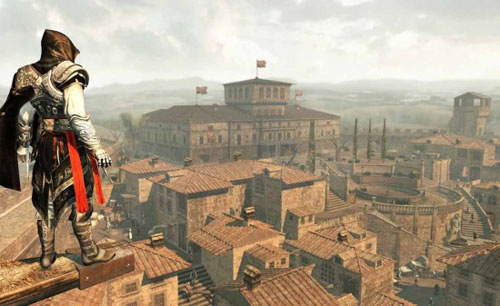
Melik Kaylan writes in today’s Wall Street Journal about how the detailed historical settings in the videogame Assassin’s Creed II allow the player to time-travel to Renaissance Italy (link works now but may not always):

[T]he game is set in Florence, Venice and Rome over a number of decades leading up to the year 1499. The game’s producer-authors… labored lovingly to re-create the environs as exactly as possible. They hired Renaissance scholars to advise on period garb, architecture, urban planning, weaponry and the like. They took tens of thousands of photographs of interiors and streets. They used Google Earth liberally to piece together the ground-up and sky-down perspectives through which the action flows…. The hazy colors and the distant sound of river birds are uncannily correct. Nowadays, the tourist hordes can blot out all sense of history. Once you’ve navigated it on AC2, when you visit the Ponte Vecchio in person the illusion persists of a highly intensified sense of place. In other words, the video brings the place sharply back to life.

Recreating history comes at a price: the budget for the game is something north of $20 million. I hope that the publishers will find a way to put some of their investment to educational use; I for one would love to visit Renaissance Italy without having to assassinate people once I get there.

Someday I hope to see a recreation of ancient Jerusalem this detailed, though I can’t imagine what kind of game could justify the pricetag. In the future, maybe the cost of creating virtual time travel will drop far enough to be within reach of small schools, companies, or individuals.

(Note: I haven’t played the game and don’t intend to. As you might guess from the title, it appears to involve lots of killing. If you’re OK with seeing that kind of thing, on YouTube one of the developers walks through some of the gameplay.)

The main character in Assassin’s Creed II surveys a detailed Renaissance urban landscape.