Blog RSS Feed

Archive for November, 2025

Learn to Love Leviticus in 76 Flowcharts

Sunday, November 30th, 2025

Browse all 76 Leviticus flowcharts.

Leviticus probably isn’t your favorite book of the Bible, with its long lists of cleanliness regulations and priestly procedures. But I’ve long thought that the natural format for Leviticus is the flowchart: do this, then this, then this. A flowchart makes the prose much easier to follow. So I spent about thirty minutes a week over the past year turning Leviticus into a series of flowcharts by hand.

However, with Nano Banana Pro, I was able to make more progress in an afternoon than I had in a year—going from raw Bible text to finished flowcharts in four hours. I didn’t even use any of the work I’d done over the past year.

Here are some examples of finished flowcharts:
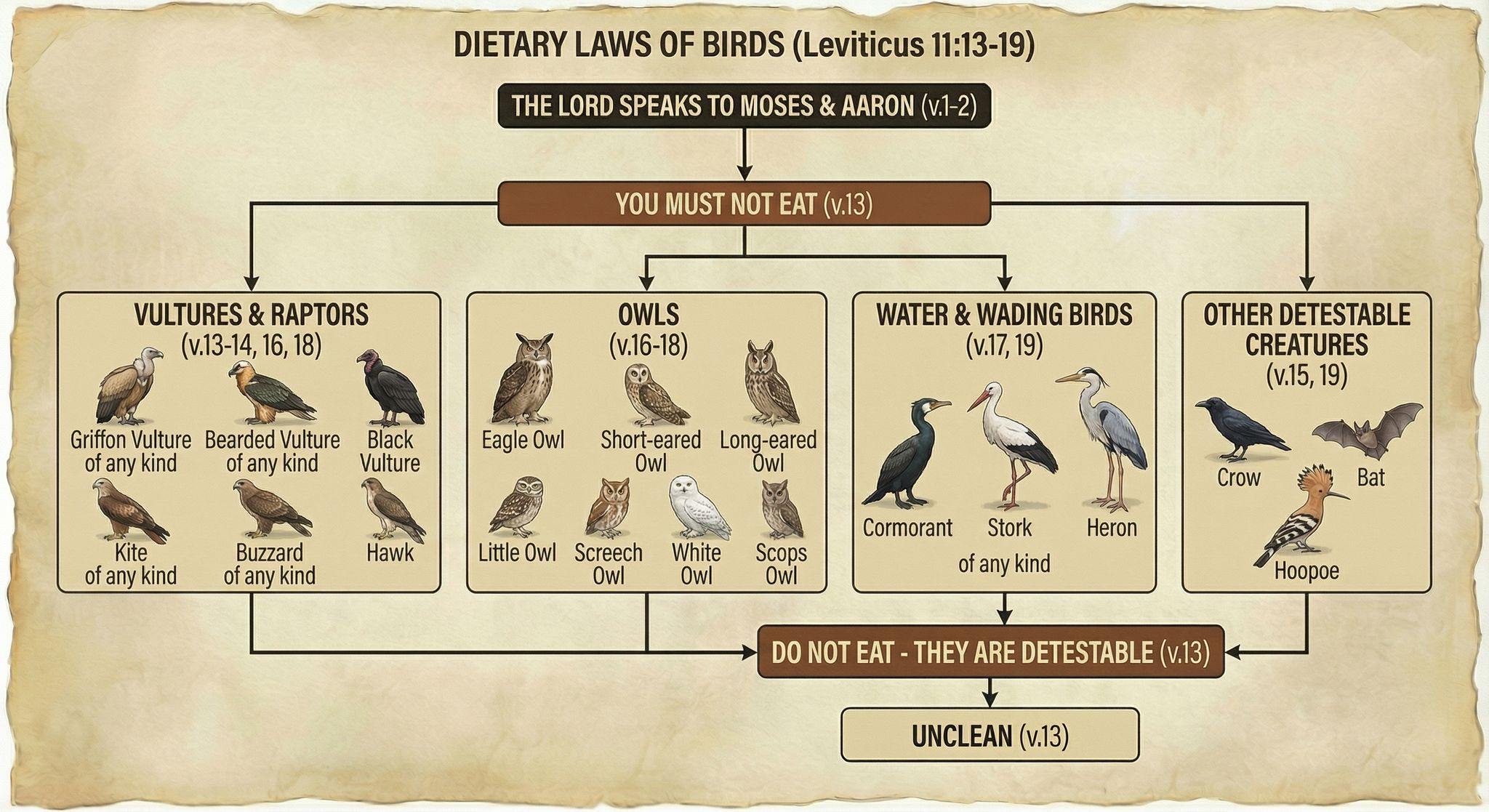
Dietary Laws of Birds (Leviticus 11:13-19)
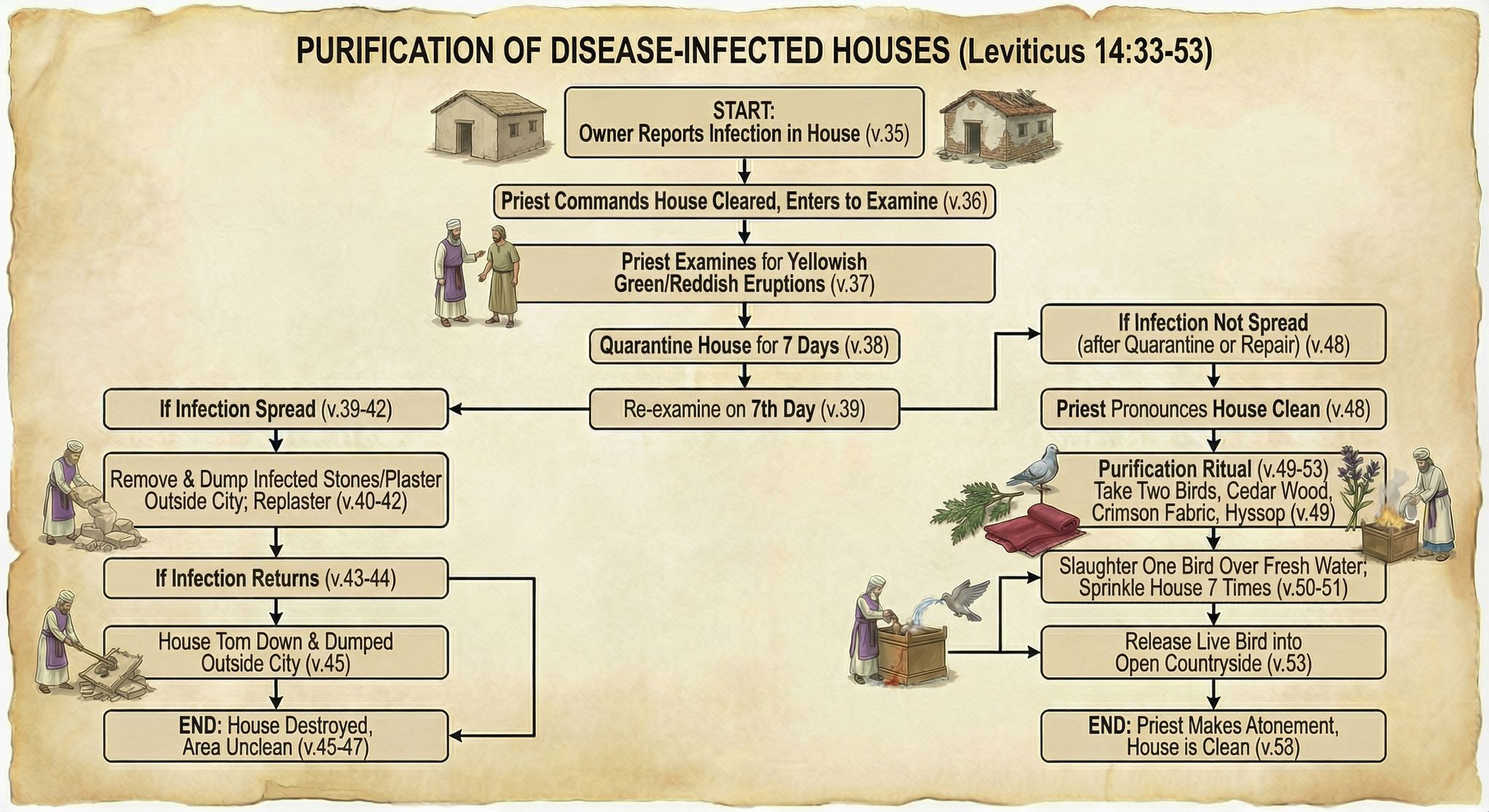
Purification of Disease-Infected Houses (Leviticus 14:33-53)
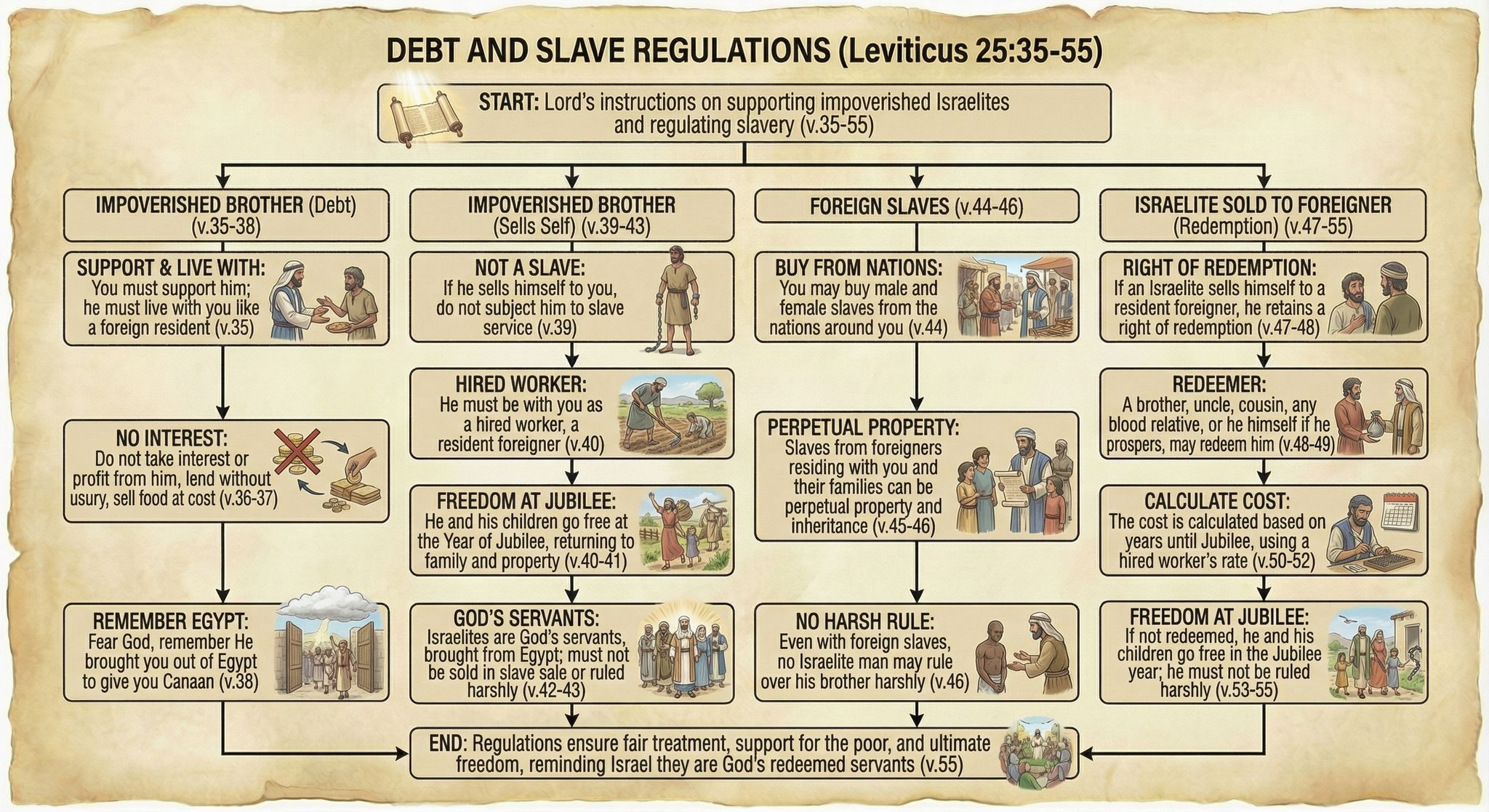
Debt and Slave Regulations (Leviticus 25:35-55)
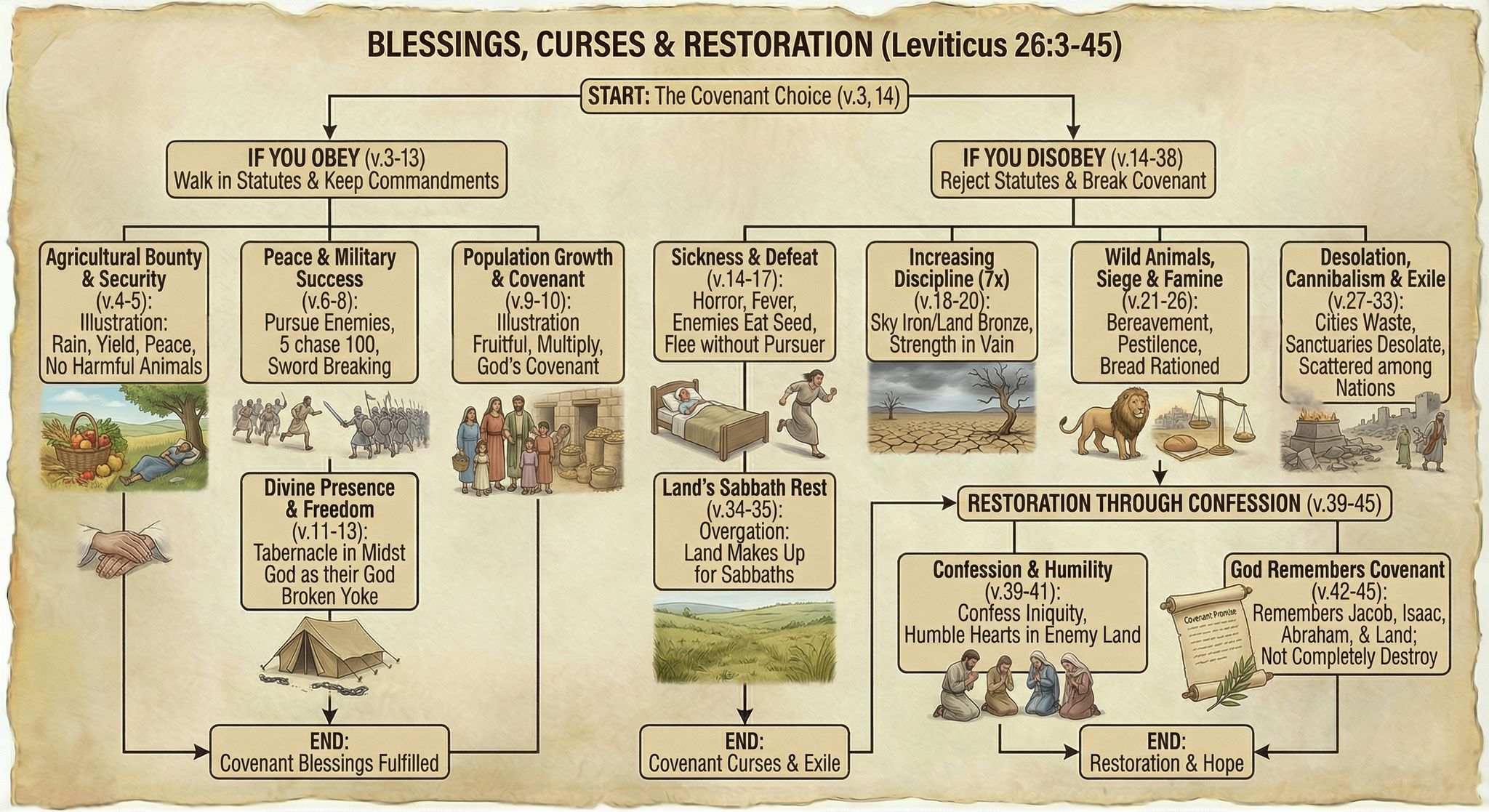
Blessings, Curses, and Restoration (Leviticus 26:3-45)

Methodology

I first generated some test flowcharts to get a visual style I liked. I wasn’t planning on the illustrations being so friendly, but Nano Banana Pro came up with a clear and pleasing style, so I went with it.

My first thought was to display all the Bible text—NBP could actually handle it—but the summary view I ended up with was easier to follow, visually.

From there, it was mostly a matter of choosing logical verse breaks for each flowchart, which ChatGPT helped with. I then used this prompt and gave it a previously generated flowchart as a style reference:

Create an image of a flowchart for Leviticus [chapter number] (below). Use the image as a stylistic model. Match its styles (not content or exact layout), including text, arrow, box, and imagery styles. Structure your flowchart so that it fits the content. Integrate the images into the boxes themselves where appropriate; they’re not just for decoration. Present a summary, not all the text. Indicate relevant verse numbers, and include the specific verse numbers in the title, not just the chapter number. Never depict the Lord as a person.

[Relevant Bible text]

Often it took two or more tries to get the look I wanted, or to ensure that it got all the logic right. I originally wanted to have all the clean/unclean animals on one flowchart, for example, but I couldn’t get the level of detail I was going for. So they’re broken up by animal type into multiple flowcharts.

On the other hand, even when I forgot to adjust the chapter number in my prompt, NBP would still show the correct chapter number in the output—it knew the chapter I meant, not the chapter I said.

All the image resizing and metadata work on my side to prepare the final webpage was vibecoded. It wasn’t hard code, but it was even easier just to explain to ChatGPT what I wanted to do.

Discussion

These flowcharts are better than I could have executed on my own and only took about four hours to create, from start to finish. By contrast, my earlier, manual process involved taking notes in a physical notebook, and I’d only made it to Leviticus 21 after twenty hours of work. Turning those notes into a finished product would’ve taken perhaps another 100 hours. So I got a better product for 1/30 the time investment, at a cost of $24 to generate the images.

Those twenty hours I spent with Leviticus weren’t lost, as ultimately any time spent in the Bible isn’t. In generating these flowcharts, I already had an idea of what the content needed to be and that it worked well in flowchart form.

But still, I didn’t add much value to this process. Anyone with a spare $24 could’ve done what I did. I expect that people will create custom infographics for their personal Bible studies in the future—why wouldn’t they?

The main risk here involves hallucinations. NBP sometimes misinterpreted the text, and the arrows it drew didn’t always make sense. I reviewed all the generated images to cut down on errors, but some could’ve slipped through.

As you can tell from my recent blog posts, I think that Nano Banana Pro represents a step change in AI image-generation capability. It unlocks whole new classes of endeavors that would’ve been too costly to consider in the past.
Browse all 76 Leviticus flowcharts.

Revisiting Bible “Vibe Cartography”

Saturday, November 29th, 2025

In April, I had GPT-4o create a bunch of maps of the Holy Land based on an existing public-domain map. My chief complaint at the time was that GPT-4o “falls apart on the details”—it gives the right macro features but hallucinates micro features (such as omitting specific hills and valleys and creating nonexistent rivers).

Nano Banana Pro changes that. It preserves features both big and small and doesn’t alter the location of features you give it, which means that you can hand it a map, have it transform the look, and then export it back out of Nano Banana with the correct georeferencing. You can completely change the appearance of a map and just swap it out for your purposes.

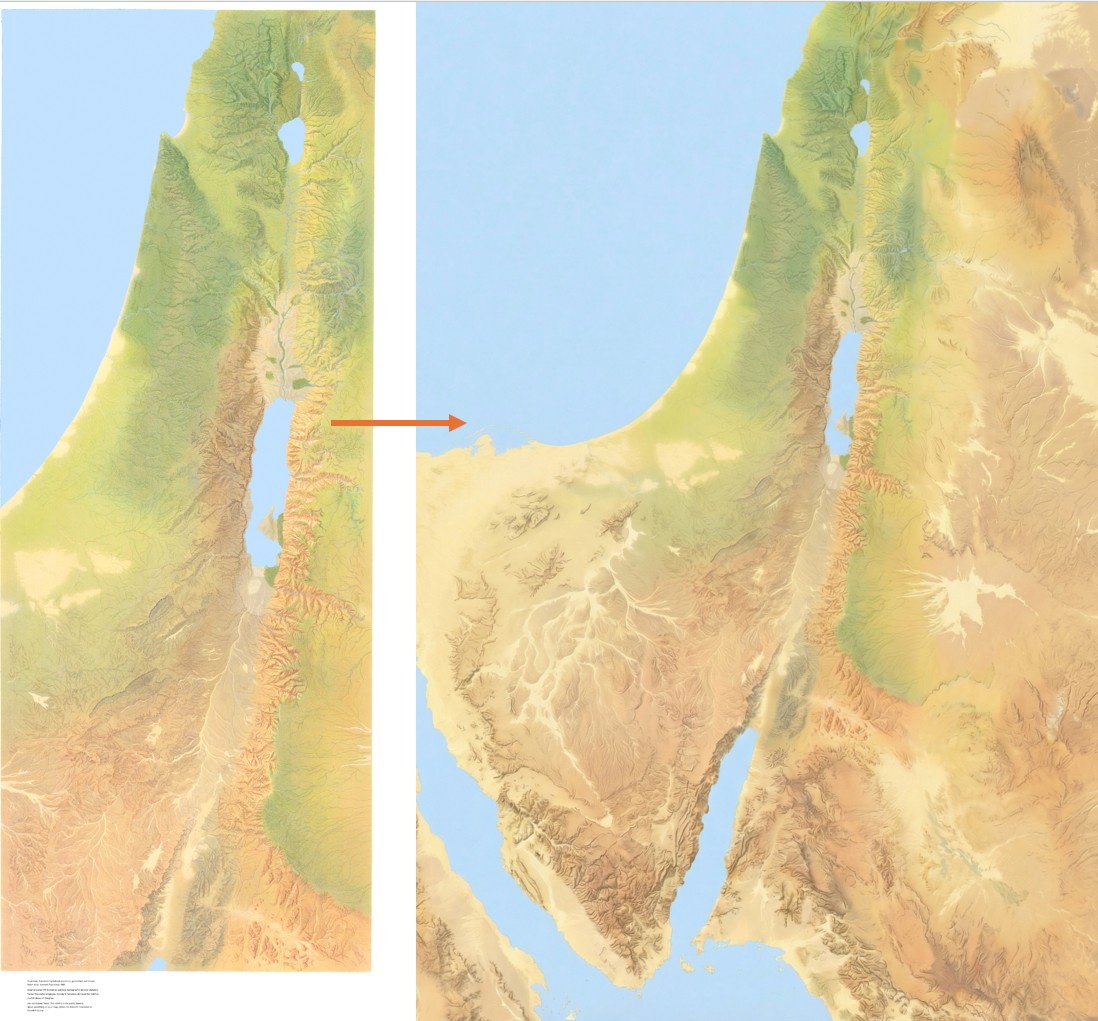
This time, I started with the same public-domain map but had Nano Banana Pro extend it so that it would have the same 2:3 aspect ratio as the GPT-4o images. It did a phenomenal job. If you’ve heard of the “jagged frontier” of AI, this work is an example of “sometimes it’s amazing.” There’s no reason why it should be so good at creating a map this accurate. But here we are. (You can download the 4K version of the generated image.)

The original Holy Land illustration by Kenneth Townsend on the left, extended east, south, west, and slightly north by Nano Banana. The look and terrain it created are accurate.

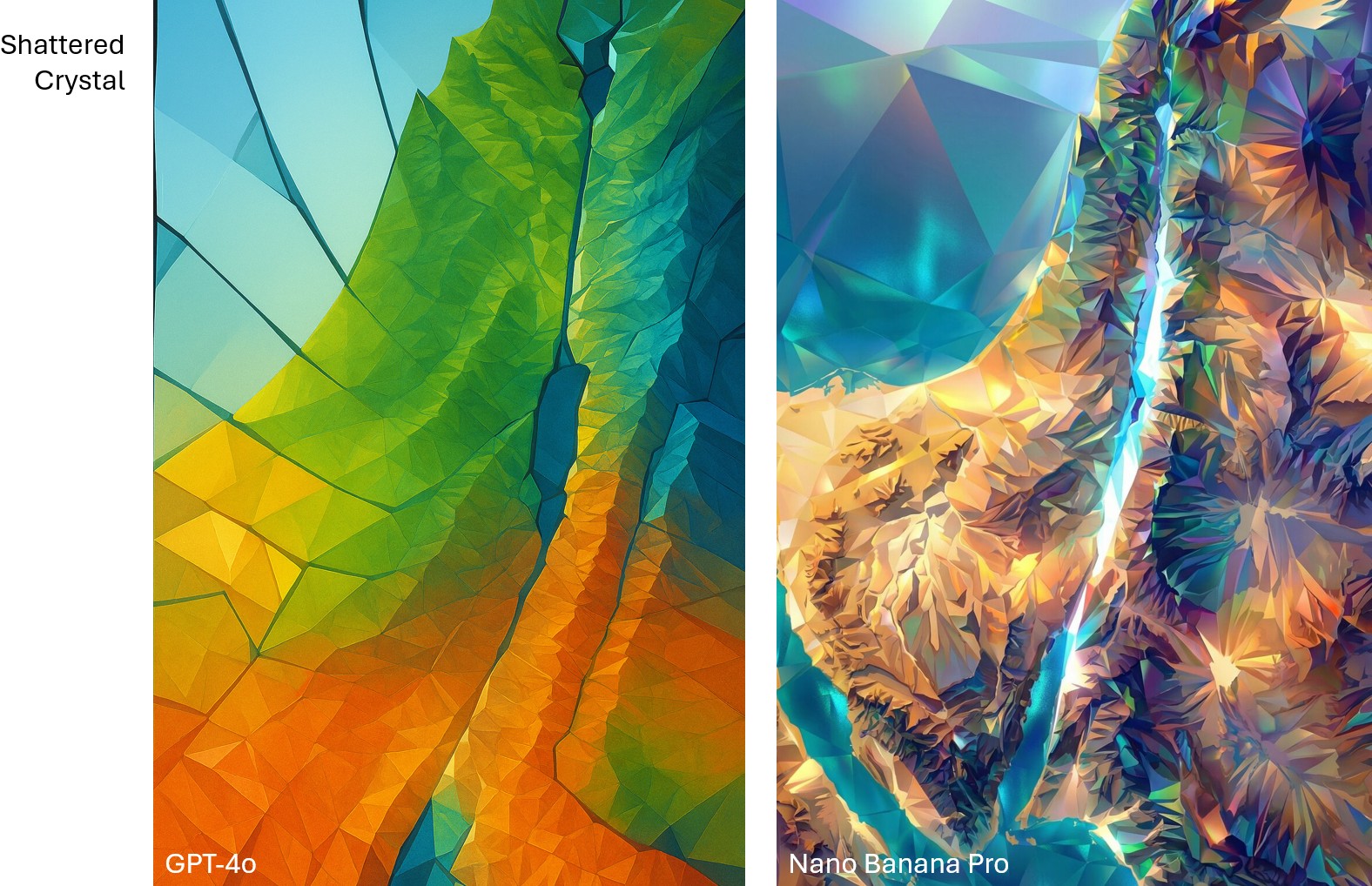
Then I ran the same prompts on Nano Banana Pro that I used for the earlier GPT-4o images. The results preserve all the details but apply the appropriate style. While the Nano Banana Pro images are more accurate, I feel like the GPT-4o images were, on the whole, more aesthetically pleasing for the same prompt. On the other hand, the NBP images followed the prompts way better. Only a few of the more heavily stylized NBP images inserted the nonexistent river between the Red Sea and the Dead Sea.

GPT-4o has simpler, more rainbow colors, while, Nano Banana Pro embraces the jeweled "crystal" look.
Compare the “shattered crystal” look between GPT-4o and Nano Banana Pro. GPT-4o is more conceptual, while Nano Banana Pro is more literal.
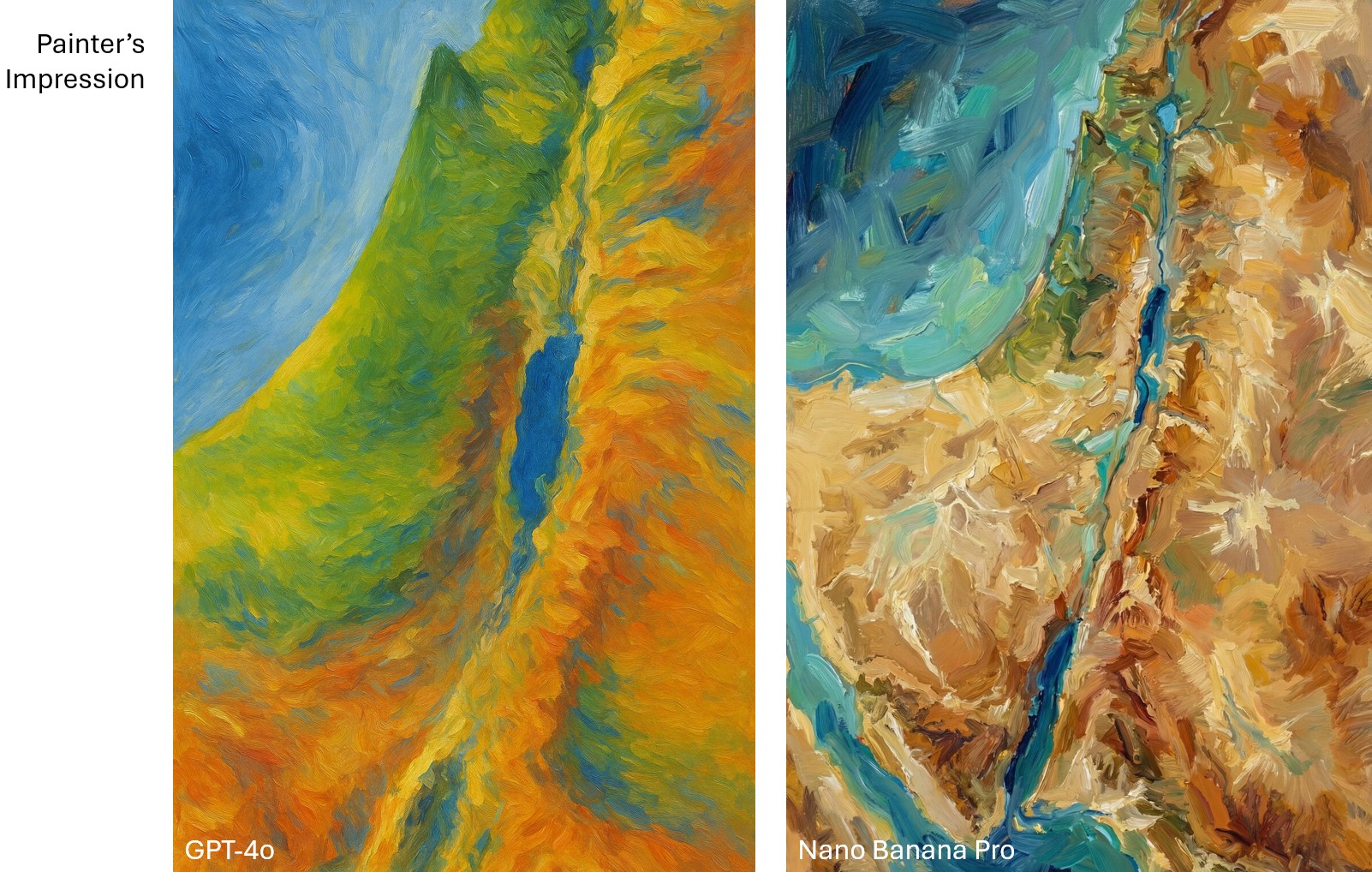
For "Painter's Impression," GPT-4o uses a rainbow palette with broad brushstrokes, while Nano Banana Pro has a rougher, almost acrylic-paint look to it.
Compare the “painter’s impression” look between GPT-4o and Nano Banana Pro. To my eye, the GPT-4o one captures Impressionism better.

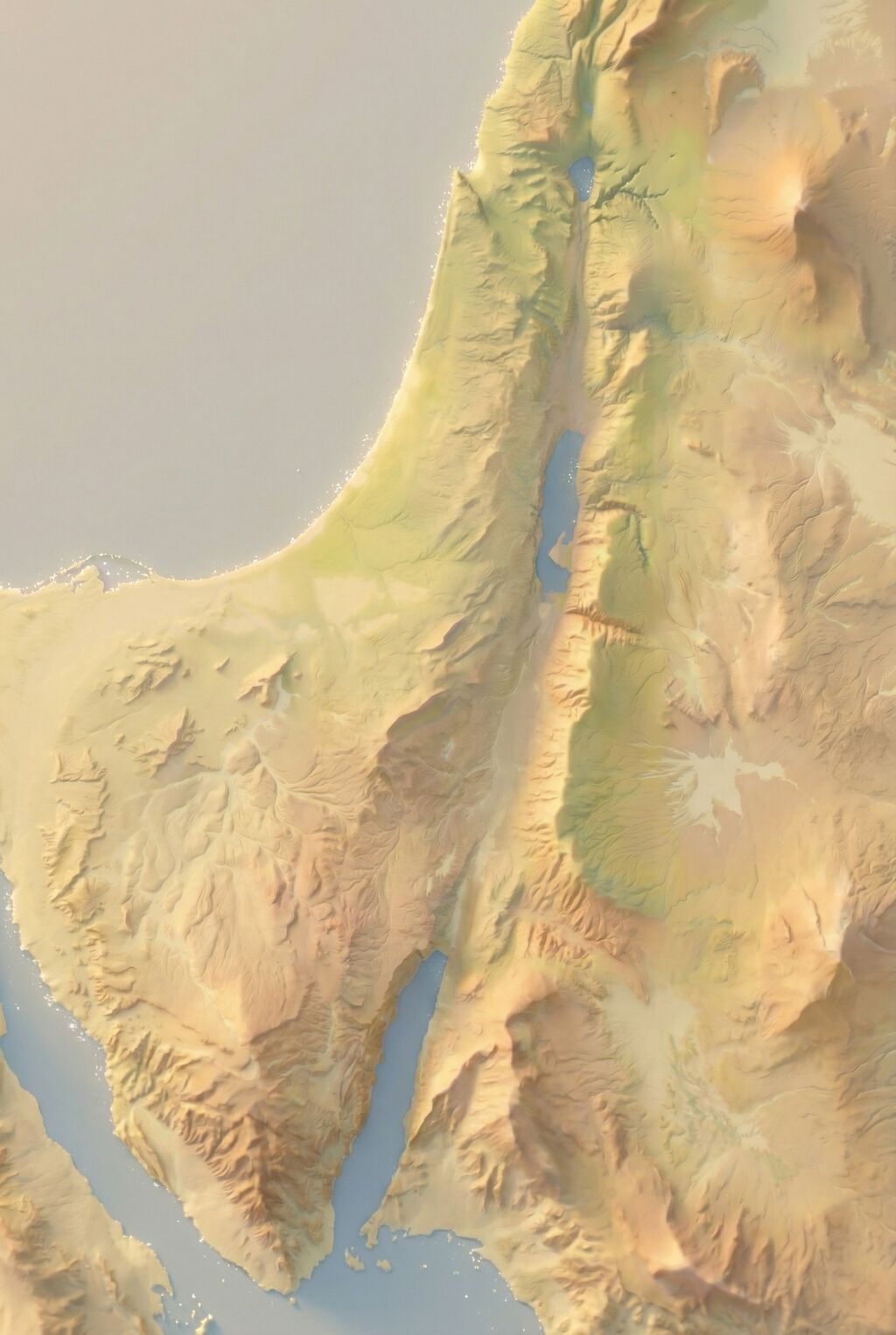
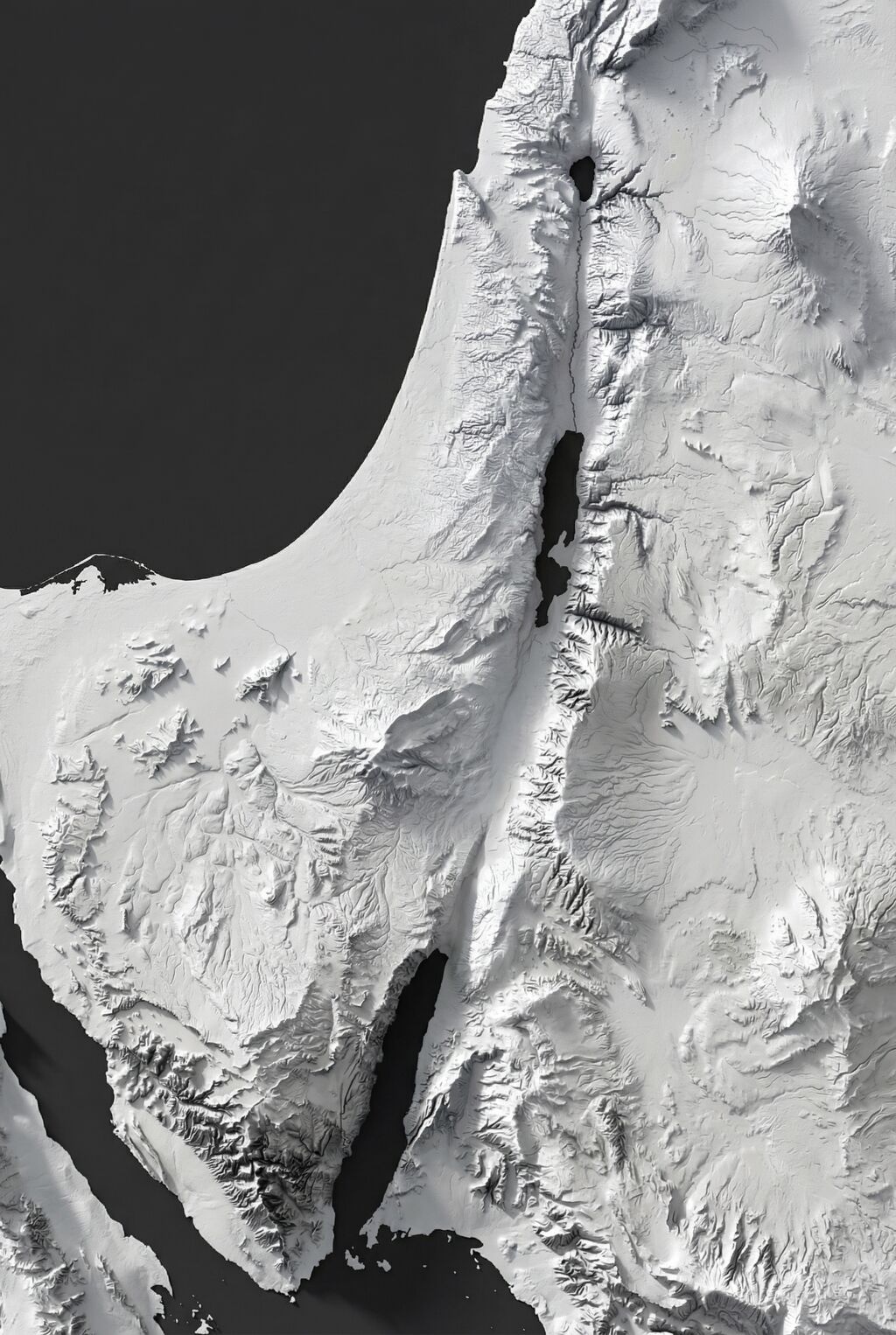
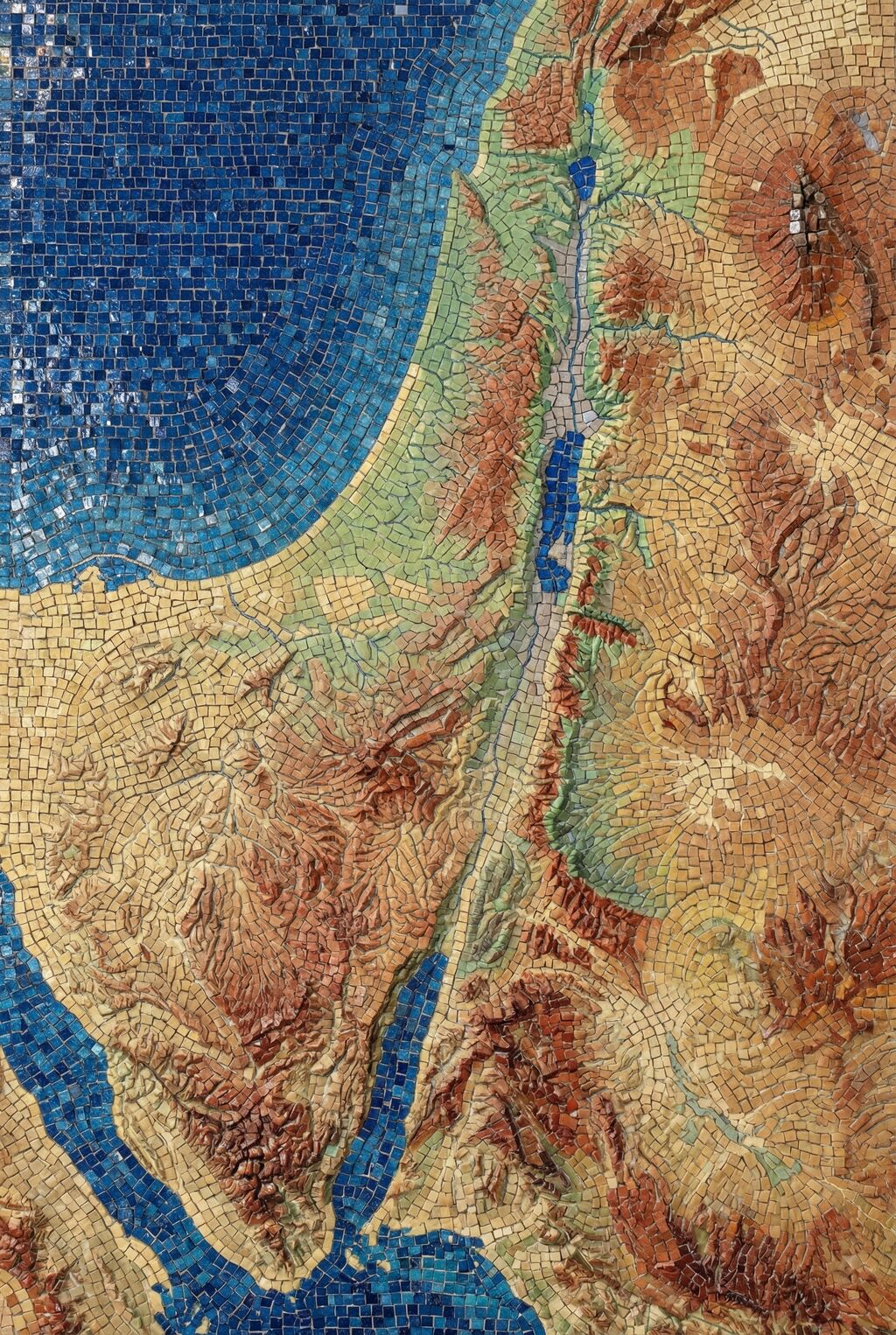
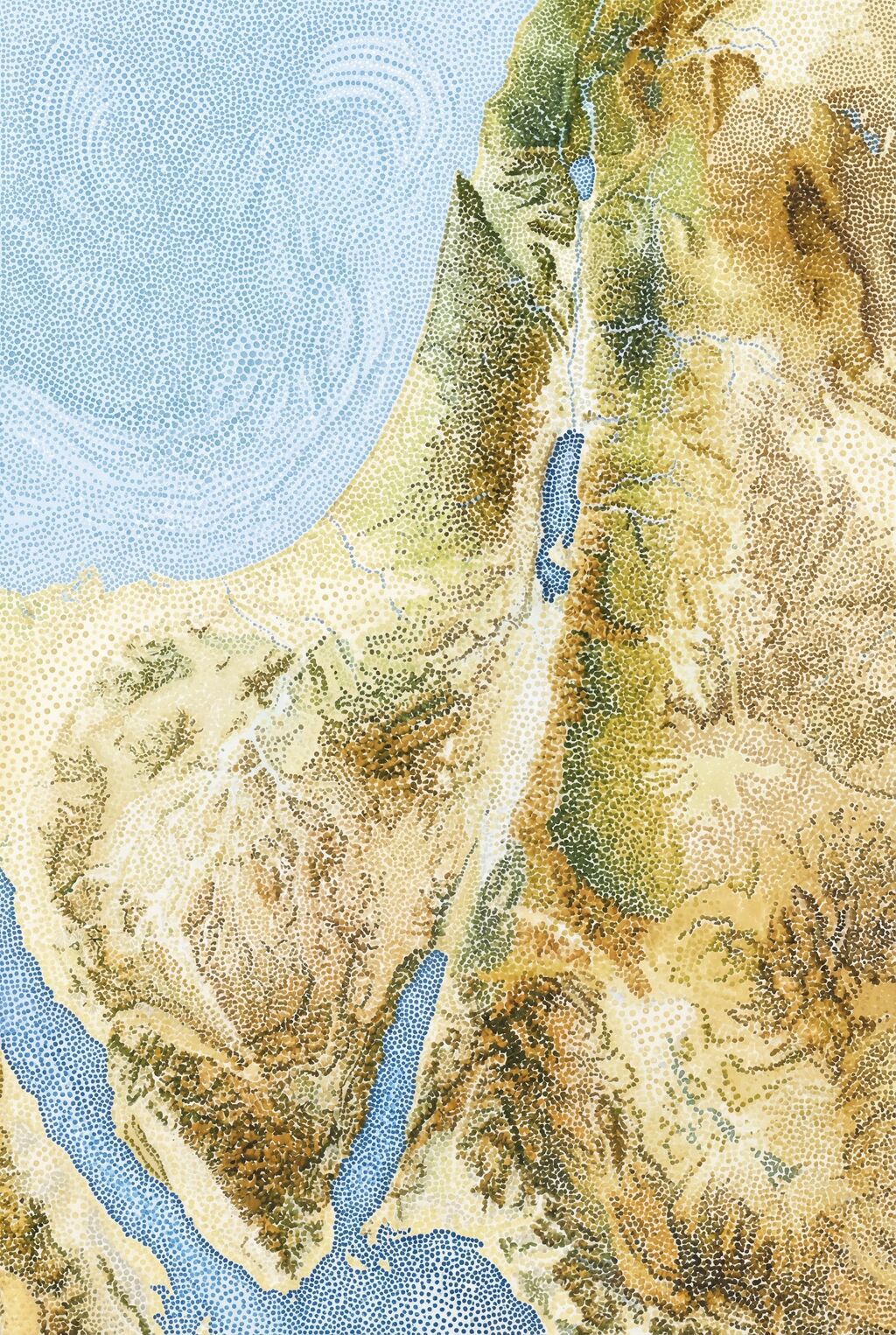
Below are some of my favorite Nano Banana Pro images. The first two recreate the Shaded Blender look that’s so hot right now. The second two show how NBP can change up the style while preserving details. I especially love how the last one makes the Mediterranean Sea feel vaguely threatening, which captures ancient Israelites’ feelings toward it.

Strategy Game Overworld Map Shadow-Only Elevation Map Byzantine Mosaic Terrain Map Sacred Breath Dot-Field Map

You can view all 200+ Nano Banana Pro-generated images here. The older GPT-4o images remain available.

Recreating a Bird’s-Eye View of the Holy Land with AI

Thursday, November 27th, 2025
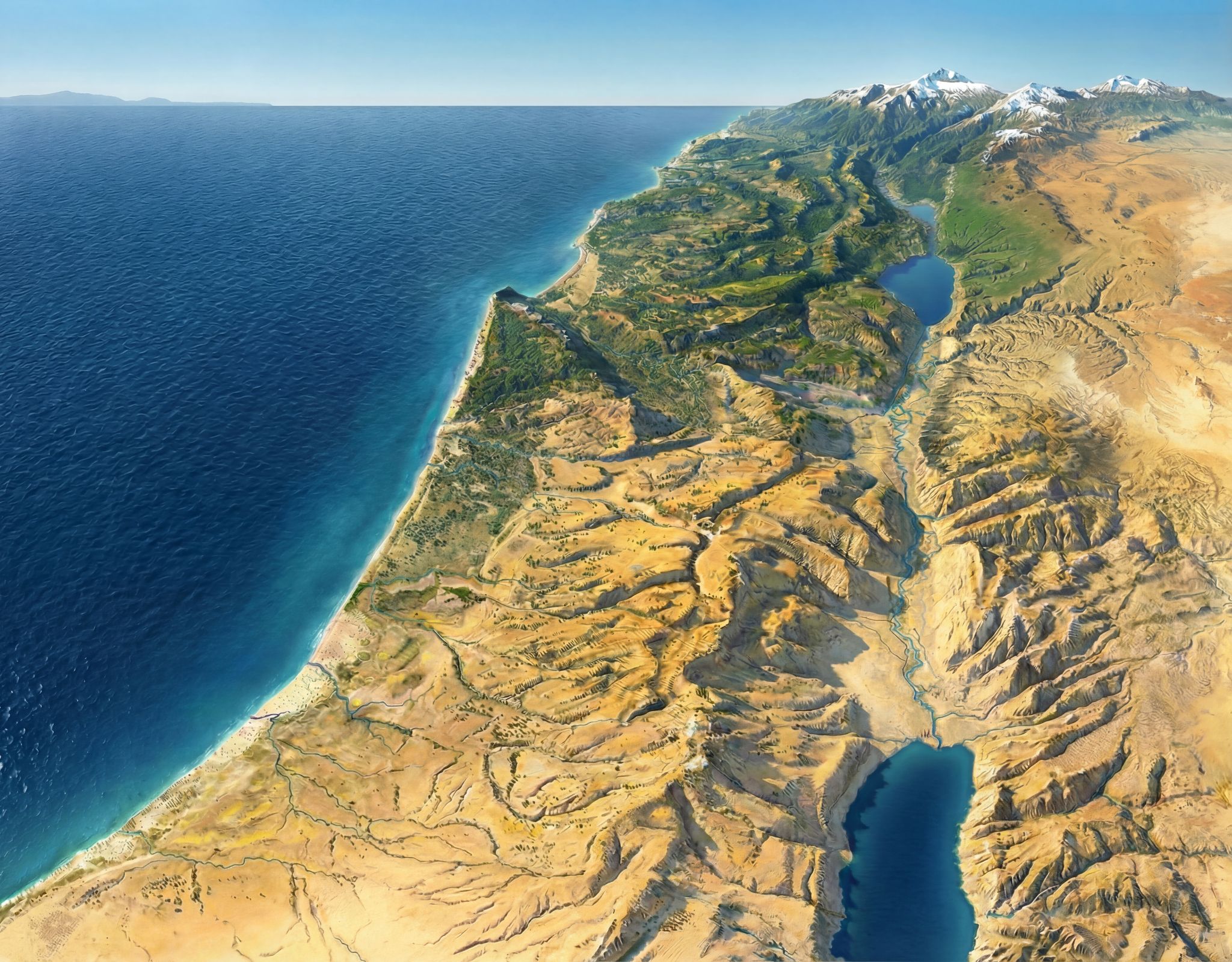
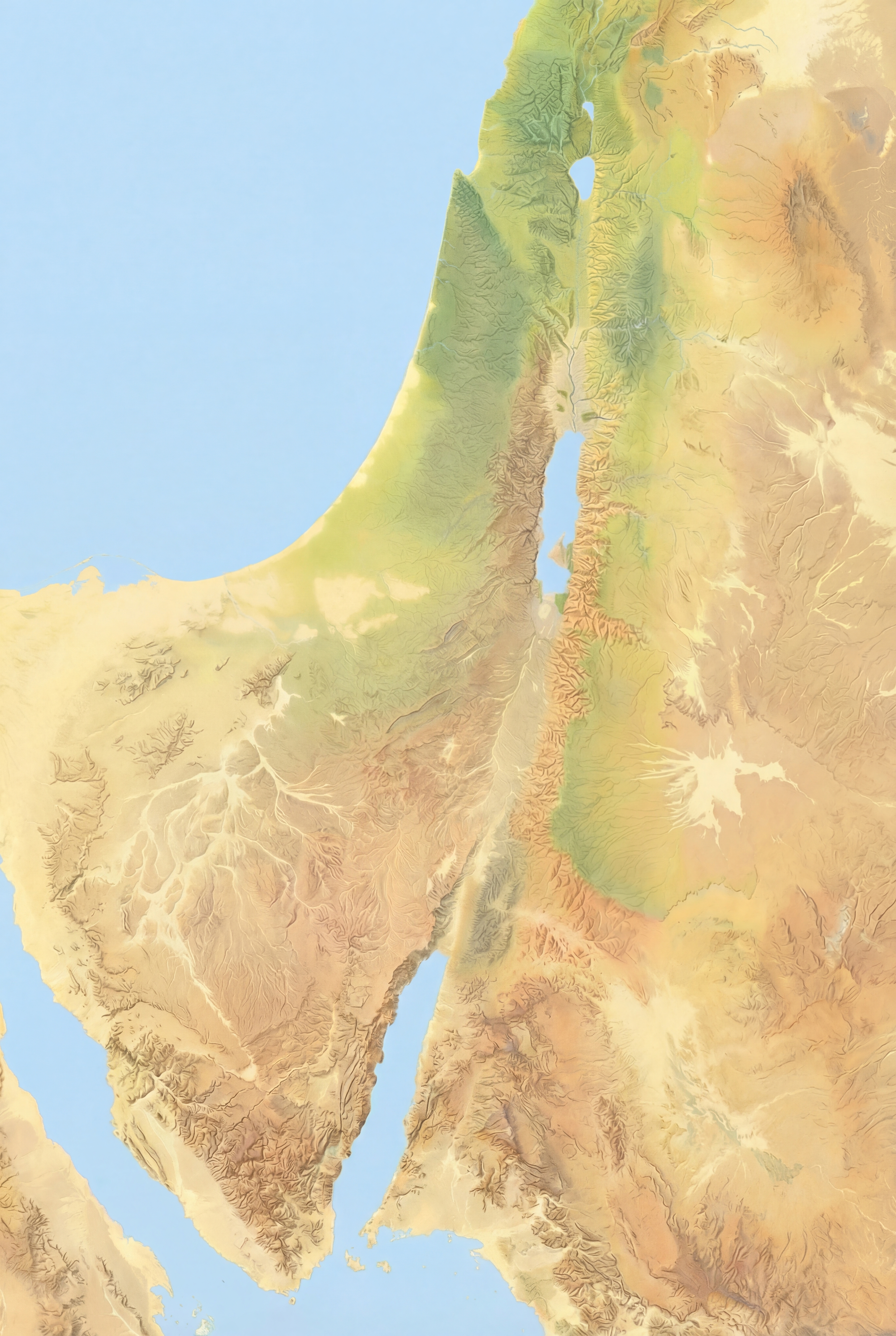
A Nano Banana Pro-generated map of the Holy Land based on Hugo Herrmann's version, with naturalistic color.

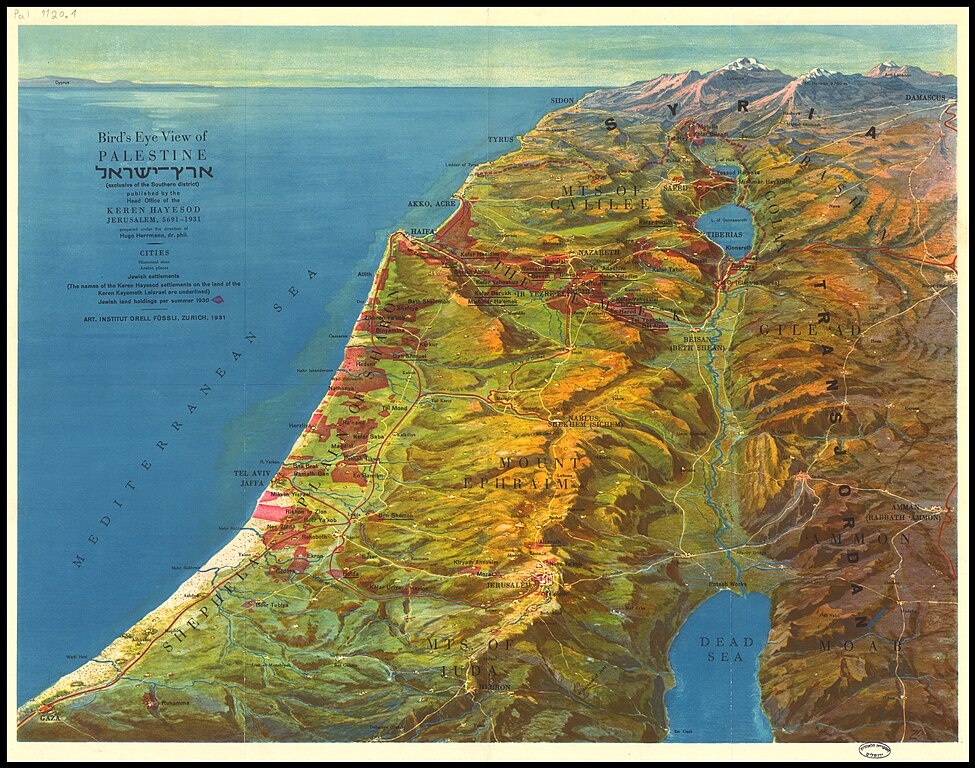
This image (made with Nano Banana Pro), recreates one of my favorite views of the Holy Land. The original (by Hugo Herrmann) dates from 1931 and is in the public domain. The use of forced perspective makes the topography of the region clear, especially the relationship of the Jordan rift valley to both the Mediterranean Sea (to the west) and the hilly terrain (to the immediate east and west). Mount Hermon in the far north makes clever use of the horizon line to show its dominance.

A view like this also illustrates why biblical writers talked about going “up” to Jerusalem (which is on the peak nearly due west from the northern end of the Dead Sea near the bottom).

The original uses an older style that’s less immediately accessible to the modern eye. Nano Banana Pro is the first AI image generator to do a good job at updating the original’s appearance while removing text and other modern features. Nano Banana Pro also preserves topographic details (which are stylized in the original and not completely accurate) amazingly well. You can tell that it’s AI-generated if you zoom in on the high-resolution version linked above, though—its details feel imprecise compared to what a human would create.

I wanted to have Nano Banana Pro draw Saul’s path from Jerusalem to Damascus using a map reference, but all its attempts were wrong in various ways. So it does have limits. But those limits probably won’t exist in six months.

For comparison, here’s the original Herrmann illustration:

Herrmann's original map.

Virtual Archaeology with Nano Banana Pro

Saturday, November 22nd, 2025

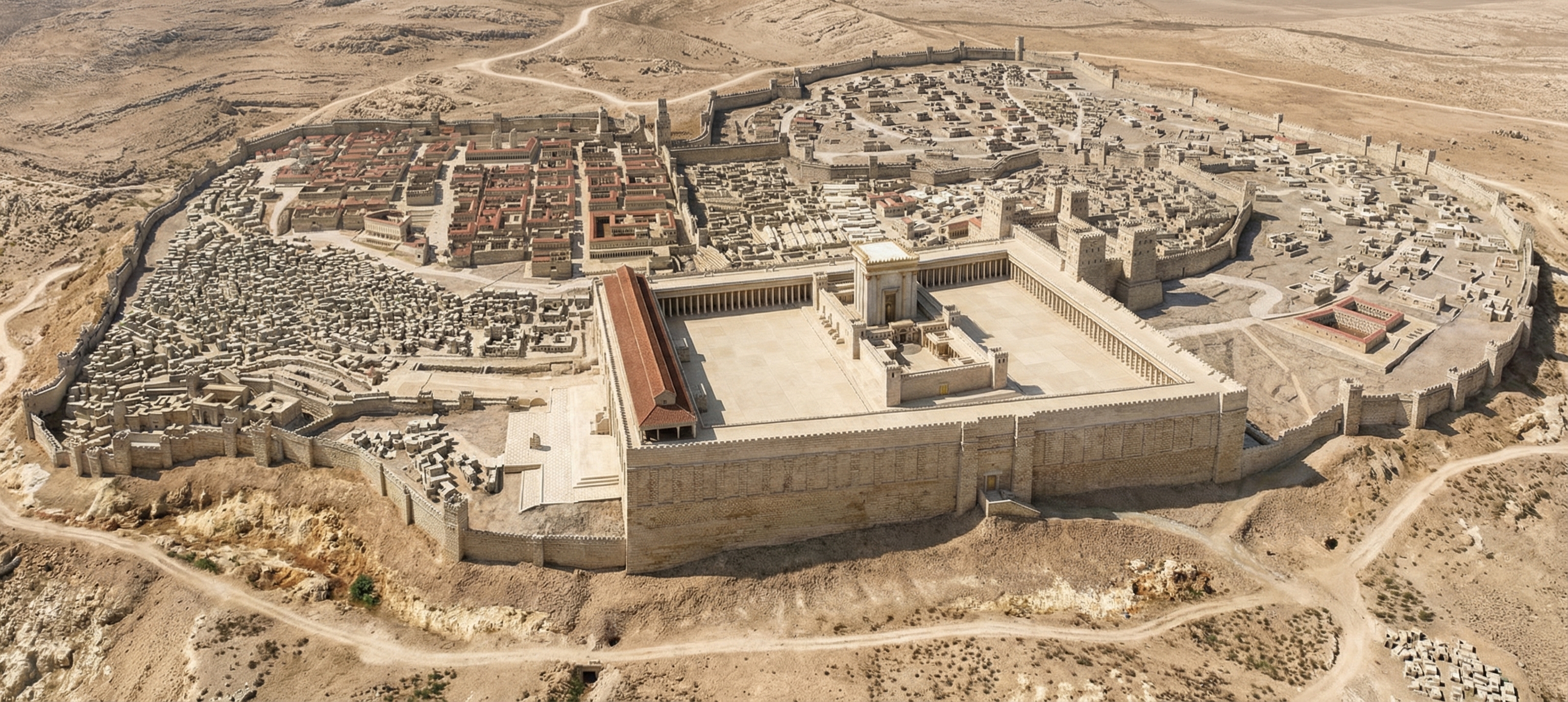
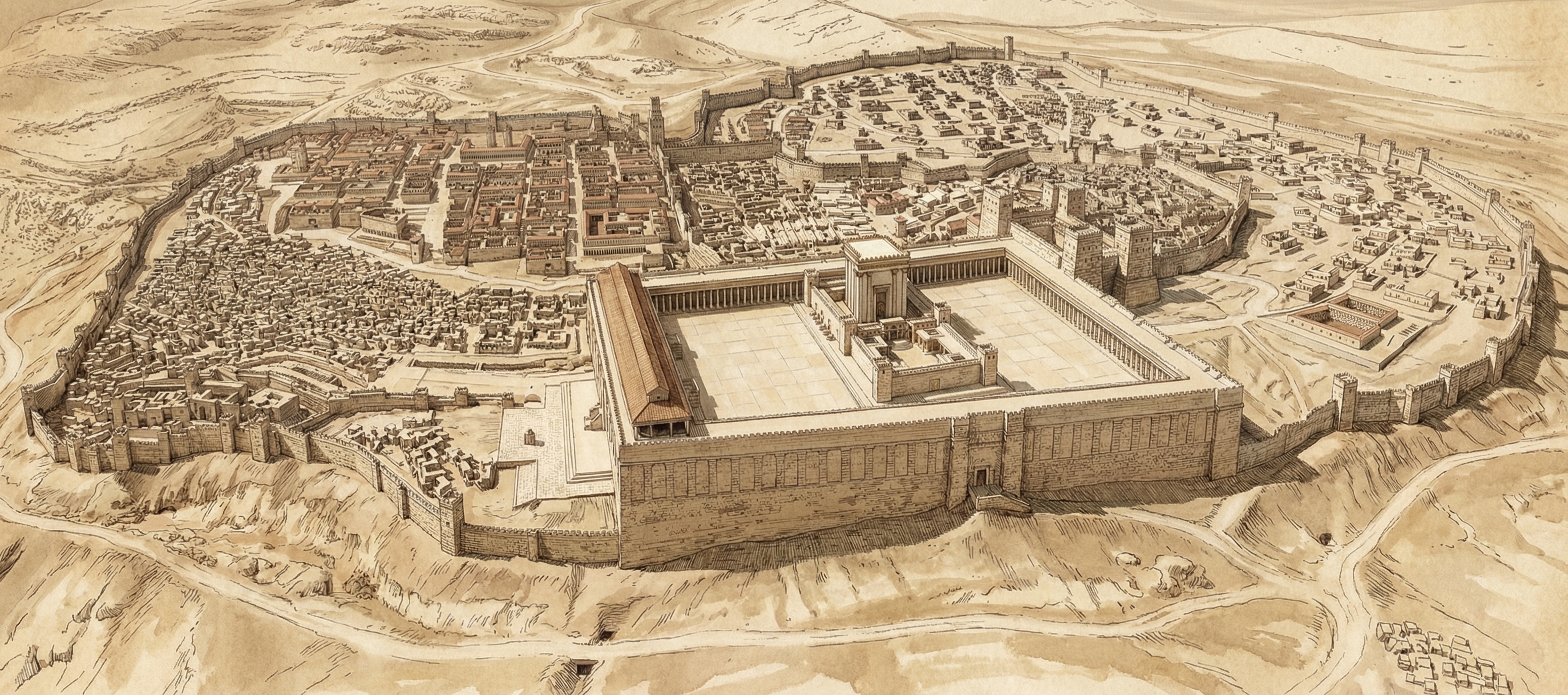
Google this week launched Nano Banana Pro, their latest text-to-image model. It far outshines other image generators when it comes to historical recreations. For example, here’s a reconstruction of ancient Jerusalem, circa AD 70:

A photorealistic rendering of ancient Jerusalem created by Google's Nano Banana Pro.

I gave it this photo of the Holyland Model in Jerusalem and told it to situate in its historical, geographical context. Some of the topography isn’t quite right, but it’s pulling much of that incorrect topography from the original model. It can also make a lovely sketched version.

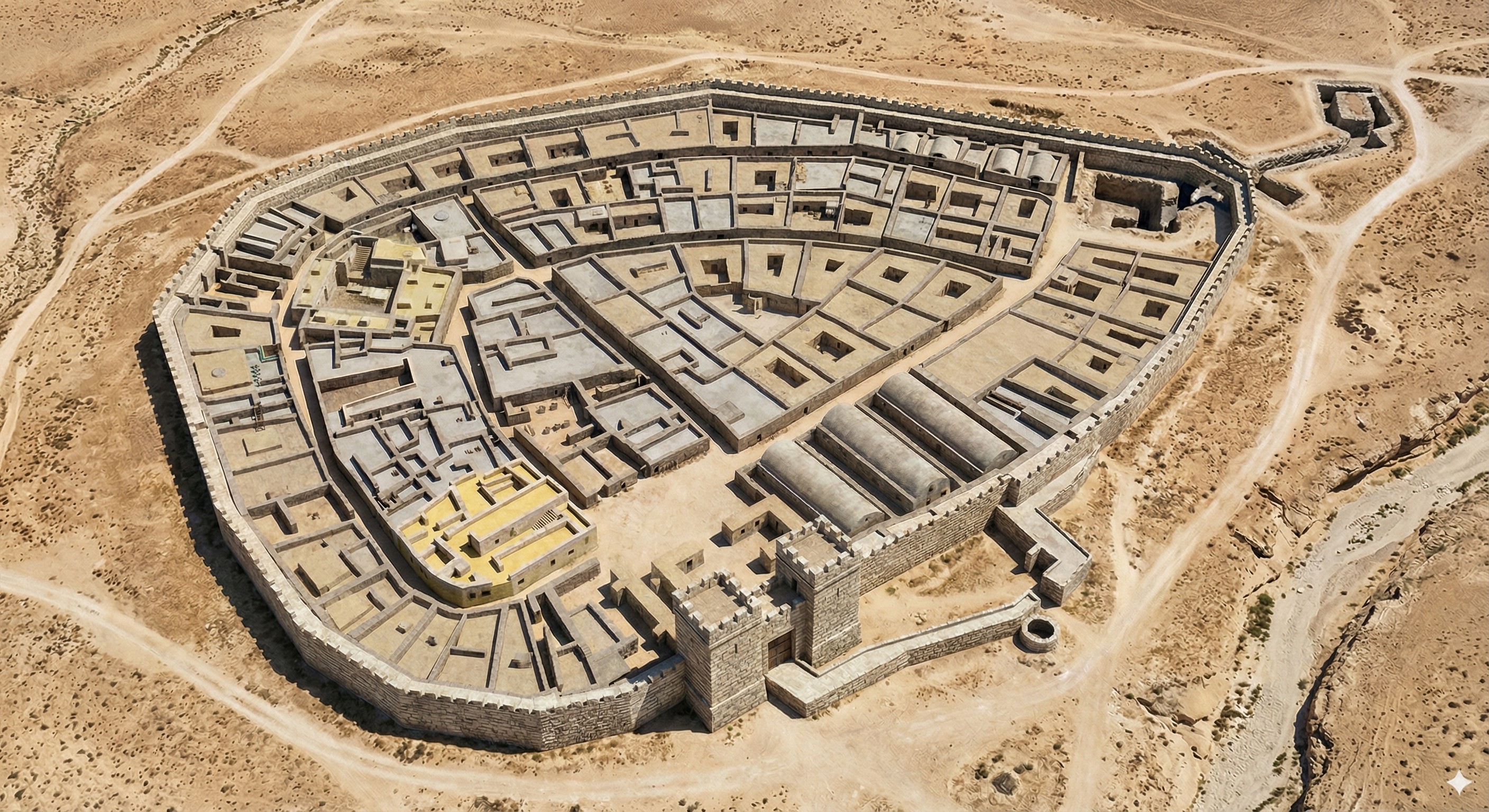
It also does Beersheba. Here I gave it a city plan and asked it to create a drone view. The result is very close to the plan; my favorite part is the gate structure and well.

A photorealistic rendering of ancient Beersheba that follows the city plan, created by Google's Nano Banana Pro.

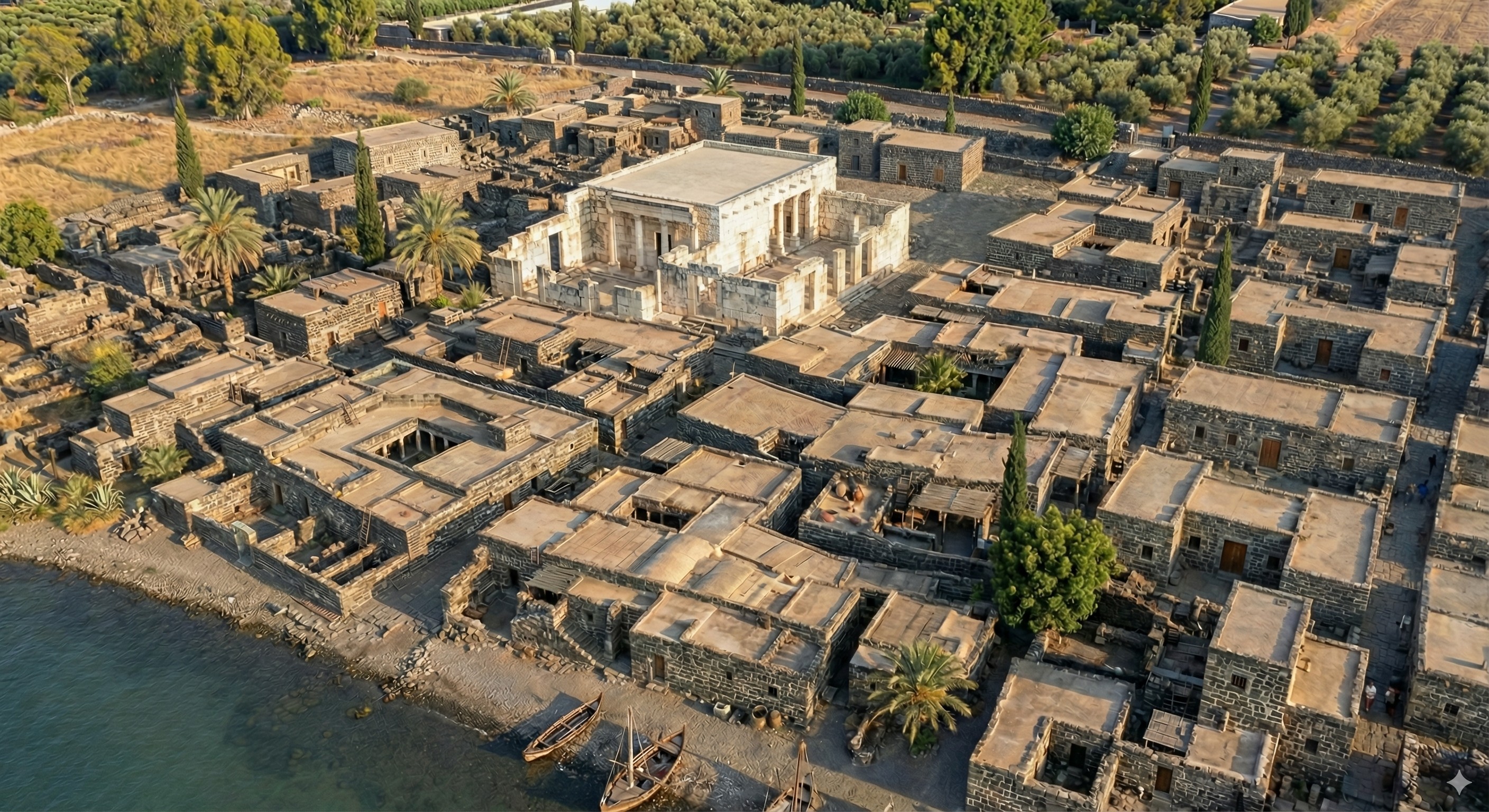
It was somewhat less-successful with Capernaum (below). I gave it a city plan and this photo of the existing ruins. It’s kind of close, though it doesn’t exactly match the plan. It’s almost a form of archaeological impressionism, where the image gives off the right vibes but isn’t precisely accurate. Also try a 3D reconstruction of this image using Marble from World Labs.

Photorealistic reconstruction of Capernaum, created by Google's Nano Banana Pro.

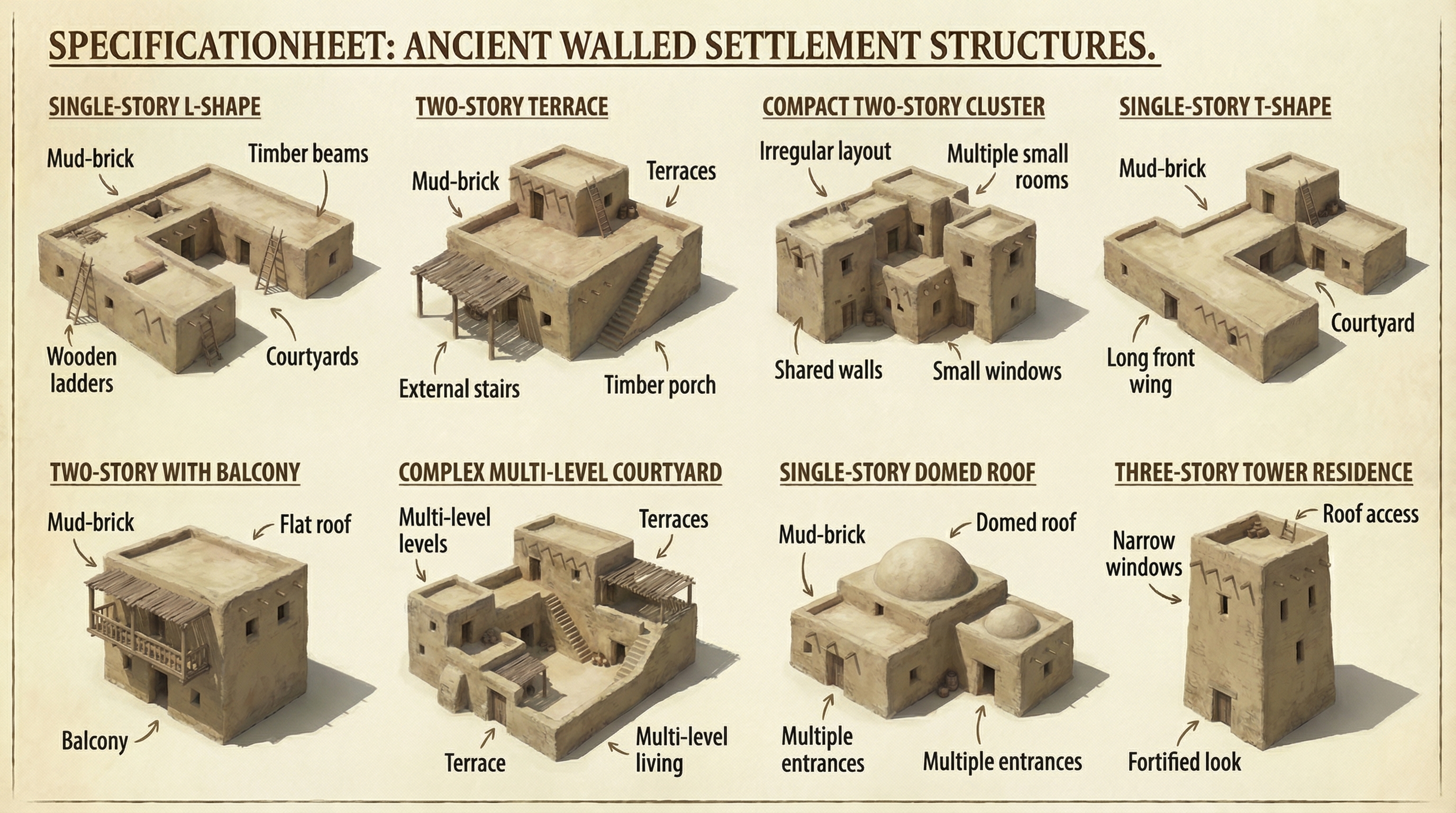
Finally, I had it create assets that it could reuse for other cities for a consistent look:

A spec sheet showing 8 specimen residences in ancient Israel.

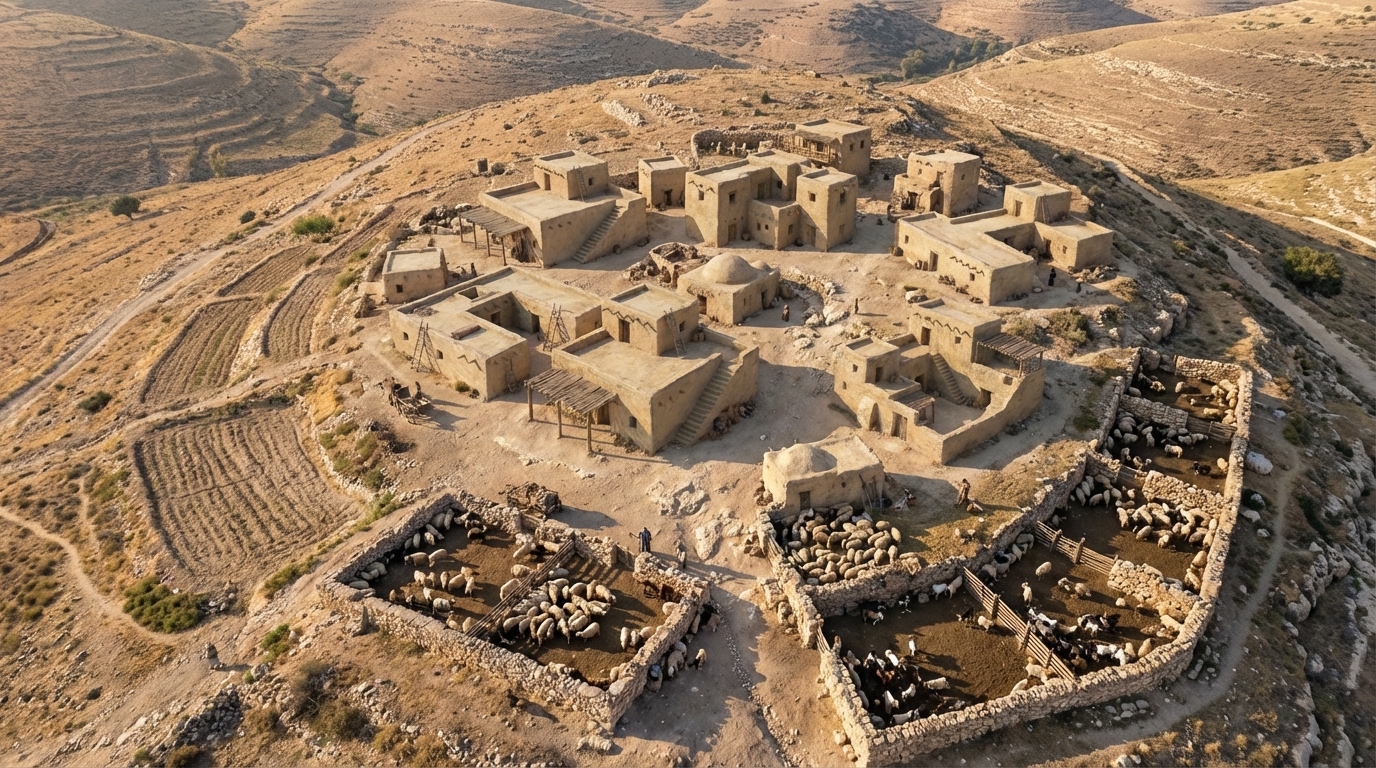
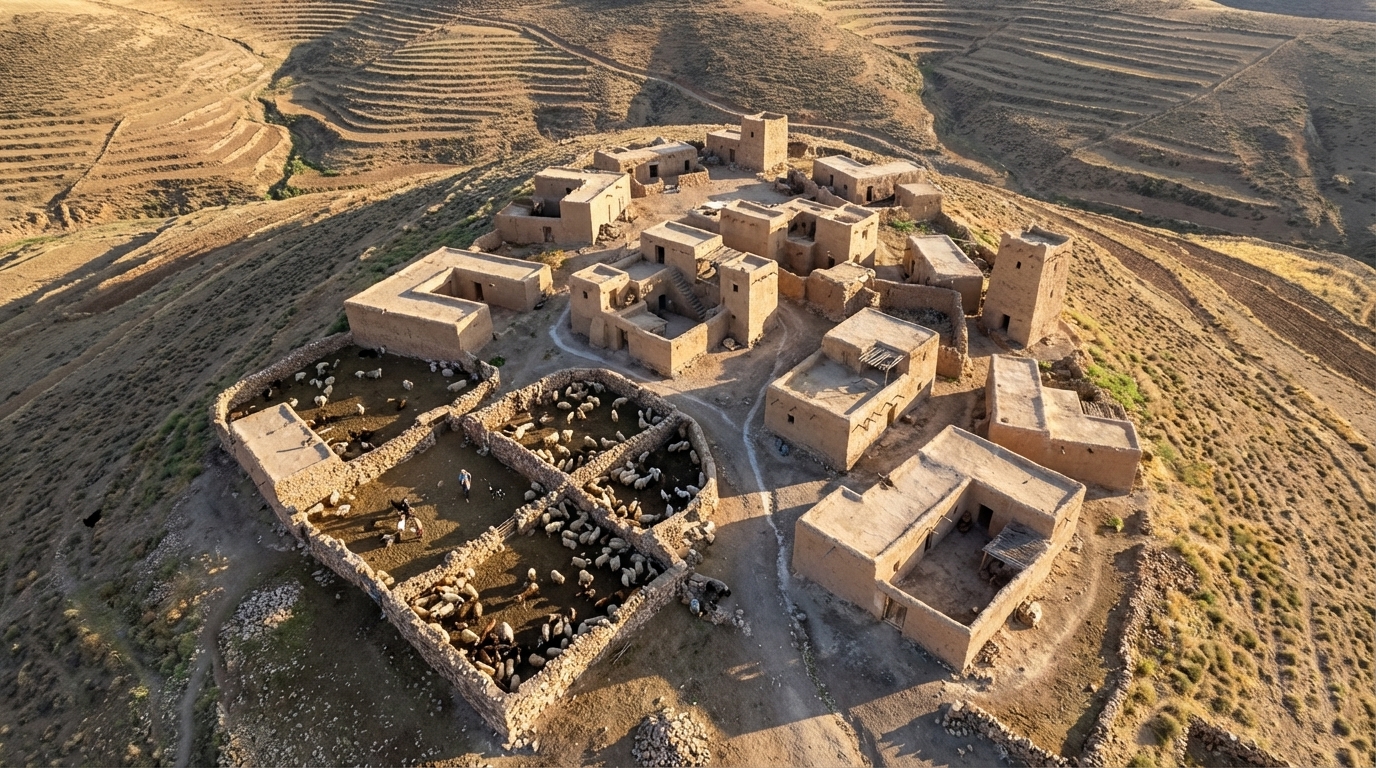
I then had it create a couple typical hilltop shepherding settlements using the assets it created (again using “drone view” in the prompt):

A photorealistic rendering of a shepherding community in ancient Israel.
A second photorealistic rendering of a shepherding community in ancient Israel, different from the above.

A New, Free Dataset of Roman Roads

Friday, November 7th, 2025

Itiner-e is a new and free (CC-BY) dataset of Roman roads, supplanting AWMC as the most-extensive and highest-resolution road data available. The announcement article in Nature describes the labor-intensive process of creating the 14,769 road segments that constitute the dataset.

The dataset itself is available from Zenodo. I also had ChatGPT turn it into a Google Earth KMZ if you’d like to explore it in that application.

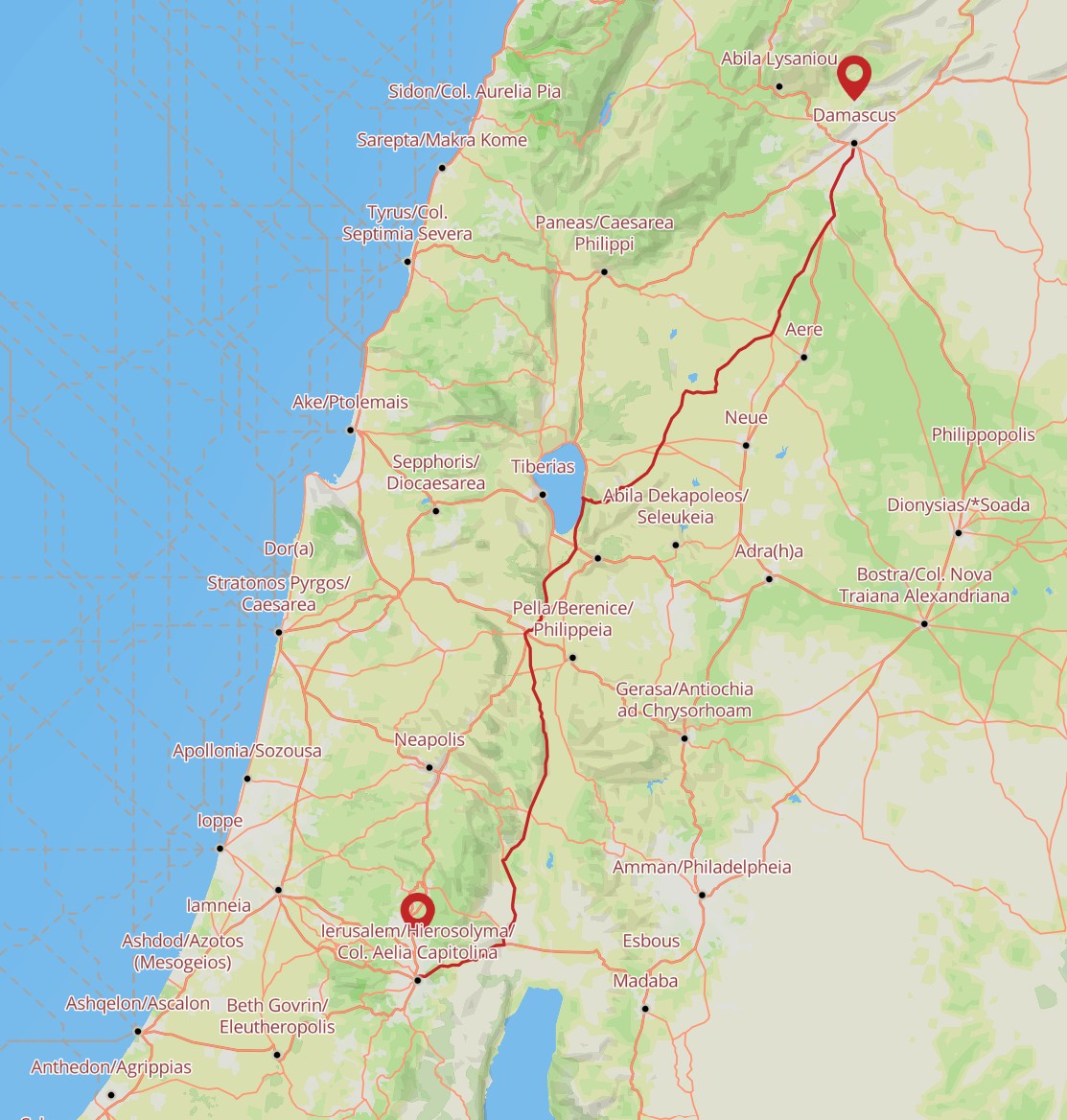
Compared to past datasets, it more-extensively fills out roads in the Roman province of Judea, which is relevant to much of the New Testament. Here, for example, is a possible route that Saul took between Jerusalem and Damascus for his “road to Damascus” moment. The Itiner-e tool also tells you that it would have taken about 68 hours to walk this distance.

A screenshot of Itiner-e highlights the road from Jerusalem to Damascus.