Blog RSS Feed

Archive for the ‘AI’ Category

Rewilding Photos of Archaeological Sites with Nano Banana Pro

Saturday, December 13th, 2025

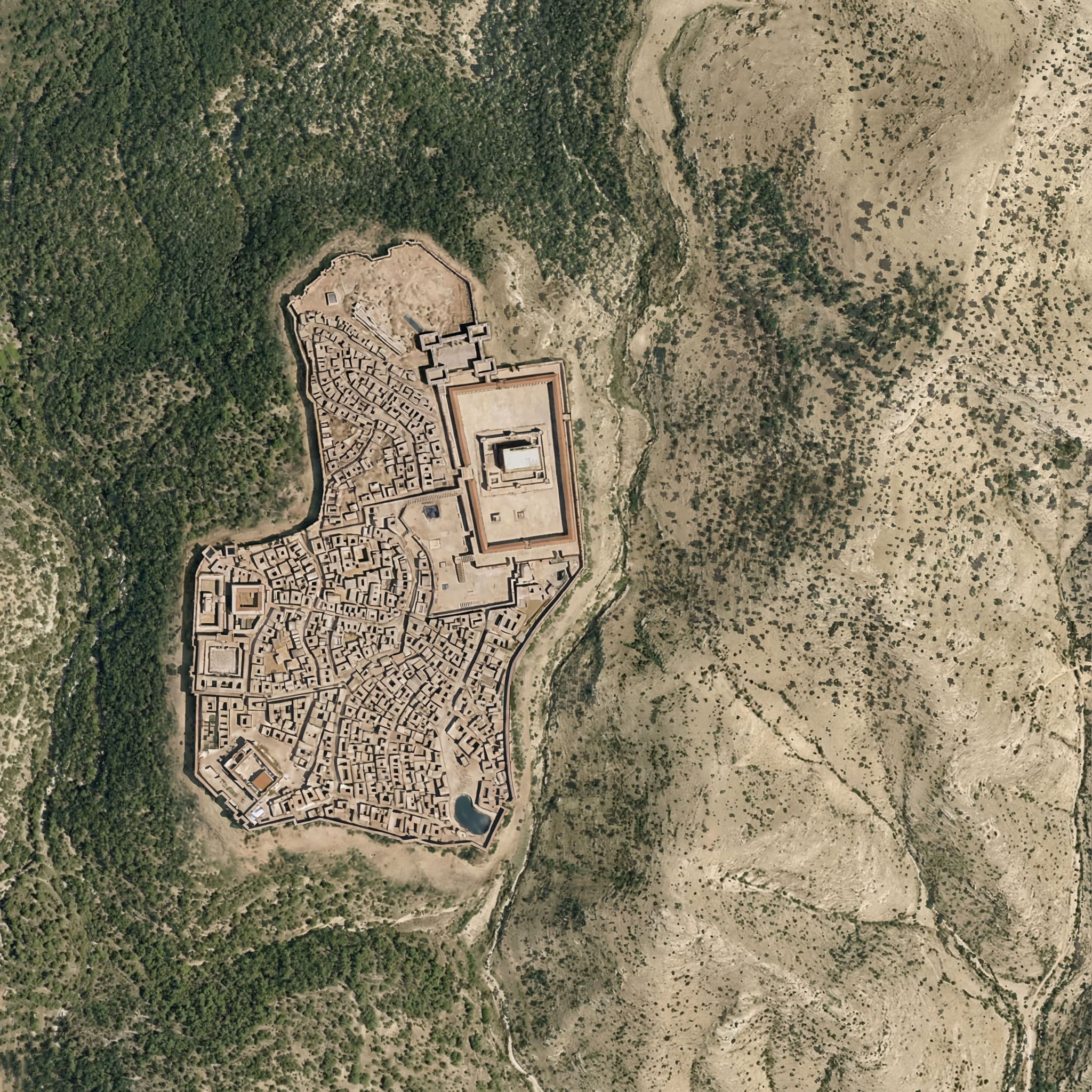
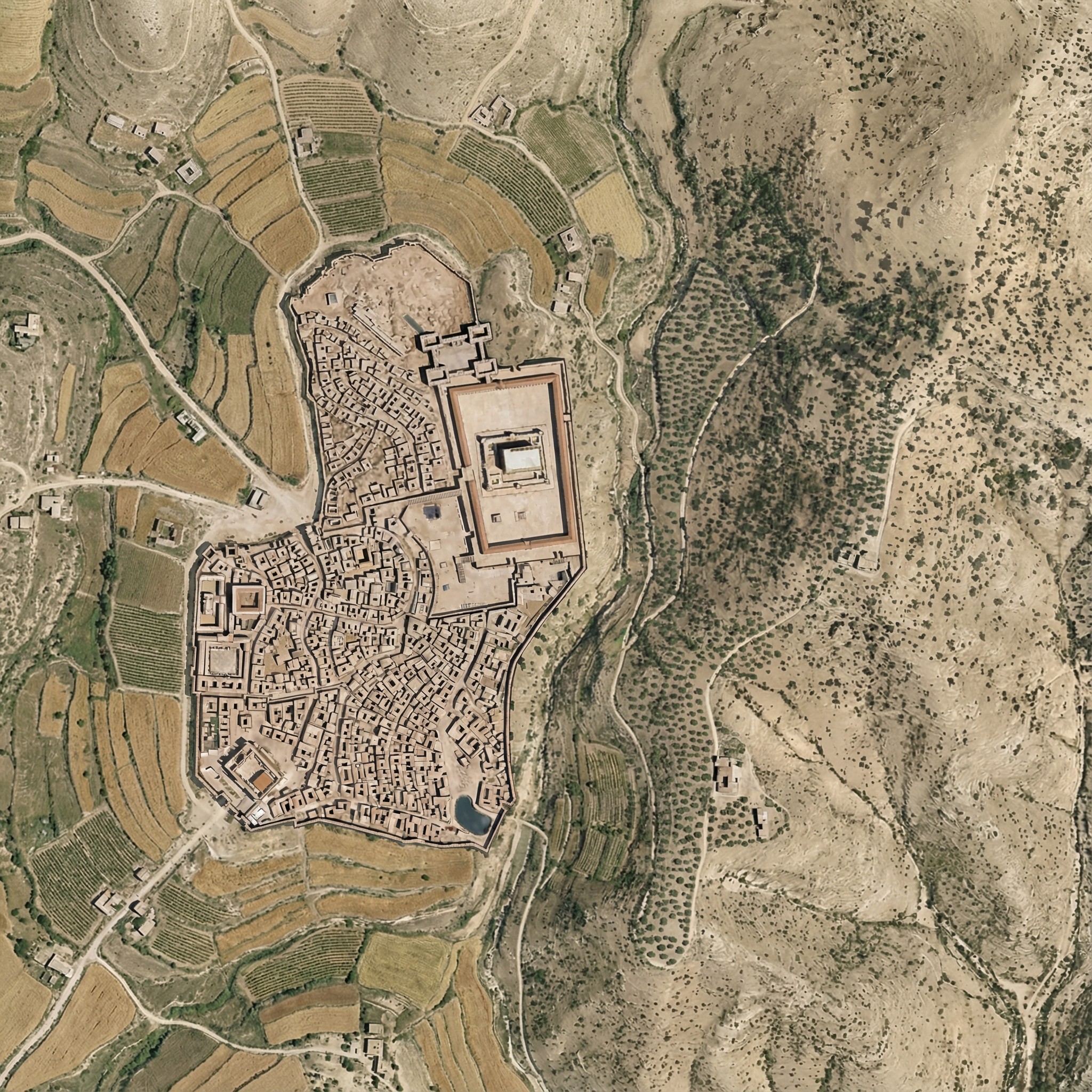
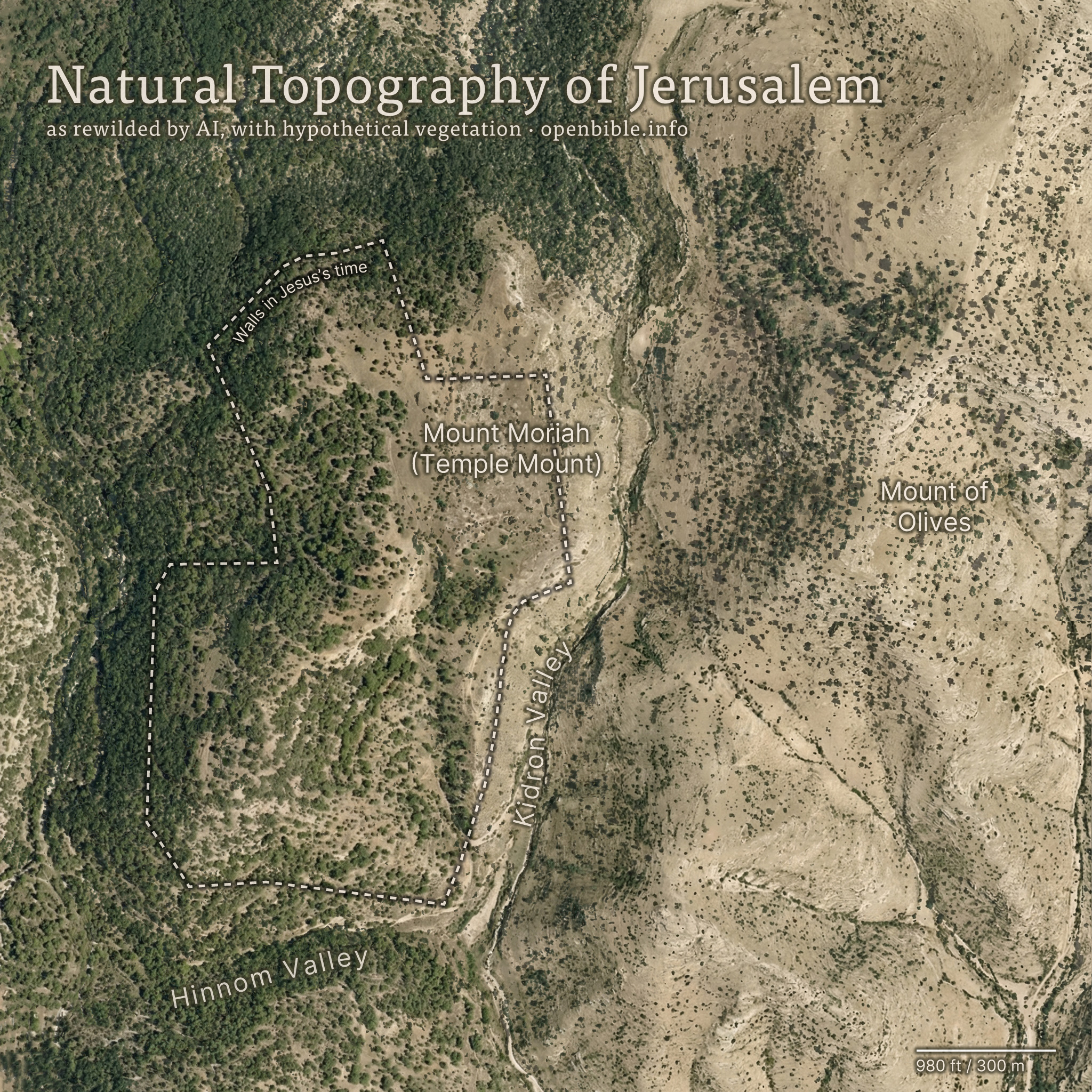
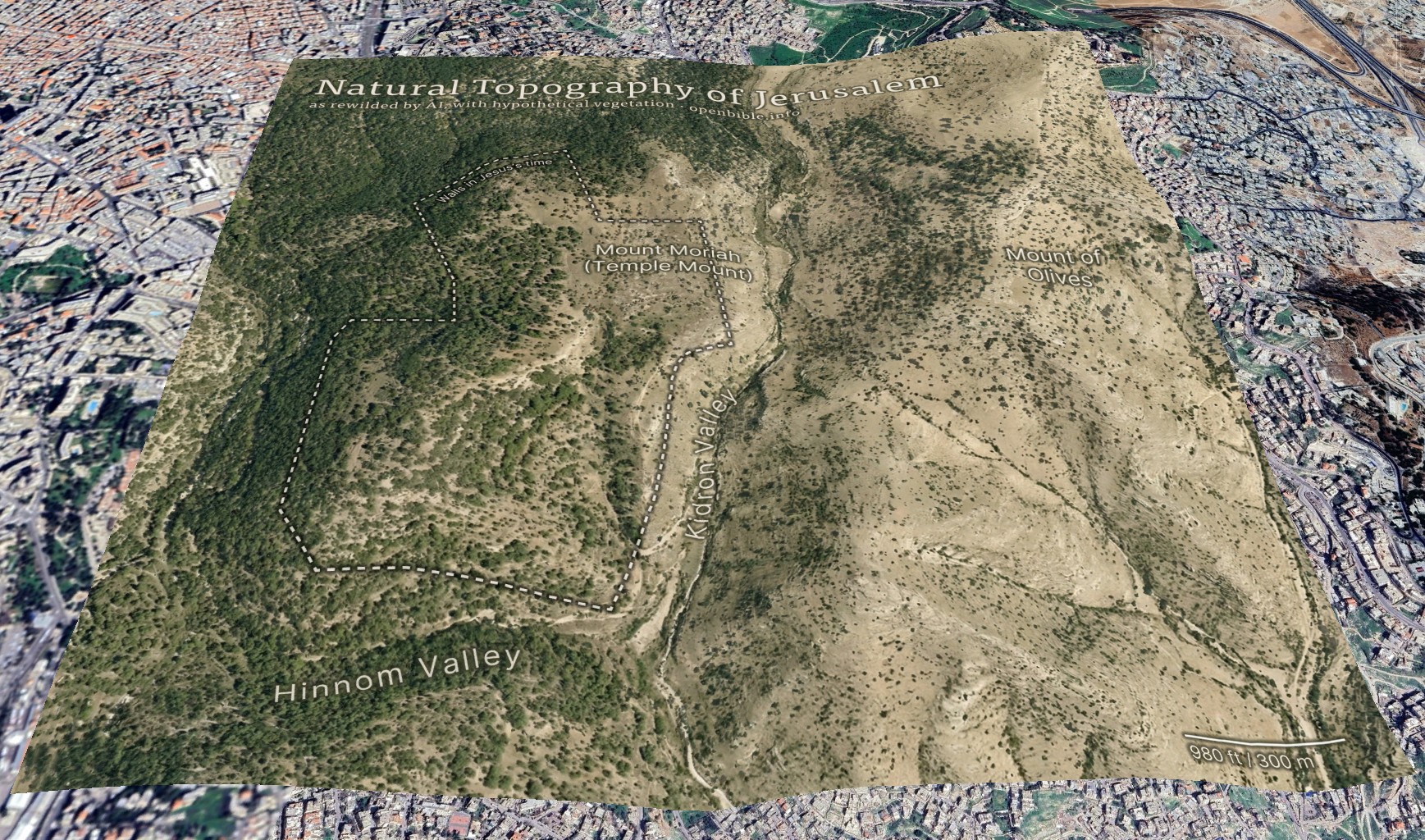
In addition to reconstructing archaeological sites from photos, Nano Banana Pro can do the opposite: it can rewild them—removing modern features to give a sense of what the natural place might have looked like in ancient times. Where reconstruction involves plausible additions to existing photos, rewilding involves plausible subtractions from them. In both cases, the AI is producing “plausible” output, not a historical reality.

Mount of Olives

For example, the modern Mount of Olives has many human-created developments on it (roads, structures, walls, etc.). My first reaction to seeing it in person was that there were a lot fewer olive trees than I was expecting, and I wondered what it would’ve looked like 2,000 years ago.

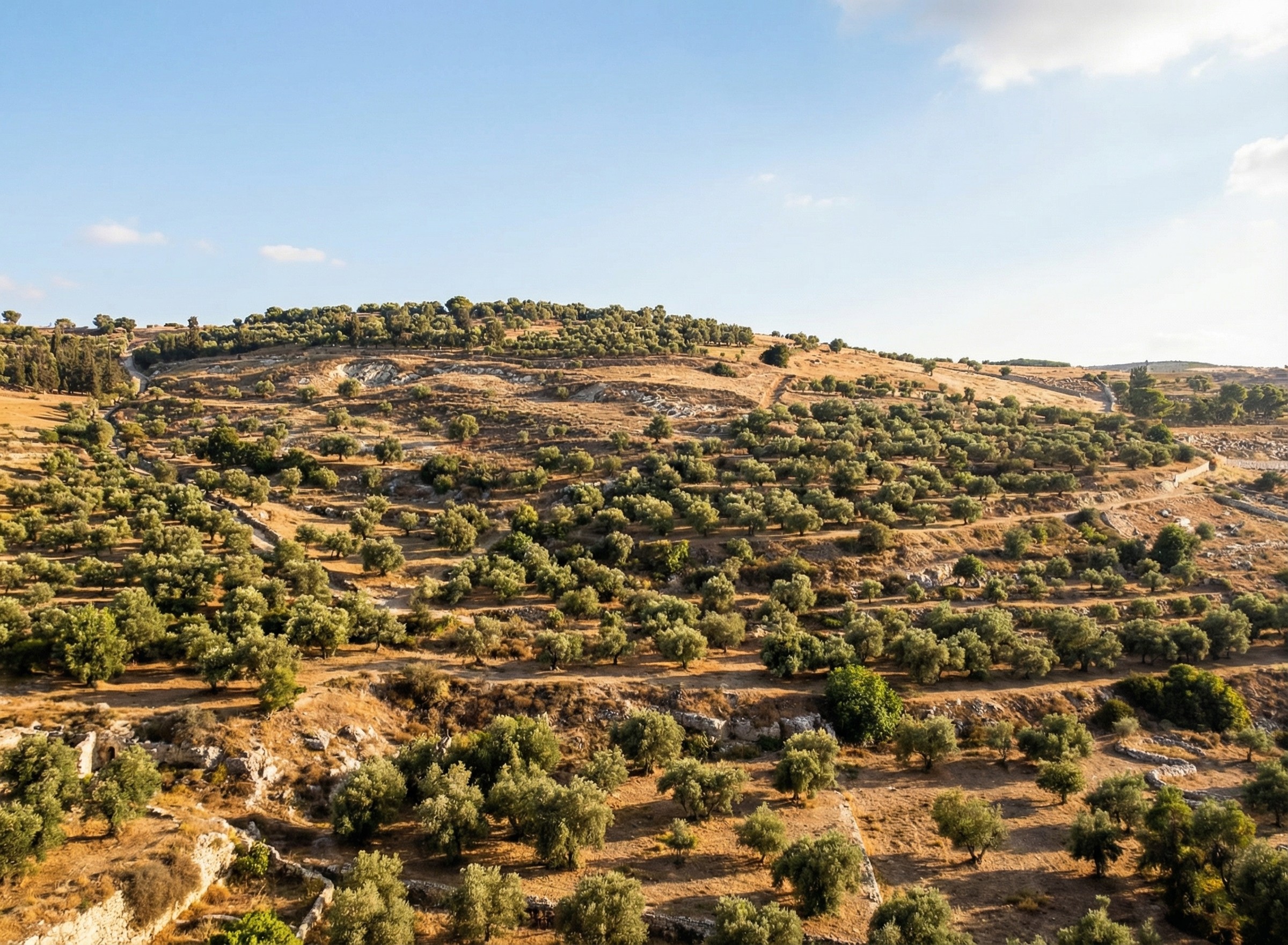
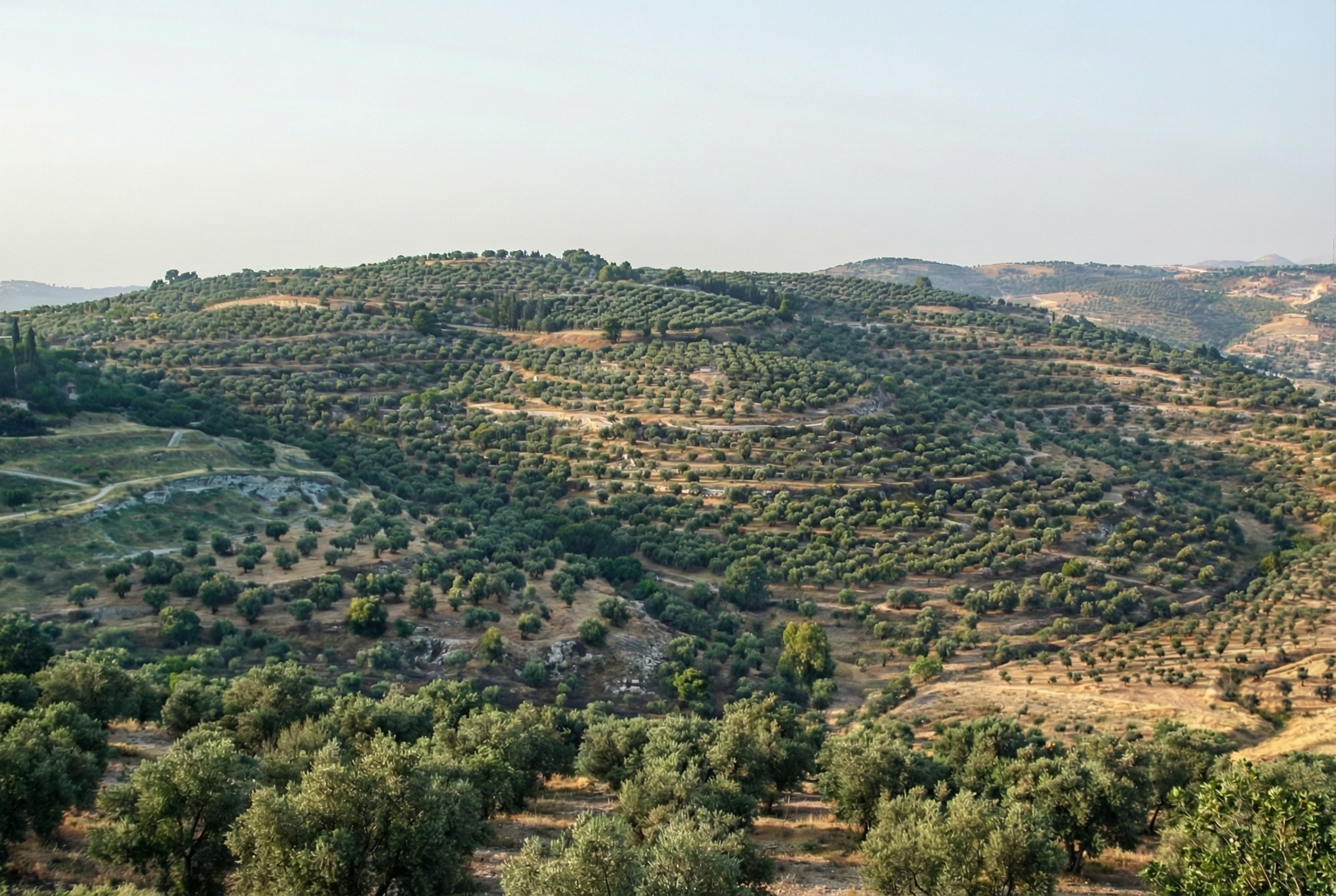
Nano Banana Pro can edit images of the Mount of Olives to show how Jesus might have seen it, giving viewers an “artificially authentic” experience. It’s “authentic” by providing a view that removes accreted history, getting closer to how the scene may have appeared thousands of years ago. It’s “artificial” because these AI images depict a reality that never existed, combined with a level of realism that far outshines traditional illustrations. Without proper context, rewilded AI images could potentially mislead viewers into thinking that they’re “objective” photographs rather than subjective interpretations.

Rewilded Mount of Olives

The first image below is derived from a monochrome 1800s drawing of the Mount of Olives, which allowed Nano Banana Pro to add an intensely modern color grading (as though post-processed with a modern phone). The second is derived from a recent photo taken from a different vantage point.

An AI rewilding of a nineteenth-century illustration of the Mount of Olives, minus features that were present then.
Derived from an image by Nir909
An AI rewilding of a recent photo of the Mount of Olives that removes much more modern construction than the first image.
Derived from an image by Hagai Agmon-Snir حچاي اچمون-سنير חגי אגמון-שניר

Rewilded Mount Gerizim

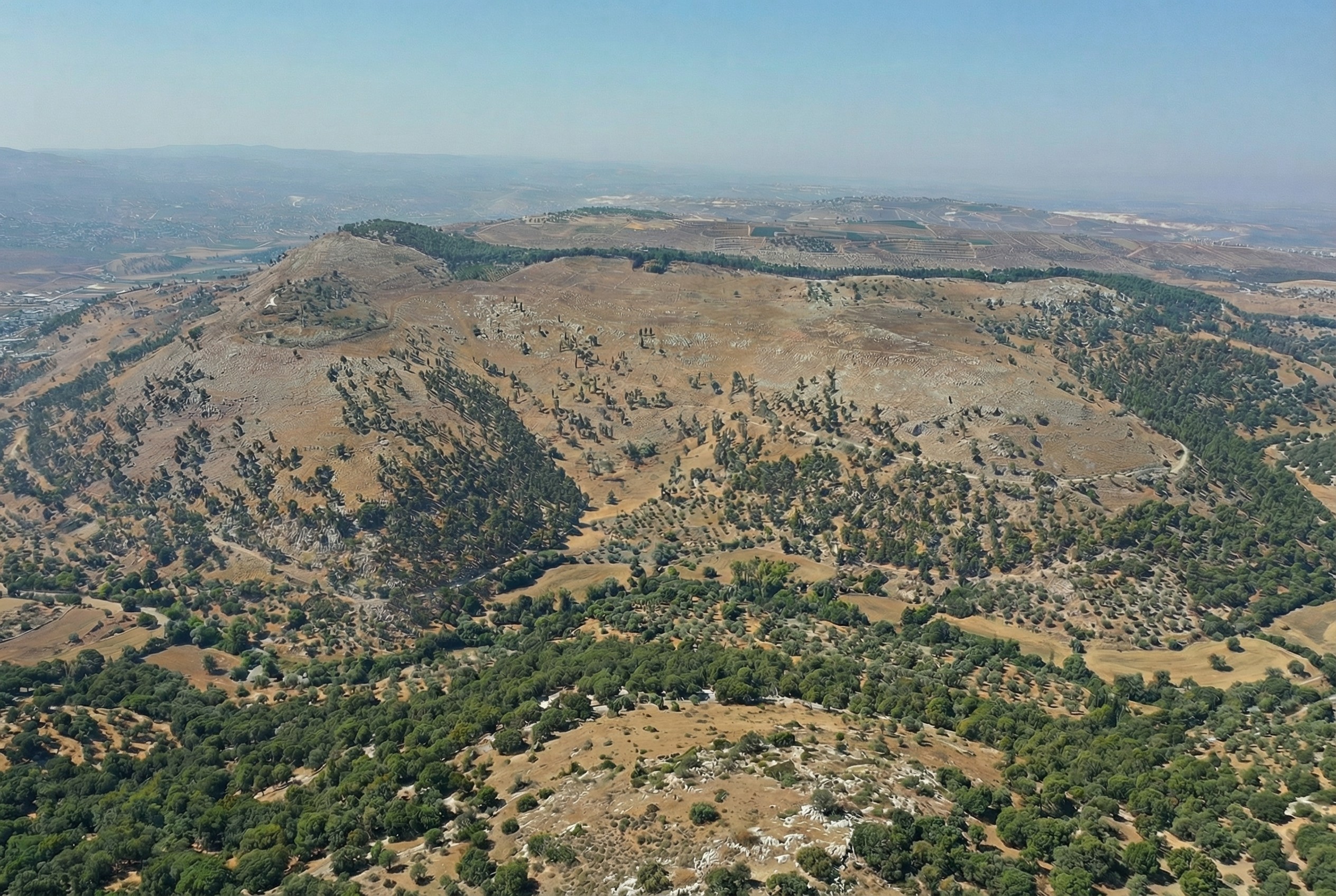
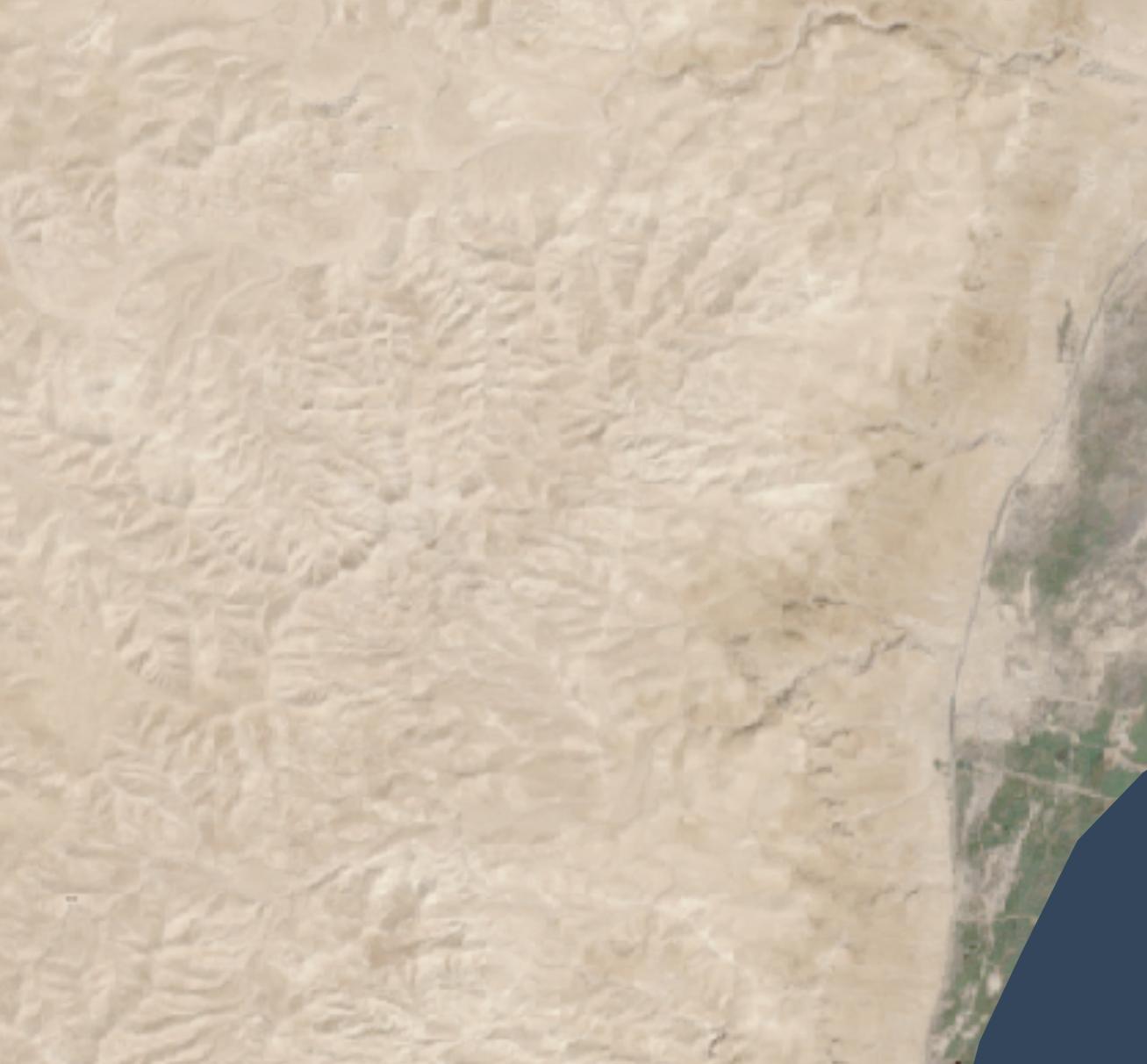
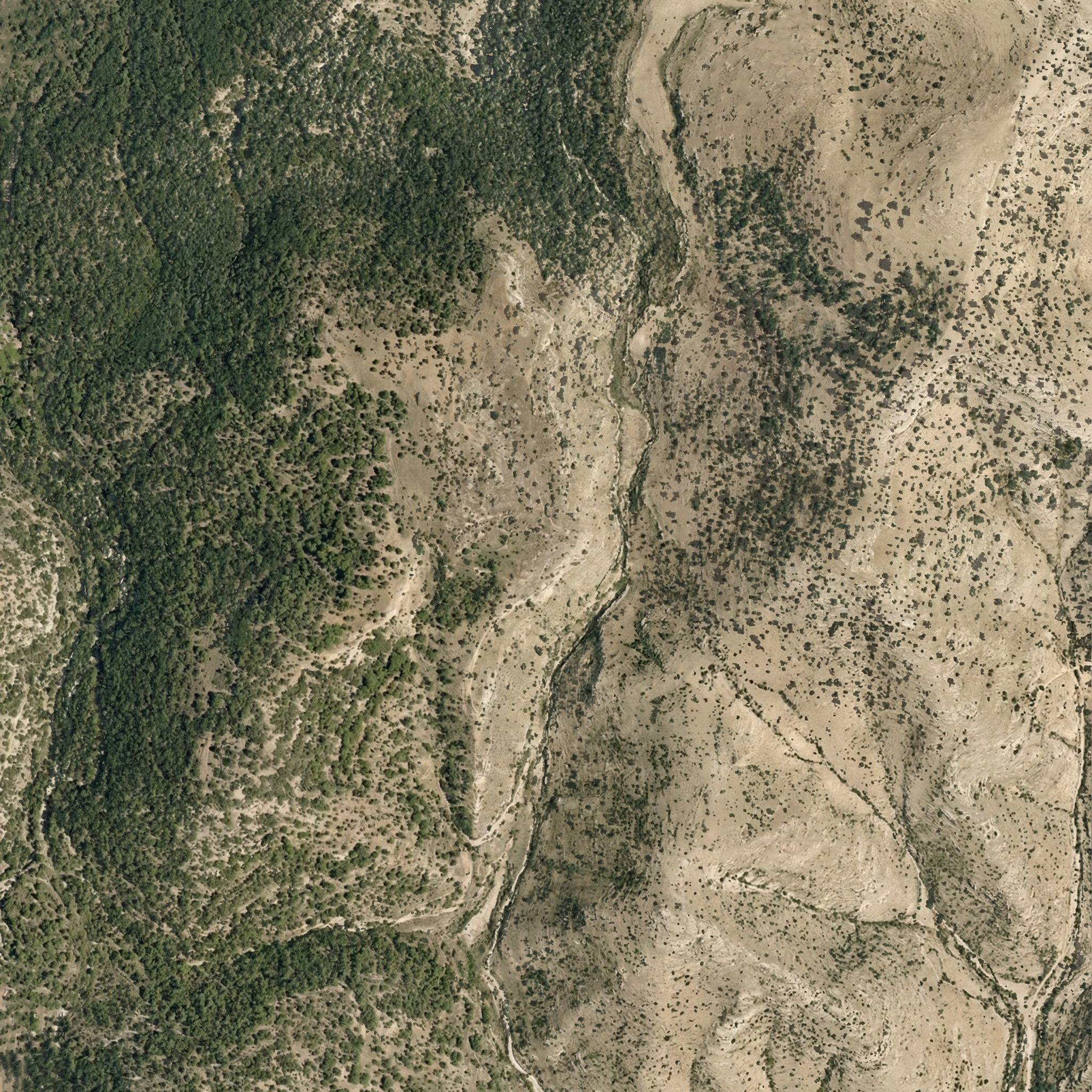
Similarly, here’s Mount Gerizim, minus the modern city of Nablus. Nano Banana Pro didn’t completely remove everything modern, but it got close. If I were turning it into a finished piece, I’d edit the remaining modern features using Photoshop’s AI tools (at least until Google allows Nano Banana Pro to edit partial images).

An AI rewilding of Mount Gerizim that removes most modern features.
Derived from an image by יאיר דב

Conclusion

This process only works if existing illustrations or photos accurately depict a location. If I owned rights to a library of photos of Bible places, I’d explore how AI could enhance some of them (with appropriate labeling), either through reconstruction or rewilding. A before/after slider interface could help viewers understand the difference between the original photos and the AI derivatives, letting them choose the view they want.

Restoration (using original or equivalent materials to restore portions of the original site) is another archaeological approach that AI could contribute to, but the methods there would be radically different.

Nano Banana Pro did its best job at converting the Mount of Olives illustration, in my opinion. I wonder if doing multiple conversions (going from a photo to an illustration and then back to a photo) could yield consistently strong results.

Turning Tourist Photos into Virtual Reconstructions with Nano Banana Pro

Saturday, December 13th, 2025

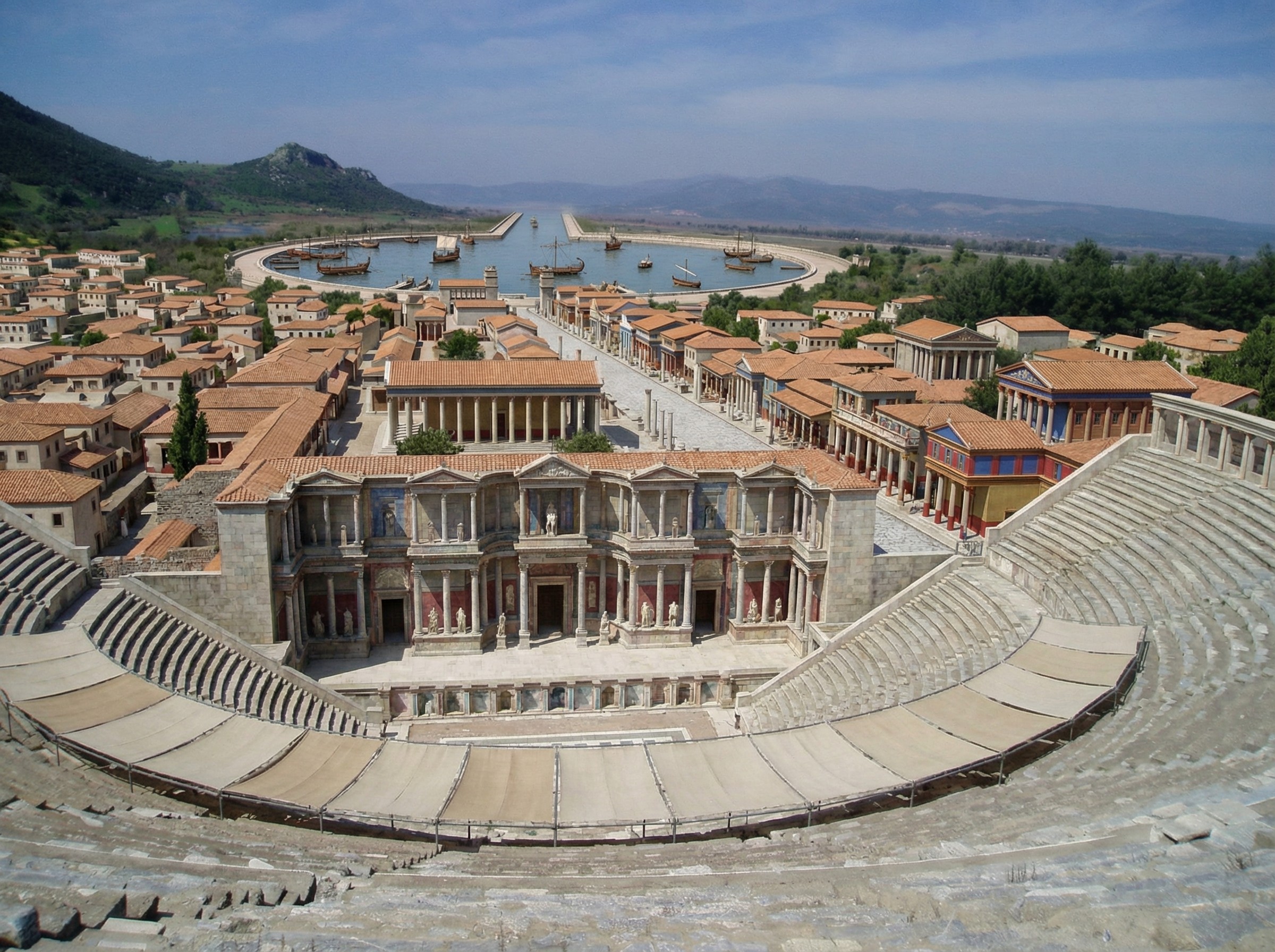
Nano Banana Pro does a plausible job of turning a real photo of an archaeological site into what the photo might have looked like if you’d taken it from the same vantage point thousands of years ago. You can imagine an app running on your future phone that lets you turn your selfies at historical sites into realtime, full-blown reconstructions (complete with changing your clothes to be historically appropriate).

Here’s a reconstructed view of Ephesus (adapted from this photo by Jordan Klein). I prompted it to add the harbor in the distance, which no longer exists in the modern photo.

A virtual reconstruction of ancient Ephesus from the top of the theater, with brightly colored buildings.

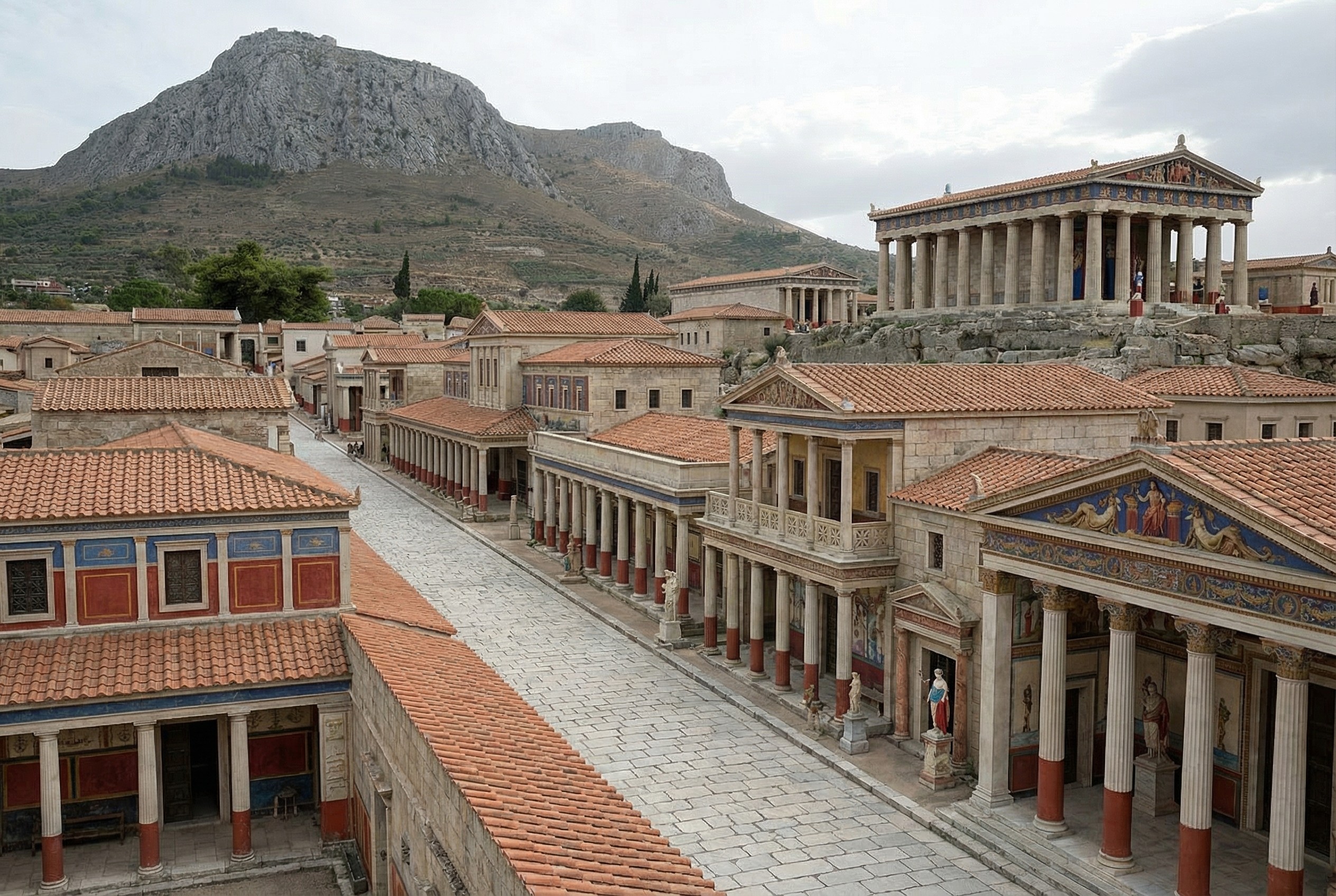
Here’s one of Corinth (adapted from this photo by Zde):

A virtual reconstruction of a street-level view of Corinth, with Acro-Corinth and a temple in the background.

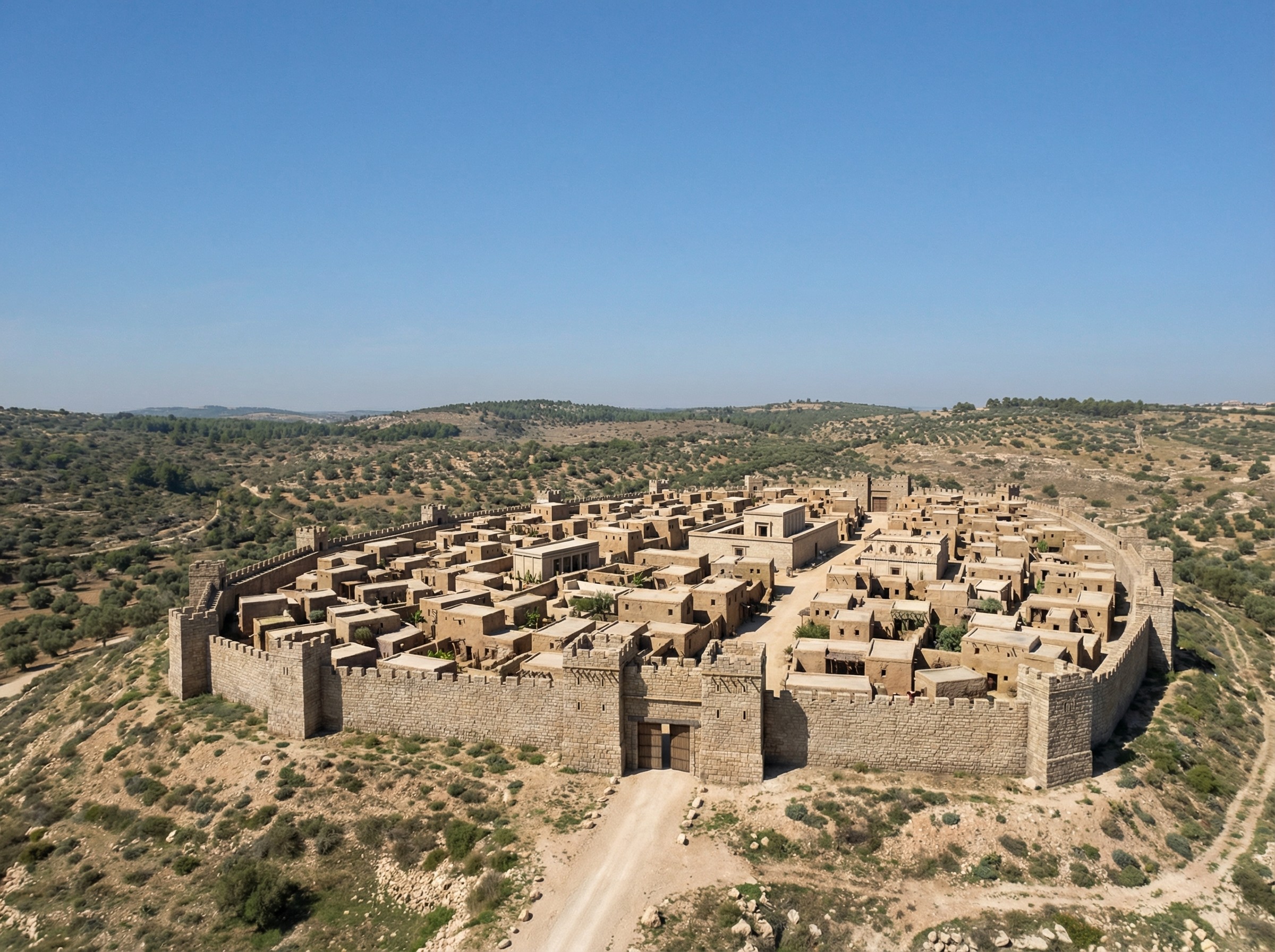
Finally, more fancifully (since there are fewer exposed ruins to work with), here’s one of Gath (adapted from this photo by Ori~):

A reconstructed bird's-eye view of Gath.

Learn to Love Leviticus in 76 Flowcharts

Sunday, November 30th, 2025

Browse all 76 Leviticus flowcharts.

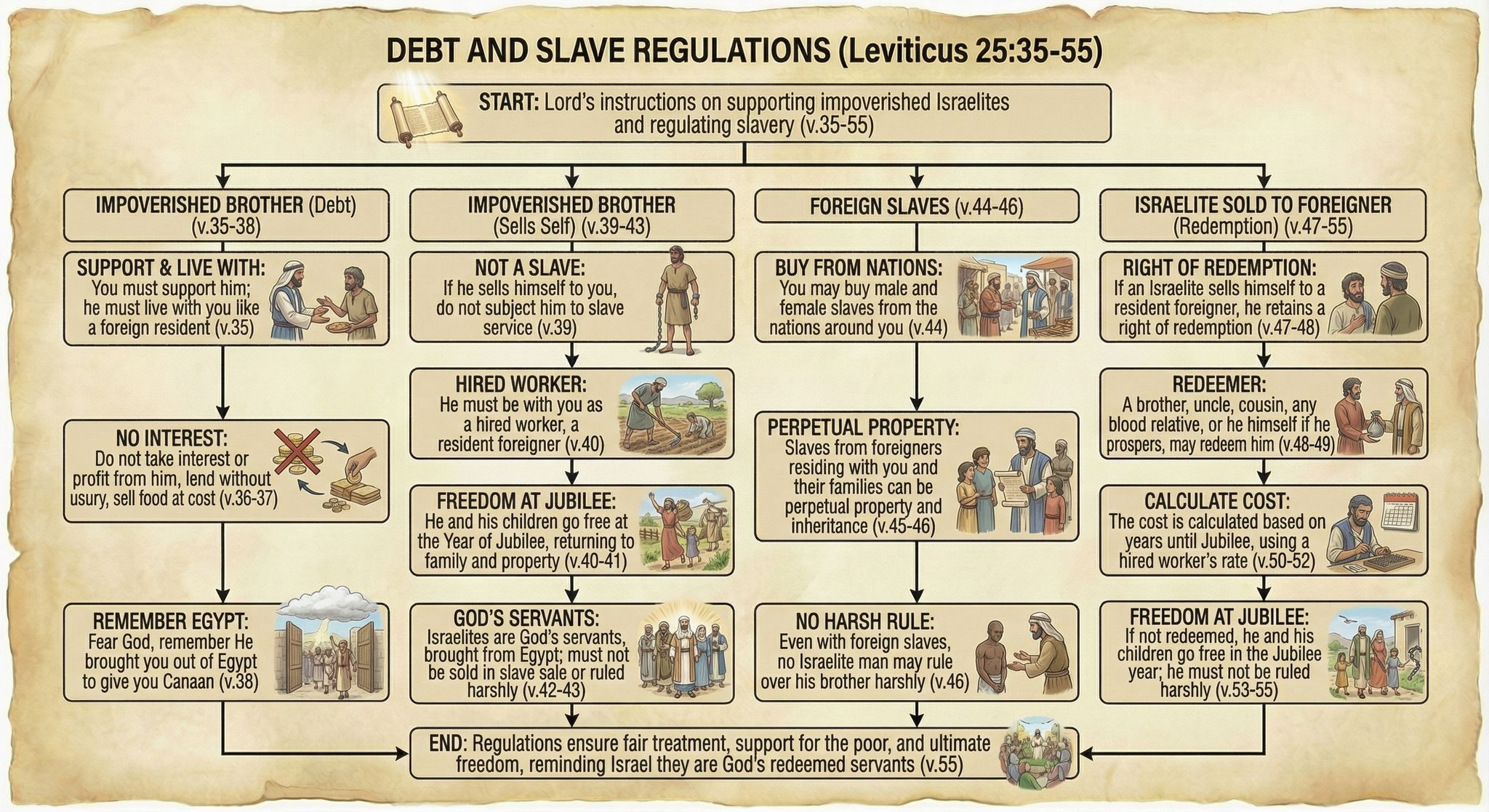
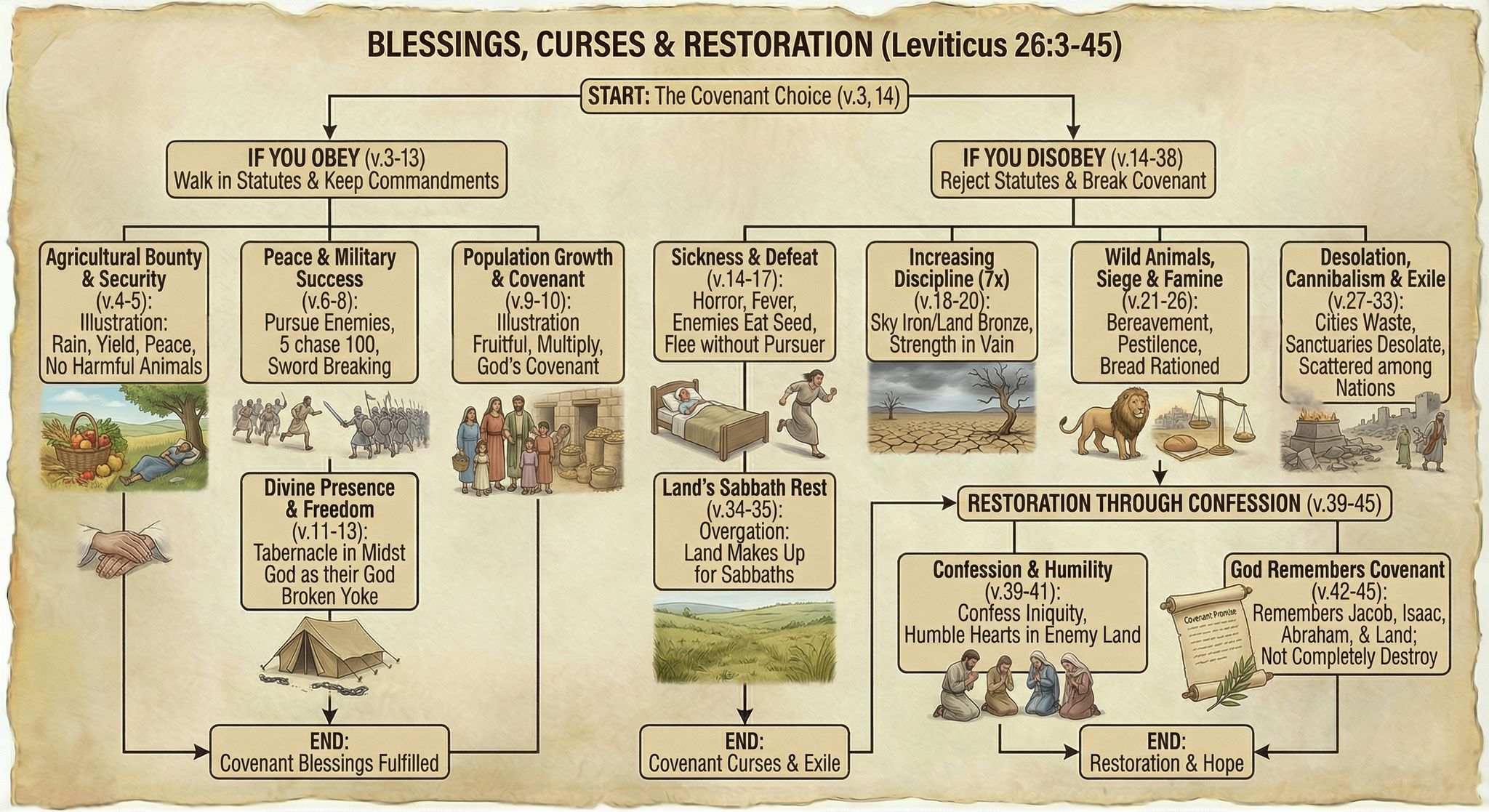
Leviticus probably isn’t your favorite book of the Bible, with its long lists of cleanliness regulations and priestly procedures. But I’ve long thought that the natural format for Leviticus is the flowchart: do this, then this, then this. A flowchart makes the prose much easier to follow. So I spent about thirty minutes a week over the past year turning Leviticus into a series of flowcharts by hand.

However, with Nano Banana Pro, I was able to make more progress in an afternoon than I had in a year—going from raw Bible text to finished flowcharts in four hours. I didn’t even use any of the work I’d done over the past year.

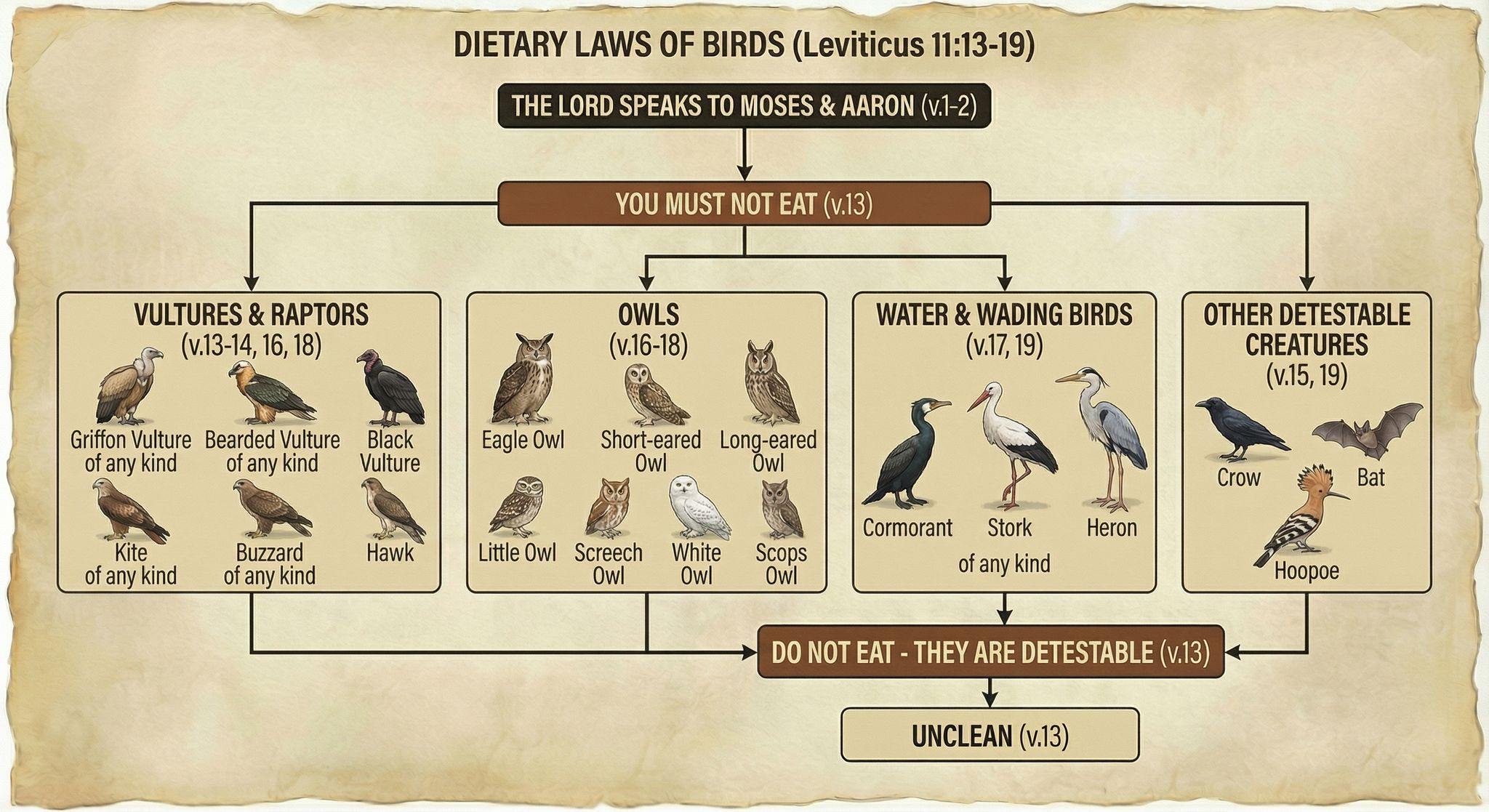
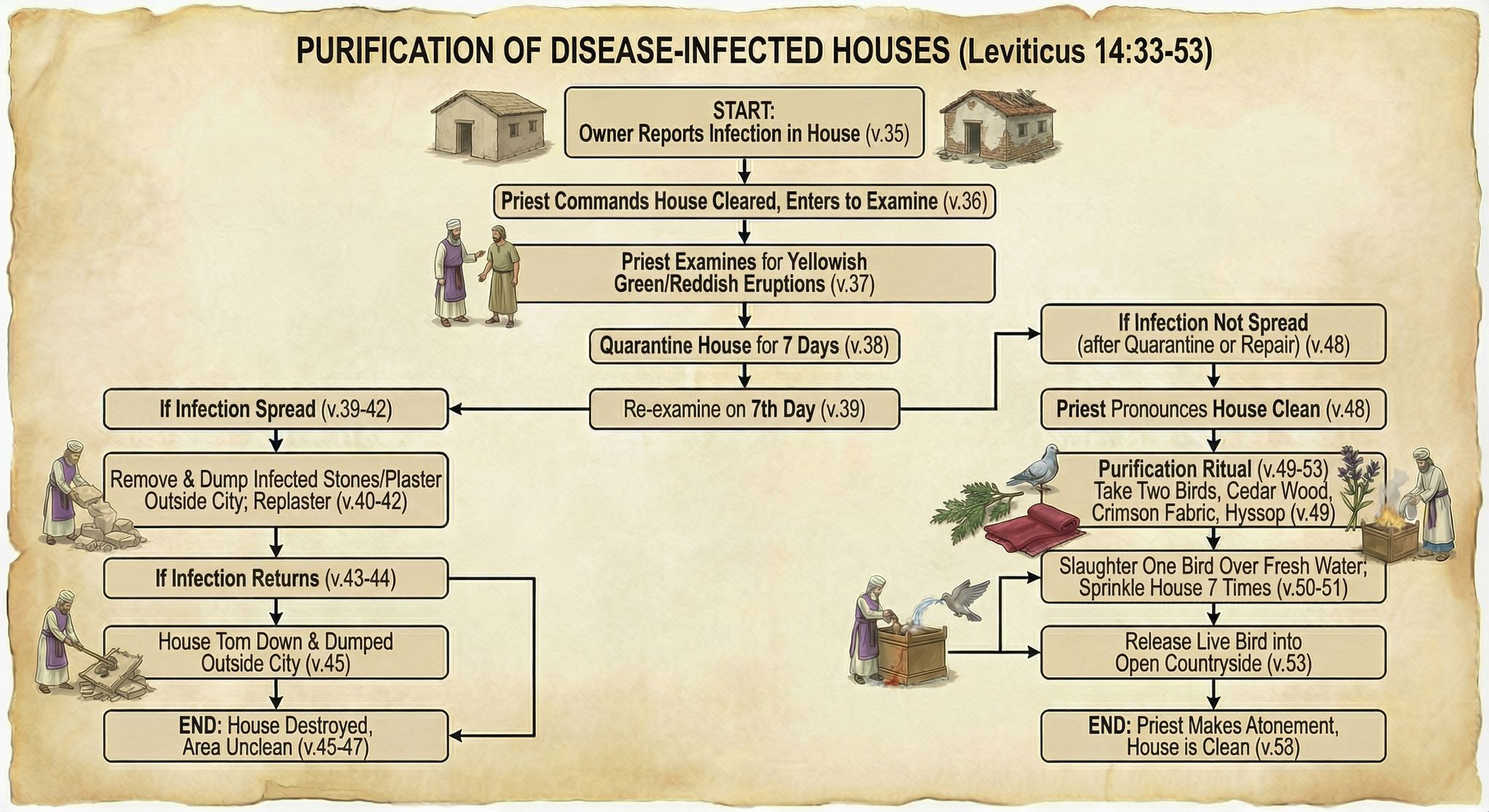
Here are some examples of finished flowcharts:

Dietary Laws of Birds (Leviticus 11:13-19)
Purification of Disease-Infected Houses (Leviticus 14:33-53)
Debt and Slave Regulations (Leviticus 25:35-55)
Blessings, Curses, and Restoration (Leviticus 26:3-45)

Methodology

I first generated some test flowcharts to get a visual style I liked. I wasn’t planning on the illustrations being so friendly, but Nano Banana Pro came up with a clear and pleasing style, so I went with it.

My first thought was to display all the Bible text—NBP could actually handle it—but the summary view I ended up with was easier to follow, visually.

From there, it was mostly a matter of choosing logical verse breaks for each flowchart, which ChatGPT helped with. I then used this prompt and gave it a previously generated flowchart as a style reference:

Create an image of a flowchart for Leviticus [chapter number] (below). Use the image as a stylistic model. Match its styles (not content or exact layout), including text, arrow, box, and imagery styles. Structure your flowchart so that it fits the content. Integrate the images into the boxes themselves where appropriate; they’re not just for decoration. Present a summary, not all the text. Indicate relevant verse numbers, and include the specific verse numbers in the title, not just the chapter number. Never depict the Lord as a person.

[Relevant Bible text]

Often it took two or more tries to get the look I wanted, or to ensure that it got all the logic right. I originally wanted to have all the clean/unclean animals on one flowchart, for example, but I couldn’t get the level of detail I was going for. So they’re broken up by animal type into multiple flowcharts.

On the other hand, even when I forgot to adjust the chapter number in my prompt, NBP would still show the correct chapter number in the output—it knew the chapter I meant, not the chapter I said.

All the image resizing and metadata work on my side to prepare the final webpage was vibecoded. It wasn’t hard code, but it was even easier just to explain to ChatGPT what I wanted to do.

Discussion

These flowcharts are better than I could have executed on my own and only took about four hours to create, from start to finish. By contrast, my earlier, manual process involved taking notes in a physical notebook, and I’d only made it to Leviticus 21 after twenty hours of work. Turning those notes into a finished product would’ve taken perhaps another 100 hours. So I got a better product for 1/30 the time investment, at a cost of $24 to generate the images.

Those twenty hours I spent with Leviticus weren’t lost, as ultimately any time spent in the Bible isn’t. In generating these flowcharts, I already had an idea of what the content needed to be and that it worked well in flowchart form.

But still, I didn’t add much value to this process. Anyone with a spare $24 could’ve done what I did. I expect that people will create custom infographics for their personal Bible studies in the future—why wouldn’t they?

The main risk here involves hallucinations. NBP sometimes misinterpreted the text, and the arrows it drew didn’t always make sense. I reviewed all the generated images to cut down on errors, but some could’ve slipped through.

As you can tell from my recent blog posts, I think that Nano Banana Pro represents a step change in AI image-generation capability. It unlocks whole new classes of endeavors that would’ve been too costly to consider in the past.

Browse all 76 Leviticus flowcharts.

Revisiting Bible “Vibe Cartography”

Saturday, November 29th, 2025

In April, I had GPT-4o create a bunch of maps of the Holy Land based on an existing public-domain map. My chief complaint at the time was that GPT-4o “falls apart on the details”—it gives the right macro features but hallucinates micro features (such as omitting specific hills and valleys and creating nonexistent rivers).

Nano Banana Pro changes that. It preserves features both big and small and doesn’t alter the location of features you give it, which means that you can hand it a map, have it transform the look, and then export it back out of Nano Banana with the correct georeferencing. You can completely change the appearance of a map and just swap it out for your purposes.

This time, I started with the same public-domain map but had Nano Banana Pro extend it so that it would have the same 2:3 aspect ratio as the GPT-4o images. It did a phenomenal job. If you’ve heard of the “jagged frontier” of AI, this work is an example of “sometimes it’s amazing.” There’s no reason why it should be so good at creating a map this accurate. But here we are. (You can download the 4K version of the generated image.)

The original Holy Land illustration by Kenneth Townsend on the left, extended east, south, west, and slightly north by Nano Banana. The look and terrain it created are accurate.

Then I ran the same prompts on Nano Banana Pro that I used for the earlier GPT-4o images. The results preserve all the details but apply the appropriate style. While the Nano Banana Pro images are more accurate, I feel like the GPT-4o images were, on the whole, more aesthetically pleasing for the same prompt. On the other hand, the NBP images followed the prompts way better. Only a few of the more heavily stylized NBP images inserted the nonexistent river between the Red Sea and the Dead Sea.

GPT-4o has simpler, more rainbow colors, while, Nano Banana Pro embraces the jeweled "crystal" look.
Compare the “shattered crystal” look between GPT-4o and Nano Banana Pro. GPT-4o is more conceptual, while Nano Banana Pro is more literal.
For "Painter's Impression," GPT-4o uses a rainbow palette with broad brushstrokes, while Nano Banana Pro has a rougher, almost acrylic-paint look to it.
Compare the “painter’s impression” look between GPT-4o and Nano Banana Pro. To my eye, the GPT-4o one captures Impressionism better.

Below are some of my favorite Nano Banana Pro images. The first two recreate the Shaded Blender look that’s so hot right now. The second two show how NBP can change up the style while preserving details. I especially love how the last one makes the Mediterranean Sea feel vaguely threatening, which captures ancient Israelites’ feelings toward it.

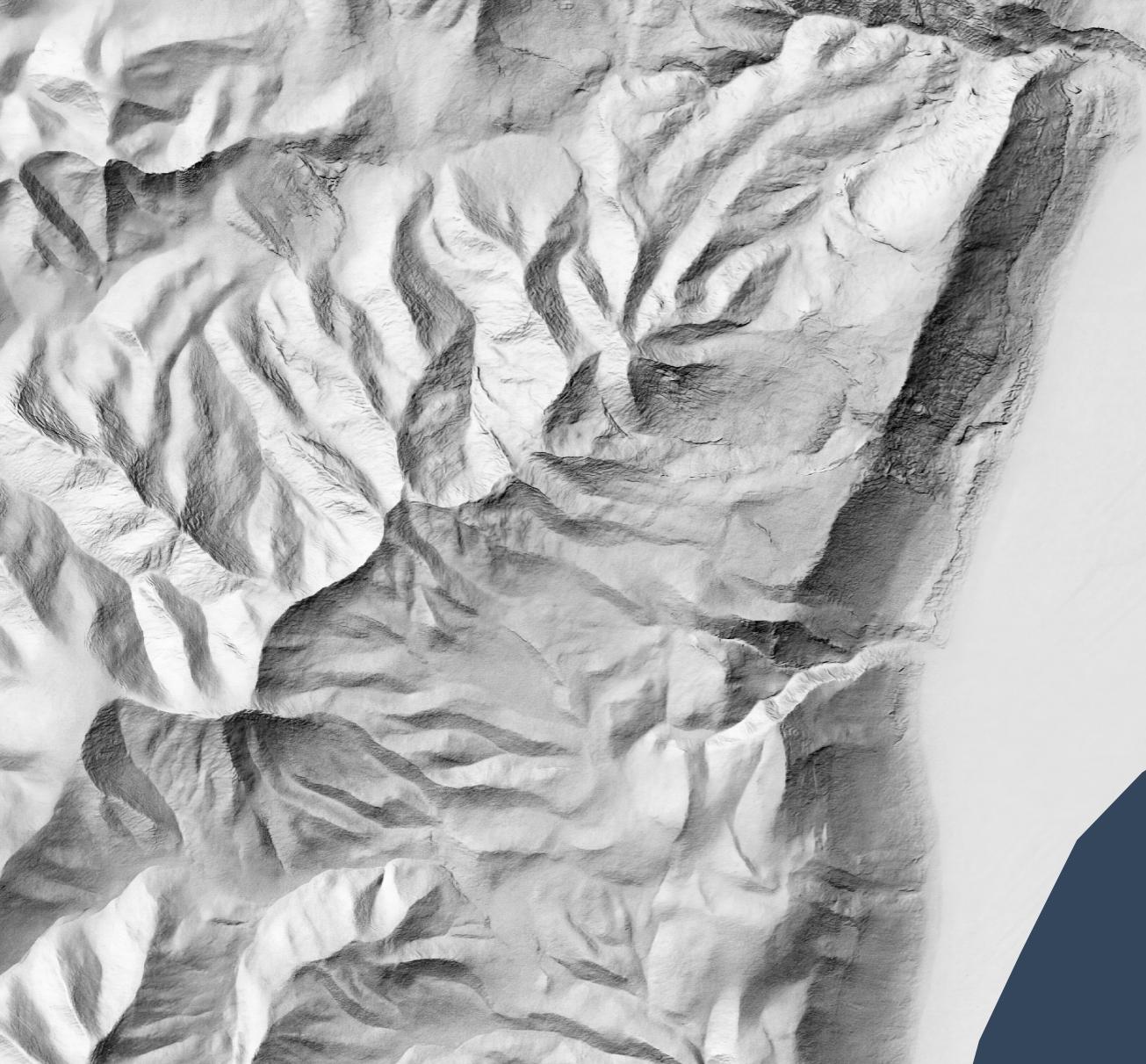
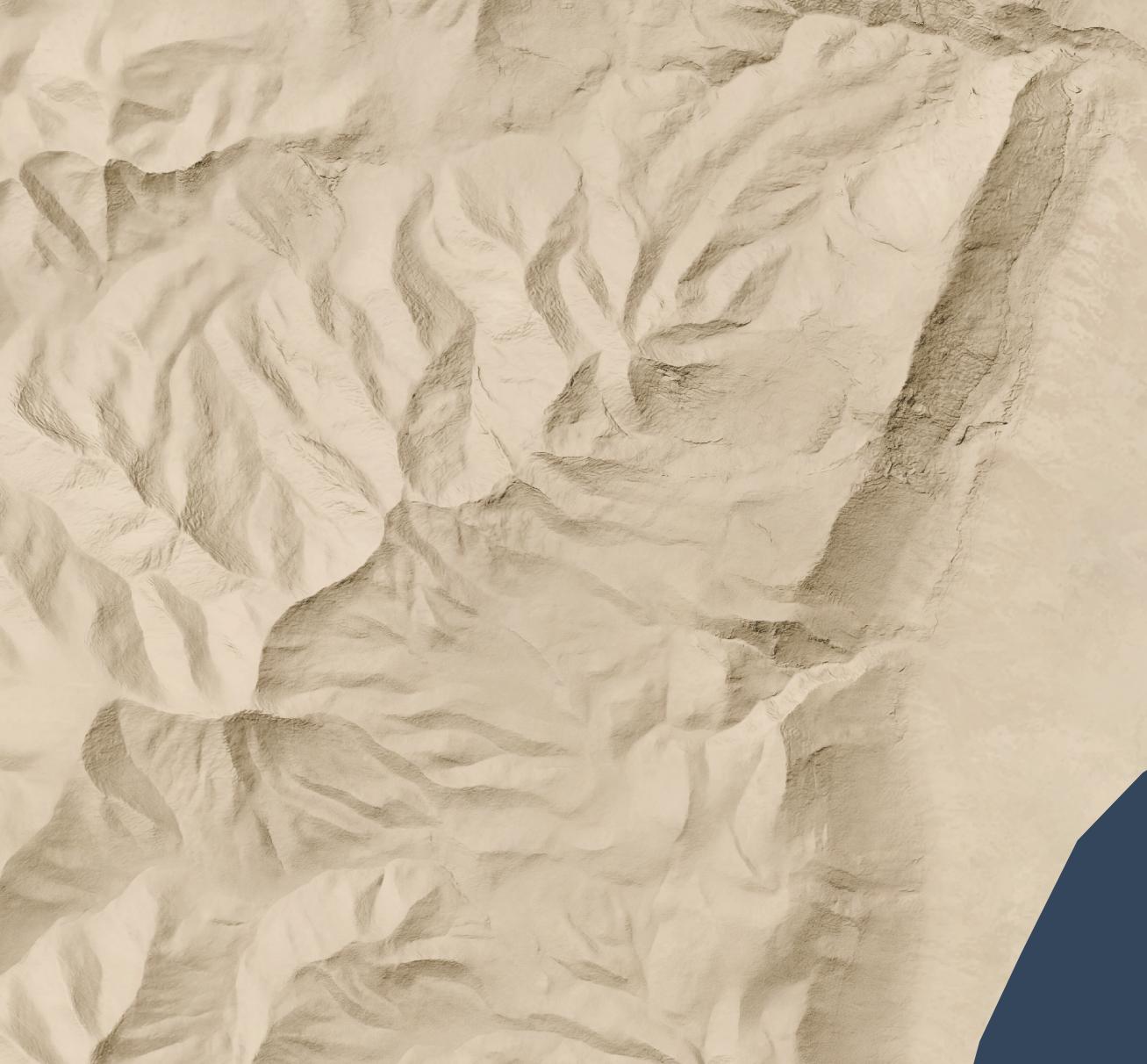
Strategy Game Overworld Map Shadow-Only Elevation Map Byzantine Mosaic Terrain Map Sacred Breath Dot-Field Map

You can view all 200+ Nano Banana Pro-generated images here. The older GPT-4o images remain available.

Recreating a Bird’s-Eye View of the Holy Land with AI

Thursday, November 27th, 2025
A Nano Banana Pro-generated map of the Holy Land based on Hugo Herrmann's version, with naturalistic color.

This image (made with Nano Banana Pro), recreates one of my favorite views of the Holy Land. The original (by Hugo Herrmann) dates from 1931 and is in the public domain. The use of forced perspective makes the topography of the region clear, especially the relationship of the Jordan rift valley to both the Mediterranean Sea (to the west) and the hilly terrain (to the immediate east and west). Mount Hermon in the far north makes clever use of the horizon line to show its dominance.

A view like this also illustrates why biblical writers talked about going “up” to Jerusalem (which is on the peak nearly due west from the northern end of the Dead Sea near the bottom).

The original uses an older style that’s less immediately accessible to the modern eye. Nano Banana Pro is the first AI image generator to do a good job at updating the original’s appearance while removing text and other modern features. Nano Banana Pro also preserves topographic details (which are stylized in the original and not completely accurate) amazingly well. You can tell that it’s AI-generated if you zoom in on the high-resolution version linked above, though—its details feel imprecise compared to what a human would create.

I wanted to have Nano Banana Pro draw Saul’s path from Jerusalem to Damascus using a map reference, but all its attempts were wrong in various ways. So it does have limits. But those limits probably won’t exist in six months.

For comparison, here’s the original Herrmann illustration:

Herrmann's original map.

Virtual Archaeology with Nano Banana Pro

Saturday, November 22nd, 2025

Google this week launched Nano Banana Pro, their latest text-to-image model. It far outshines other image generators when it comes to historical recreations. For example, here’s a reconstruction of ancient Jerusalem, circa AD 70:

A photorealistic rendering of ancient Jerusalem created by Google's Nano Banana Pro.

I gave it this photo of the Holyland Model in Jerusalem and told it to situate in its historical, geographical context. Some of the topography isn’t quite right, but it’s pulling much of that incorrect topography from the original model. It can also make a lovely sketched version.

It also does Beersheba. Here I gave it a city plan and asked it to create a drone view. The result is very close to the plan; my favorite part is the gate structure and well.

A photorealistic rendering of ancient Beersheba that follows the city plan, created by Google's Nano Banana Pro.

It was somewhat less-successful with Capernaum (below). I gave it a city plan and this photo of the existing ruins. It’s kind of close, though it doesn’t exactly match the plan. It’s almost a form of archaeological impressionism, where the image gives off the right vibes but isn’t precisely accurate. Also try a 3D reconstruction of this image using Marble from World Labs.

Photorealistic reconstruction of Capernaum, created by Google's Nano Banana Pro.

Finally, I had it create assets that it could reuse for other cities for a consistent look:

A spec sheet showing 8 specimen residences in ancient Israel.

I then had it create a couple typical hilltop shepherding settlements using the assets it created (again using “drone view” in the prompt):

A photorealistic rendering of a shepherding community in ancient Israel.
A second photorealistic rendering of a shepherding community in ancient Israel, different from the above.

Doing Bible “Vibe Cartography” with GPT-4o

Sunday, April 27th, 2025

Update November 2025: Google’s Nano Banana Pro does way more-accurate vibe cartography than GPT-4o.

Last month’s release of GPT-4o’s image-generation capabilities led to a huge improvement in instruction-following capabilities—specifically, it can now make maps that (more or less) match real geography.

So, obviously, I tried it on Bible maps and made 180 AI-generated maps of the Holy Land in many different styles.

Some of my favorites:

Sunlit Relief Map Pictorial Terrain Guide Map Atlas-Grade Physical Map Classic Swiss-Style Shaded Relief Map Data-Driven Elevation Dots Charcoal and Ash Terrain Etching Painter’s Impression Map Tiny Adventurer Isometric Map Doodle-Sketch Terrain Map Soft Felt Terrain Map Tectonic Fold Map Fabric Drape Terrain Map

Discussion

The results match what James Farrell found in his similar cartographic explorations: GPT-4o creates “generally accurate topography” but falls apart on the details. In these maps, for example, it really likes to connect the Dead Sea and the Red Sea with a nonexistent river. And it includes the Sea of Galilee only when it feels like it. The details of the topography itself—hills, valleys—are broadly correct but wrong in details.

It tends to do better at geographically accurate reproduction when it’s generating something close to what it likely saw in its training data. Sometimes modern features, like country borders, leak through into the generations.

This kind of “vibe cartography” is different from what JJ Santos describes when using a similar term, where you can use Claude to automate map creation inside QGIS. In that process, you should end up with geographically “correct” results, but you’d have to spend a lot of time to achieve the artistic effects in the more conceptual maps here.

Evan Applegate at the Very Expensive Maps podcast likes to say that “you should make your own maps.” I don’t know that he’d consider this process to be “making” a map so much as vibing it into existence. I can imagine a cartographer using an AI to explore a certain look and then polish and execute that look using a more-traditional cartographic workflow.

Methodology

I started by uploading to Sora the finest map of the Holy Land ever created, which is in the public domain, and using that image as a base. From there, I started with this prompt:

Turn this hand drawing of the natural vegetation and topography of the Middle East into something different while maintaining the physical features (especially note that everything south of the Dead Sea is desert; there’s no river), without labels, human features, or political borders:

And followed it up with the specific style, with wording suggested by ChatGPT. For example:

A pure, traditional Swiss-style shaded relief map of ancient Israel — delicate shading for terrain, clean coastline, classic colors, masterful light sourcing.

You can find all the prompts by hovering over (or long-pressing) the images on the AI Maps page.

Making Short Bible-Story Movies with Sora

Friday, December 13th, 2024

OpenAI just released Sora, a text-to-video generator. Here are three five-second videos I had it make of the parable of the lost sheep:

They’re all basically the same concept, with a happy sheep coming toward the camera. Prompting for a video is different from prompting for an image; I struggled to get good results in the limited number of generations available to me. I had more failures than successes.

Here are a couple of fails where I tried to get a video of Moses parting the Red Sea. The first one looks like a video game cutscene, but revealing a giant wall is opposite of what I’m going for. In the second one, Moses decides to take a quick dip in the Red Sea before popping back out. Both of them are trying (and failing) to create the “wall of water” effect popularized by the movie The Ten Commandments.

If I had more credits available, I’d share more. We’re in the earliest days of text-to-video generations—the DALLE-2 era of AI videos: they’re amazing but limited, advanced but (in retrospect) basic.

Do NotebookLM Podcasts Make Sermons Obsolete?

Saturday, October 5th, 2024

Google’s NotebookLM has a new feature that turns anything you upload into a podcast conversation between two synthetic hosts. Ben Cohen in today’s Wall Street Journal says that it’ll “blow your mind,” and he’s right.

Here’s a conversation about the book of Galatians—all I did was give it a link to Bible Gateway, and it produced this fifteen-minute conversation:

This is, honestly, good. It has what I’d look for in an non-technical overview of Galatians, and it’s more-engaging to listen to than the typical sermon. It doesn’t go too in-depth, but it’s a strong overview.

In my intro to the AI Sermon Outline Generator, I said that the sermon outlines it generates are “around the 50th percentile” in terms of sermon quality, but I’d put this podcast closer to the 90th percentile, at least in terms of presentation. It’s engaging—very much like a natural conversation between two people who are discussing the text while bringing in perspectives and background information. It even includes personal application (a takeaway) the way a sermon would.

Listening to this discussion was ear-opening for me: it was better than nearly every sermon I’ve ever heard, but its insights are synthetic and not really aimed at me (or anyone). I didn’t hear anything that was wrong, but as with any AI, it could very easily make things up, misinterpret passages, or introduce subtle (or not-so-subtle) heresies. But it’s so engaging that I might not even notice.

Elisha and the Bears

Next, I gave it the difficult story of Elisha and the bears from 2 Kings 2:23-25:

Here it did a decent job of presenting some of the basic interpretive options, but I wouldn’t say it engaged that much with the text. It also didn’t really draw conclusions.

So I uploaded about 3,000 words of commentary material on this passage, and it produced the following:

This is definitely better, and it grounds it in more of the commentary text. Again its conclusion is that you need to figure out its meaning for yourself, which isn’t exactly what I’m looking for in a sermon. But it still did a good job of presenting background info and various interpretations.

Your Daily Bible Reading

Lastly, I uploaded today’s Daily Office reading; the Daily Office thematically arranges texts, so I expected it to draw out similarities between them. It didn’t disappoint:

I grant you, again, that it isn’t the deepest conversation. But it hit the themes and key verses in an engaging way; it did a good job providing thoughts around the text and making me care more about what I just read in the Bible. And, importantly, I could produce a similar podcast no matter what my passages were; it’s custom-generated for exactly what I’m reading.

What’s Are These Podcasts Useful For?

Because the podcasts are stylistically engaging, I think it might make sense for a pastor to upload a sermon’s Bible passages along with research materials into NotebookLM and have it generate a podcast about it. You can listen to it while you’re going for a walk or commuting somewhere. Then you can ask yourself questions like: What does the podcast focus on? How does it activate interest and curiosity in listeners the way podcasts do? The risk is that it’ll podcastify your sermon and move it toward becoming a podcast rather than a sermon. But if you struggle with sermon writing, it might give you some ideas on engaging your audience.

As for non-pastors, creating a podcast that directly relates to your regular Bible reading might be a way to help you think about the Bible text in a new way. It’s worth trying out if you find that you’re looking for something different.

Do They Make Sermons Obsolete?

I wouldn’t say that these podcasts make sermons obsolete, exactly, since they don’t serve the same purpose as a sermon. In terms of quality and keeping my interest, these podcasts surpass most sermons I’ve heard. In terms of depth and insight, they tend to pose questions more than provide answers, which is fine for the podcast genre but isn’t necessarily what I’m looking for in a sermon.

But I was still impressed: as custom, near-instant podcasts, they work really well—much better than I was expecting. Outside of church, I’m much more likely to listen to one of these podcasts than I am to a sermon, especially since I can ensure the podcast will cover exactly the topic I’m interested in and ground it in the sources I care about.

Our New AI Worship-Music Overlords

Sunday, December 24th, 2023

Suno.ai does for music what DALL-E does for images: turn text into synthetic art. My first thought is that it could be helpful for memorizing the Bible: you enter in the text you want to memorize and the style of music that most helps you memorize (no judgment if that’s yodeling).

Here are three musical renderings (instruments and vocals) I made of Psalm 121 (NIV) in three different styles:

1960s Broadway Musical:

1990s Worship:

Appalachian Folk:

The quality isn’t quite there, but it’s pretty good.

If you’re looking for actual human-created musical approaches to memorizing Bible verses, I recommend Biblevox, which collects over 3,000 Bible-memory songs in one place and is run by my father’s brother’s nephew’s cousin’s former roommate, Ken Boer. (I do love a good data-categorization project.) Ken also pointed me to “I Am Better Than You,” which is a fun take on conveying the essence of Philippians 3:2-11–though it’s not, strictly speaking, a Bible-memory song.